In today's article, we will explore how to create a new SharePoint site using an automated process.
Specifically, we are focusing on creating Communication Sites. While this automated method can be adapted for other site types, it would require minor adjustments to the JavaScript code.
Method 1: The Standard User Interface (UI)
As most of you know, there are two common ways to create a Communication Site through the end-user environment:
From the SharePoint Home Page
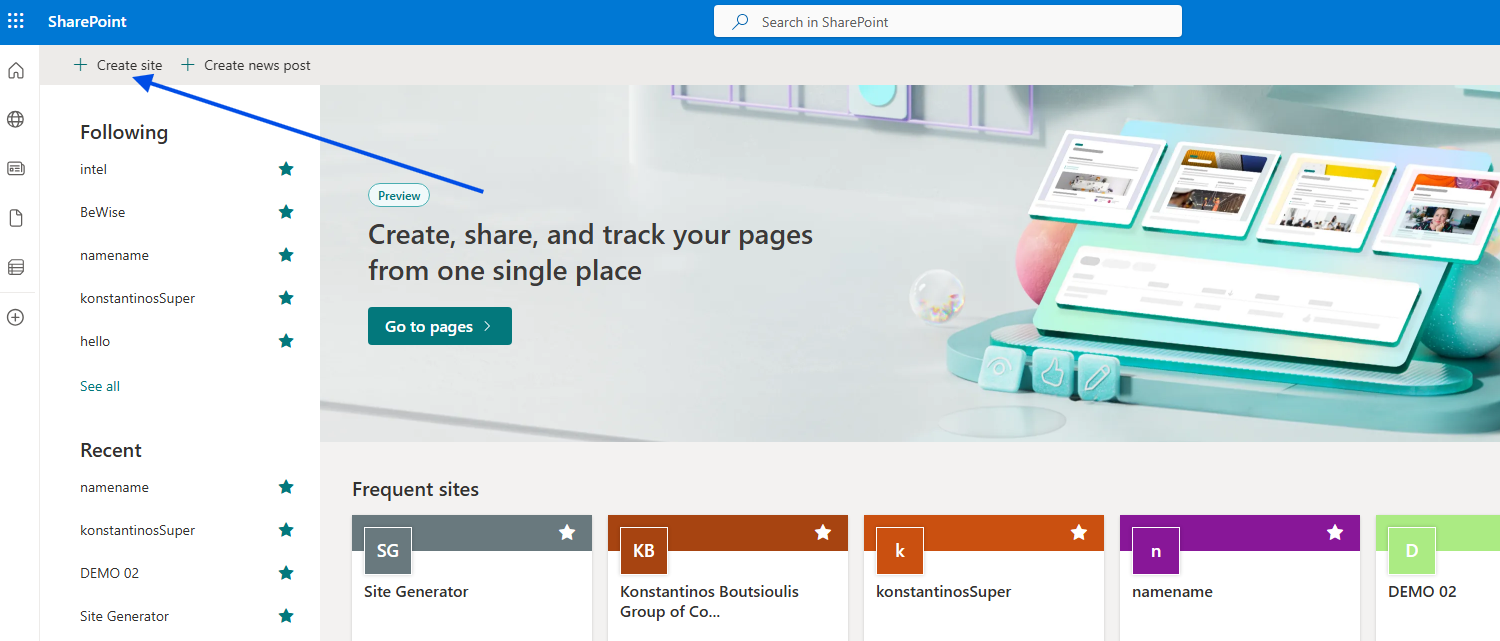
Start New Site: From your SharePoint start page, click + Create site in the top-left corner.
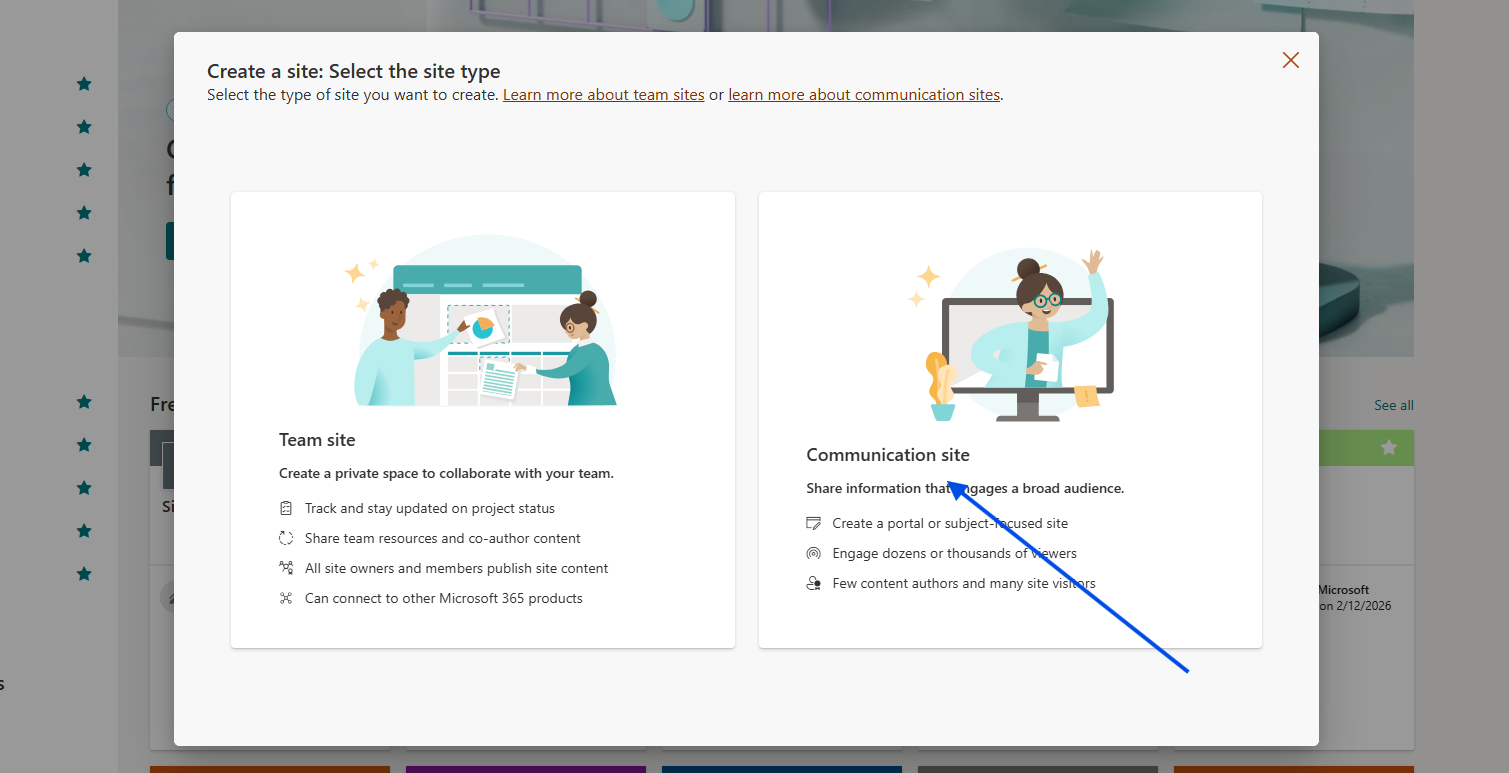
Select Type: Choose Communication site.
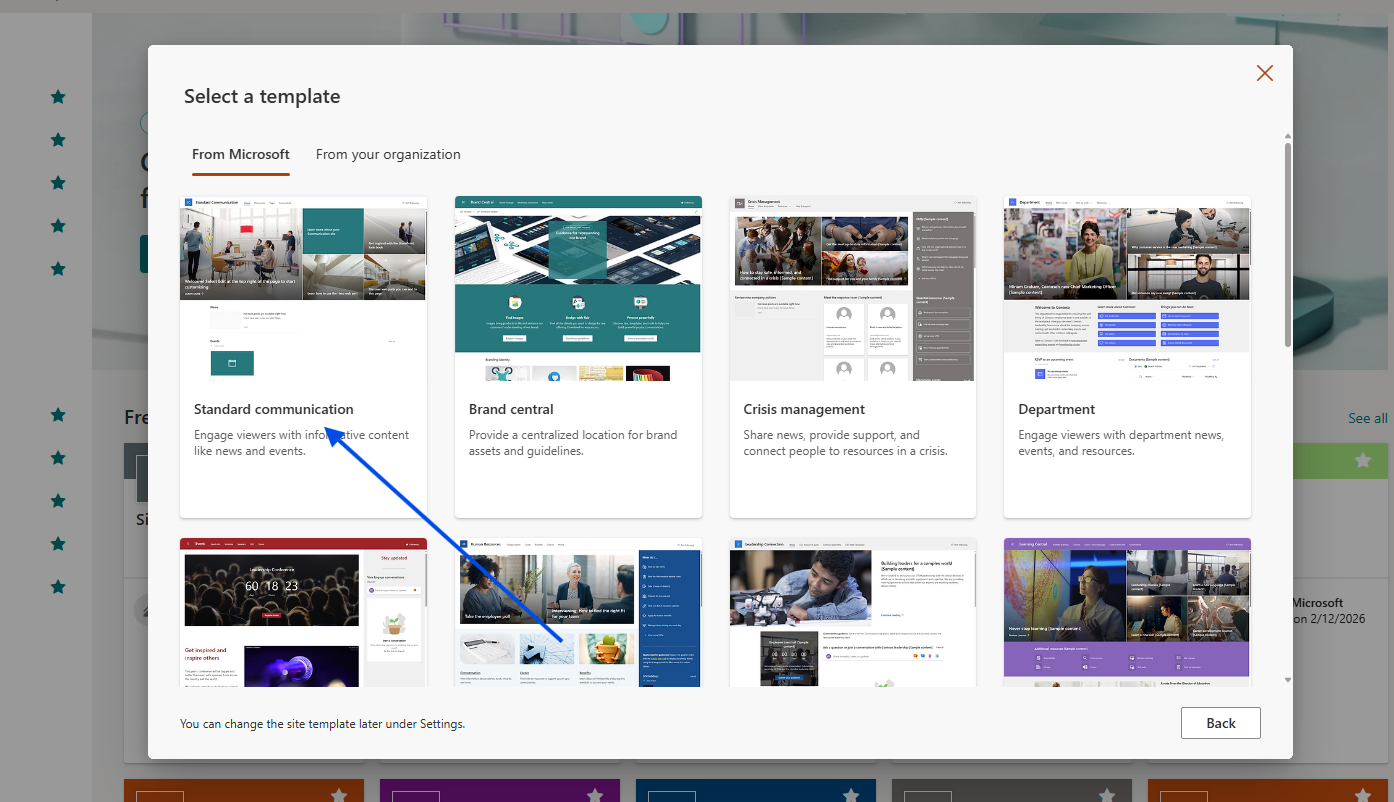
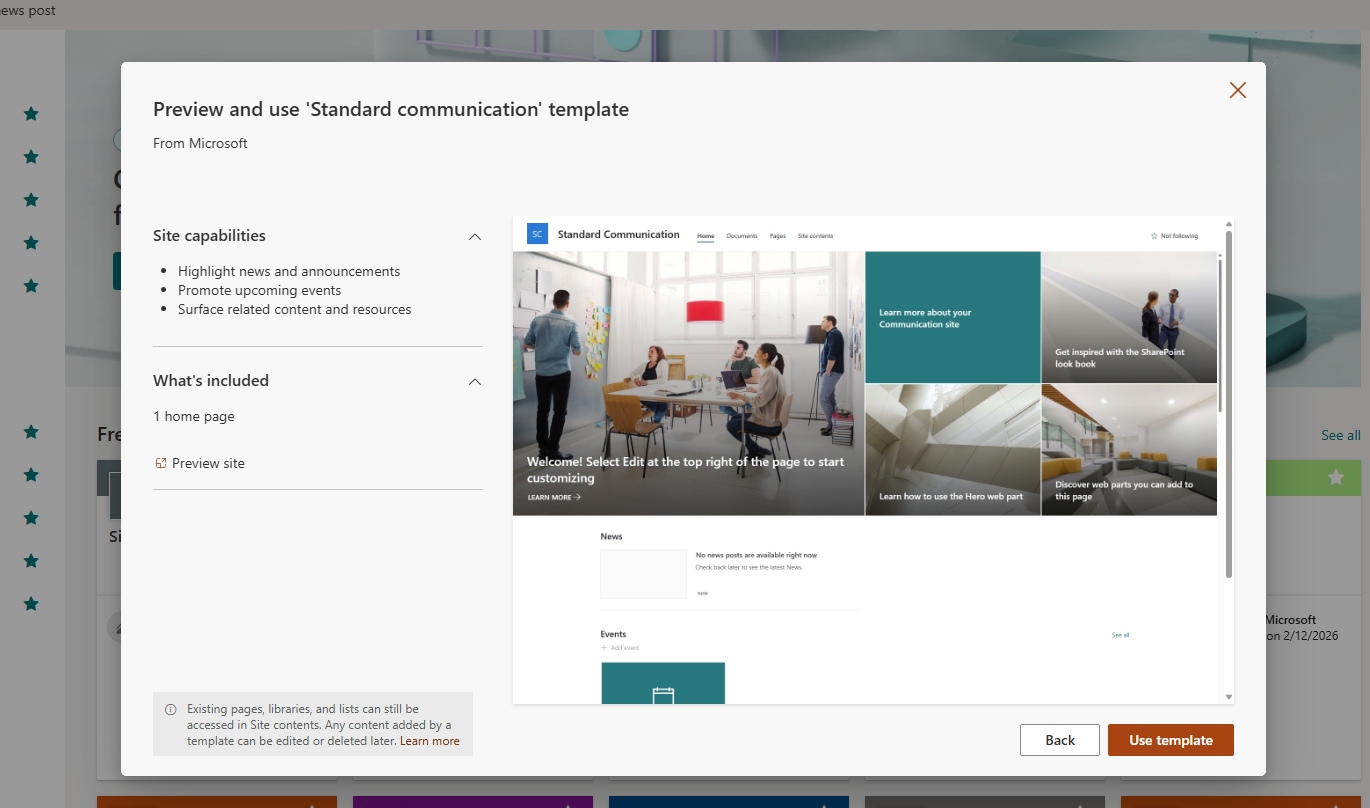
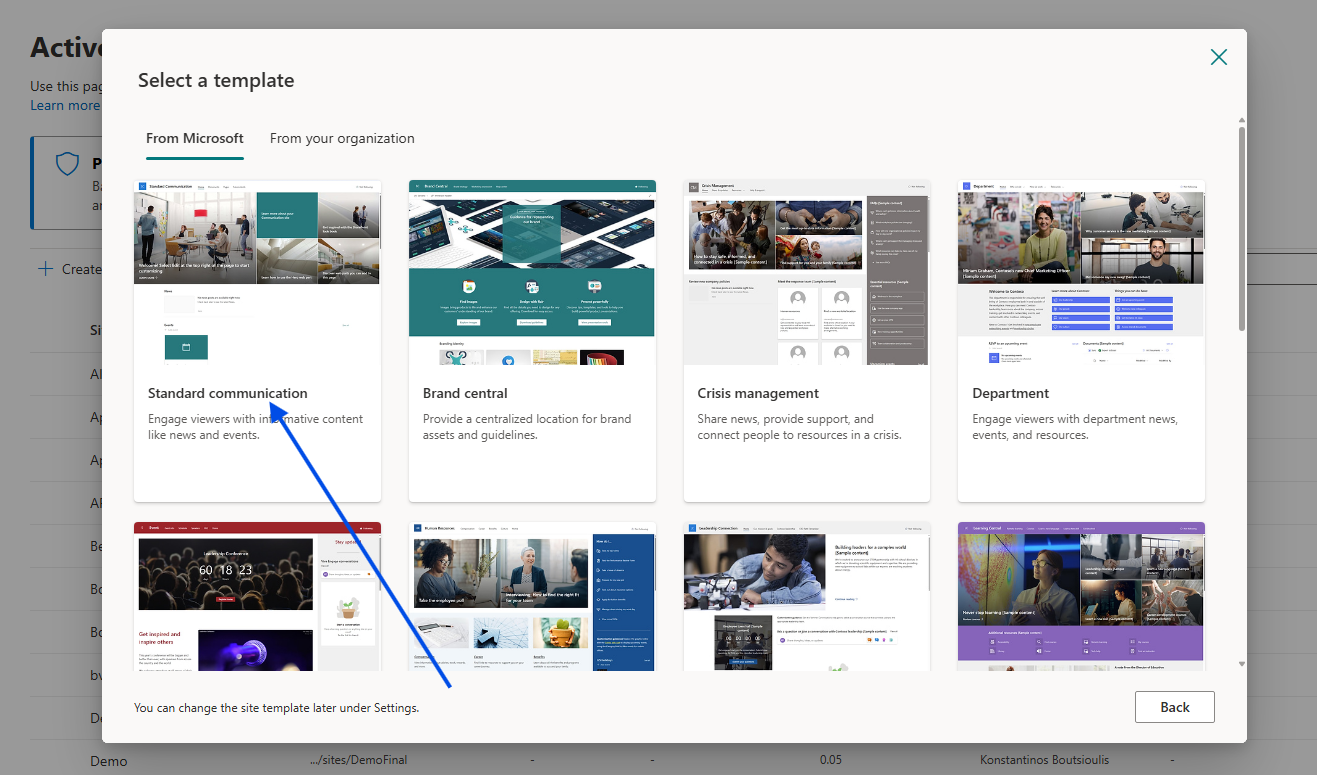
Choose Template: Select your preferred site template and click Use template.
Details: Provide a Site name, check if the Site address (URL) is available, and add a Site description.
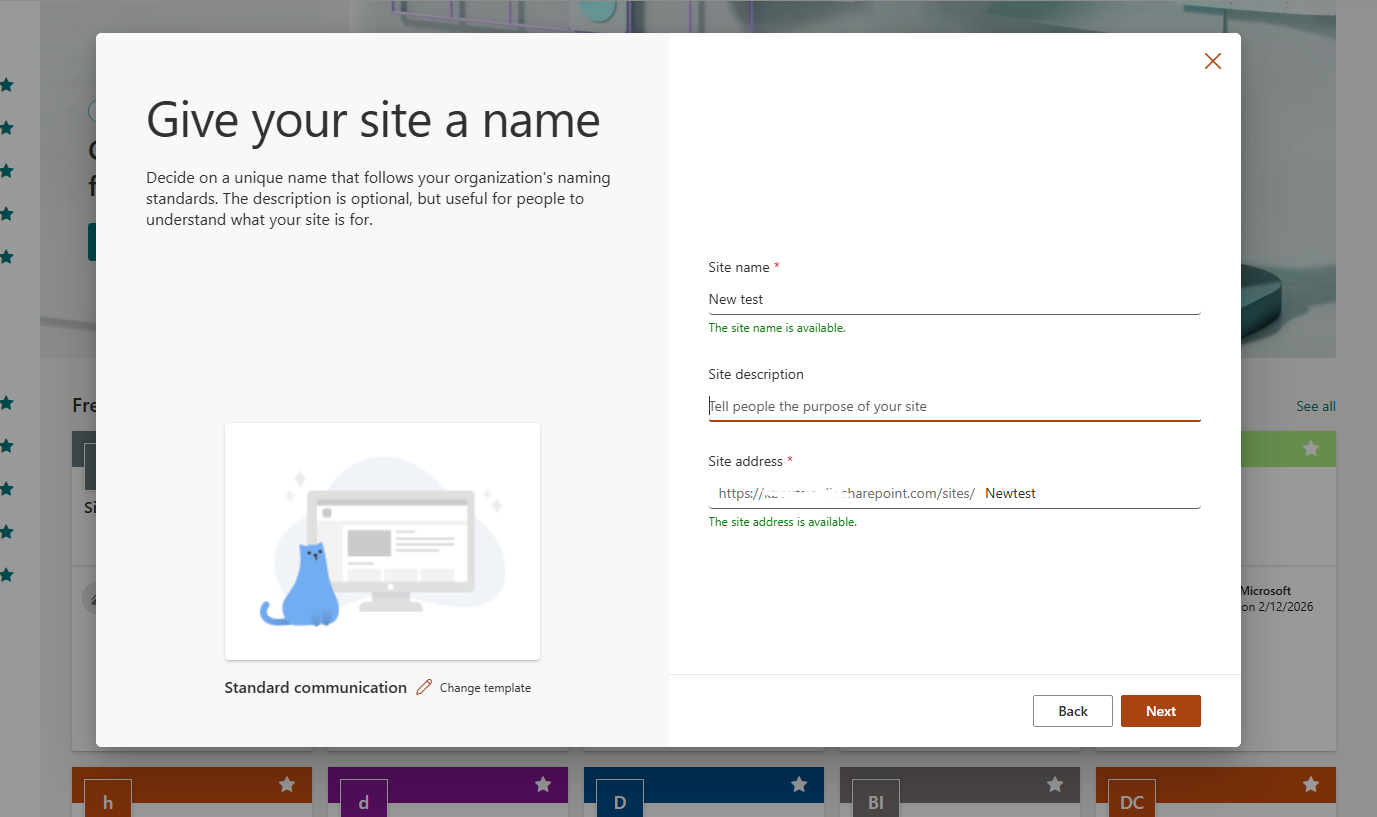
From the SharePoint Admin Center
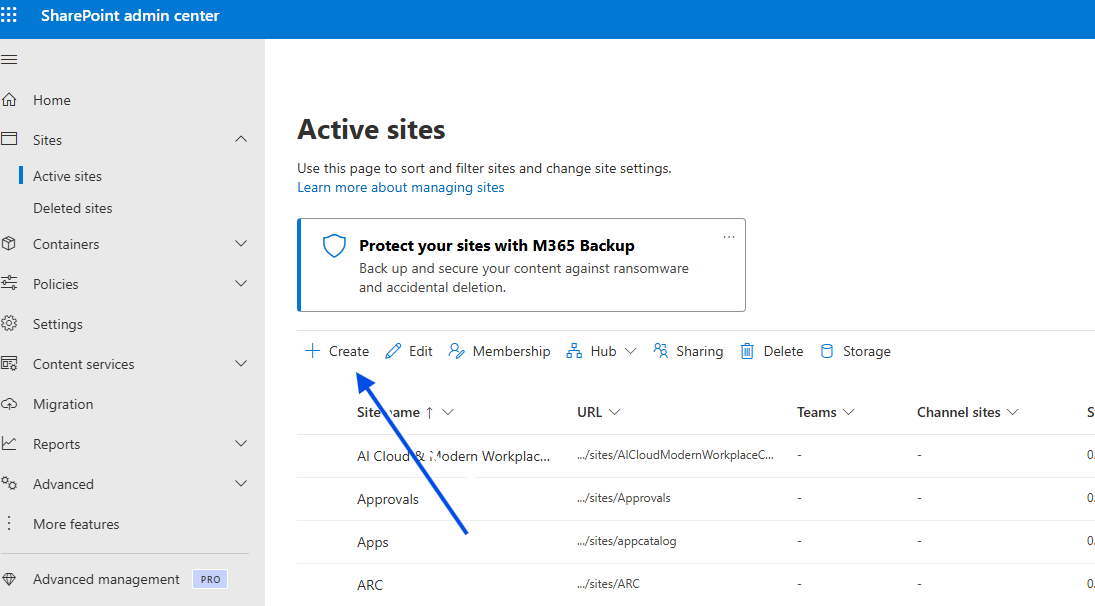
If you have administrative privileges, you can perform the same task through the Admin Center:
Go to the Active Sites page and click + Create.
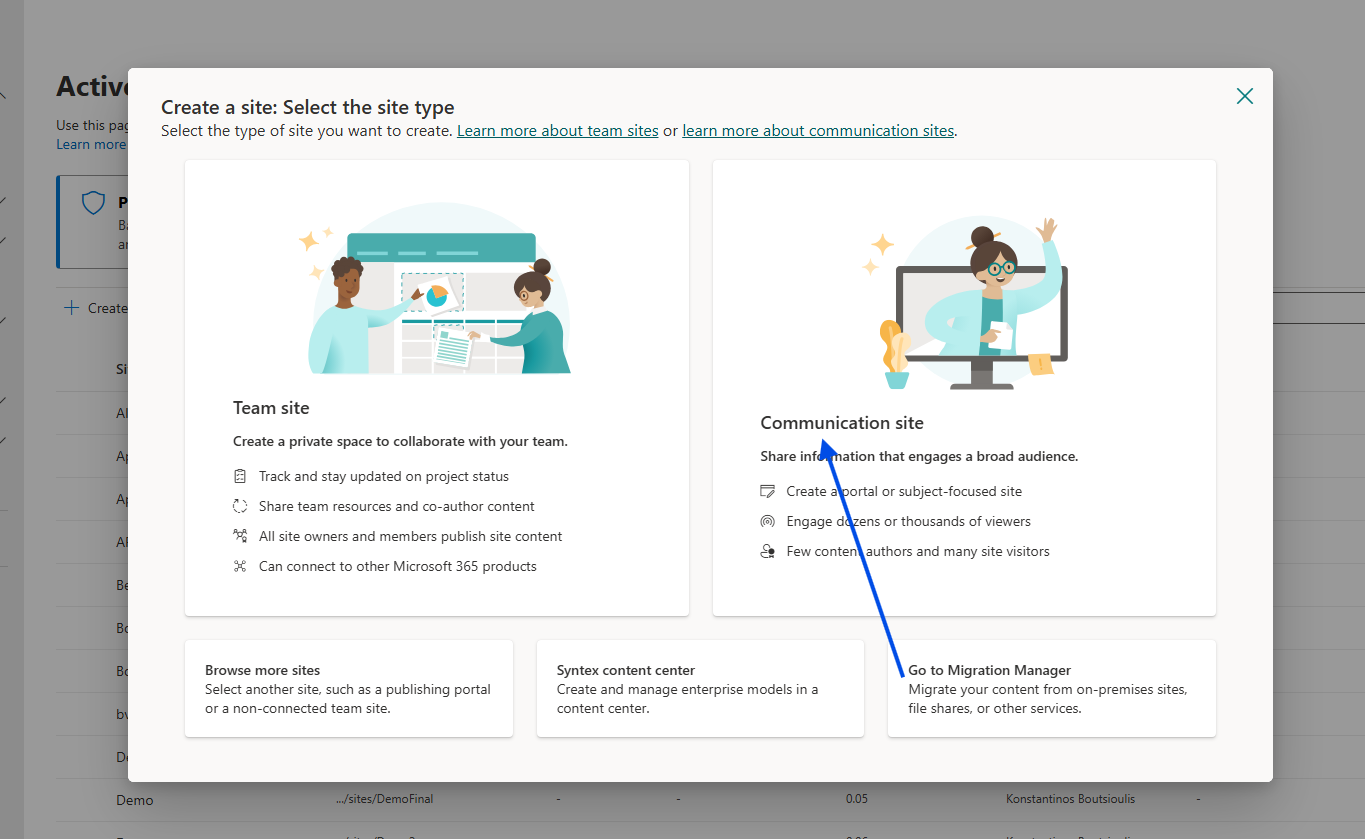
Select the site type and enter the details as before.
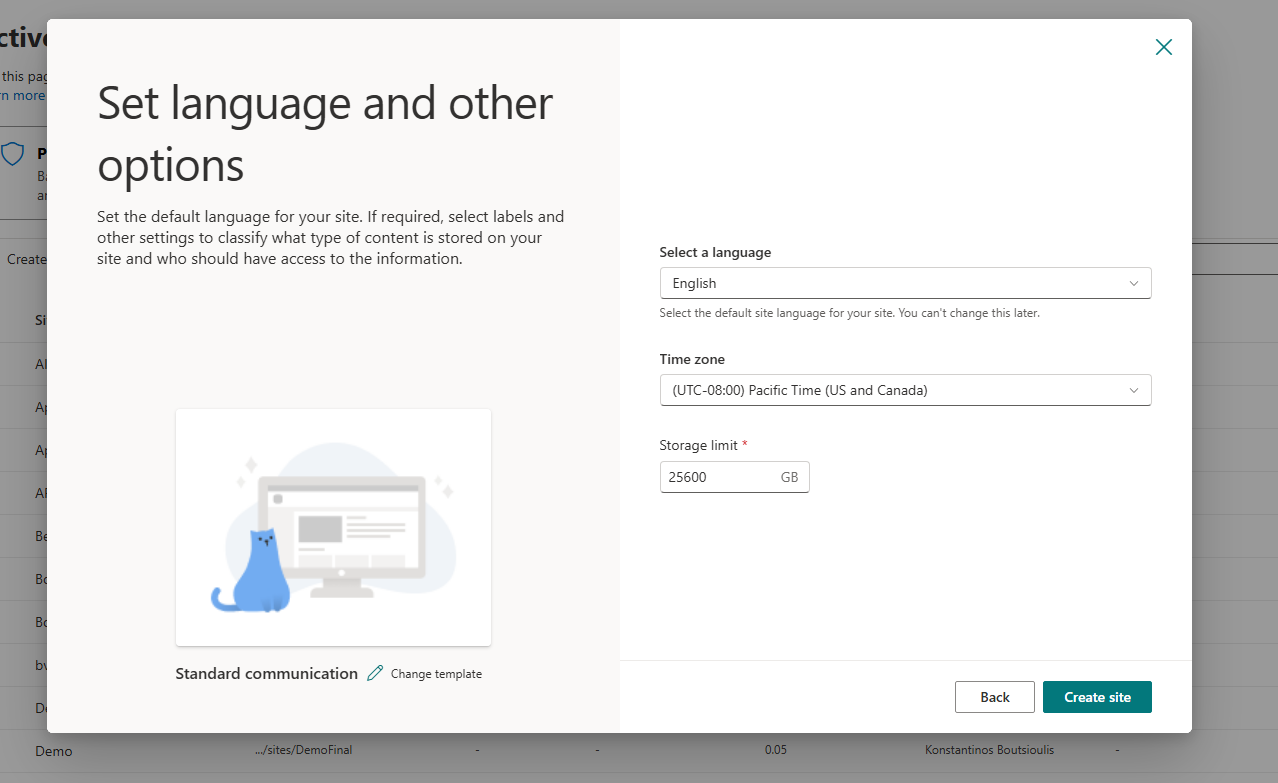
Advanced Settings: Depending on your configuration, you may also need to set the Time Zone and Storage Quota.
Method 2: Automation via JavaScript and REST API
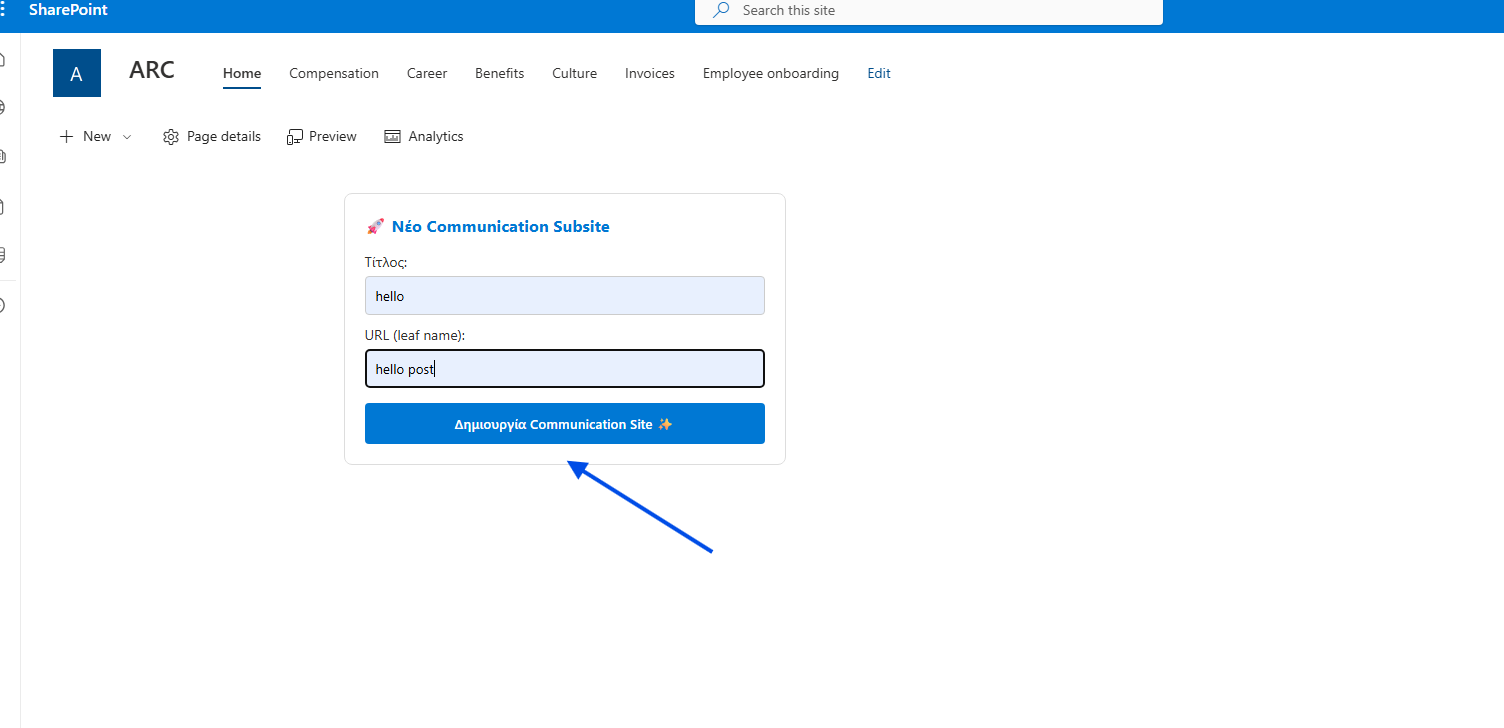
For a more streamlined or "one-click" experience, we can automate site creation using JavaScript and the SharePoint REST API. This script can be executed directly within a Modern Script Editor Web Part.
The Code
The following code creates a "New Communication Subsite" form. It fetches the necessary Security Token (Request Digest) and sends a POST request to the SharePoint API.
<div id="create-comm-site-container" style="padding: 20px; background: #fff; border-radius: 8px; border: 1px solid #ddd; font-family: 'Segoe UI', sans-serif; max-width: 400px;">
<h3 style="margin-top: 0; color: #0078d4;">🚀 Νέο Communication Subsite</h3>
<div style="margin-bottom: 10px;">
<label style="display: block; margin-bottom: 5px; font-size: 14px;">Τίτλος:</label>
<input type="text" id="comm-site-title" placeholder="π.χ. Εταιρικά Νέα"
style="width: 100%; padding: 10px; border: 1px solid #ccc; border-radius: 4px; box-sizing: border-box;">
</div>
<div style="margin-bottom: 15px;">
<label style="display: block; margin-bottom: 5px; font-size: 14px;">URL (leaf name):</label>
<input type="text" id="comm-site-url" placeholder="π.χ. news"
style="width: 100%; padding: 10px; border: 1px solid #ccc; border-radius: 4px; box-sizing: border-box;">
</div>
<button id="btn-create-comm" onclick="createCommSite()"
style="background: #0078d4; color: white; border: none; padding: 12px 20px; border-radius: 4px; cursor: pointer; font-weight: 600; width: 100%;">
Δημιουργία Communication Site ✨
</button>
<div id="comm-status" style="margin-top: 15px; font-size: 13px; display: none; font-weight: 500;"></div>
</div>
<script>
async function createCommSite() {
const titleInput = document.getElementById('comm-site-title');
const urlInput = document.getElementById('comm-site-url');
const status = document.getElementById('comm-status');
const btn = document.getElementById('btn-create-comm');
const title = titleInput.value.trim();
const url = urlInput.value.trim();
if (!title || !url) {
updateStatus("Συμπληρώστε όλα τα πεδία!", "#d13438");
return;
}
btn.disabled = true;
btn.innerText = "Γίνεται δημιουργία...";
updateStatus("Επικοινωνία με το SharePoint...", "#666");
try {
// --- ΑΣΦΑΛΗΣ ΠΡΟΣΔΙΟΡΙΣΜΟΣ URL ---
// Αν το _spPageContextInfo λείπει, παίρνουμε το URL από το window.location
let relativeUrl = "/";
if (typeof _spPageContextInfo !== "undefined") {
relativeUrl = _spPageContextInfo.webServerRelativeUrl;
} else {
// Logic για εξαγωγή του site path αν είμαστε σε subsite
const pathSegments = window.location.pathname.split('/');
if (pathSegments.includes('sites') || pathSegments.includes('teams')) {
relativeUrl = pathSegments.slice(0, 3).join('/');
}
}
const siteUrl = window.location.origin + (relativeUrl === "/" ? "" : relativeUrl);
// --------------------------------
// 1. Λήψη Request Digest (Απαραίτητο για POST requests)
const contextRes = await fetch(`${siteUrl}/_api/contextinfo`, {
method: "POST",
headers: { "Accept": "application/json;odata=verbose" }
});
if (!contextRes.ok) throw new Error("Αδυναμία λήψης Security Token (Context Info).");
const contextData = await contextRes.json();
const digest = contextData.d.GetContextWebInformation.FormDigestValue;
// 2. REST API Request για δημιουργία Subsite
const response = await fetch(`${siteUrl}/_api/web/webinfos/add`, {
method: "POST",
body: JSON.stringify({
'parameters': {
'__metadata': { 'type': 'SP.WebInfoCreationInformation' },
'Url': url,
'Title': title,
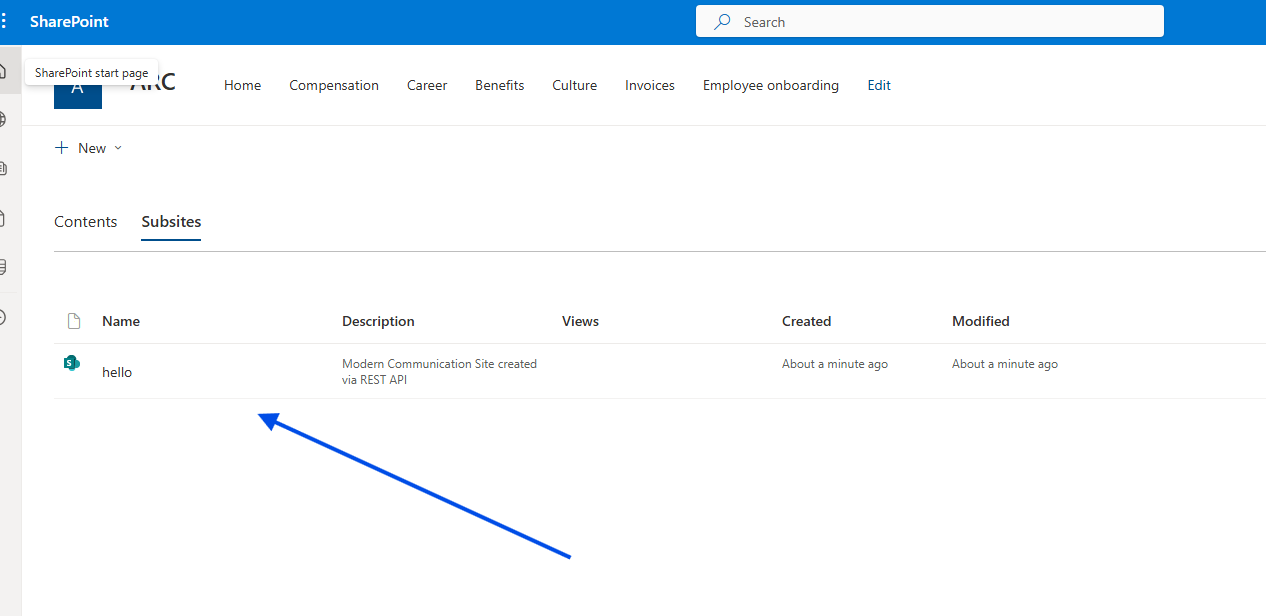
'Description': 'Modern Communication Site created via REST API',
'Language': 1032, // Ελληνικά
'WebTemplate': 'SITEPAGEPUBLISHING#0', // Template για Communication Site
'UseUniquePermissions': false
}
}),
headers: {
"Accept": "application/json;odata=verbose",
"Content-Type": "application/json;odata=verbose",
"X-RequestDigest": digest
}
});
if (response.ok) {
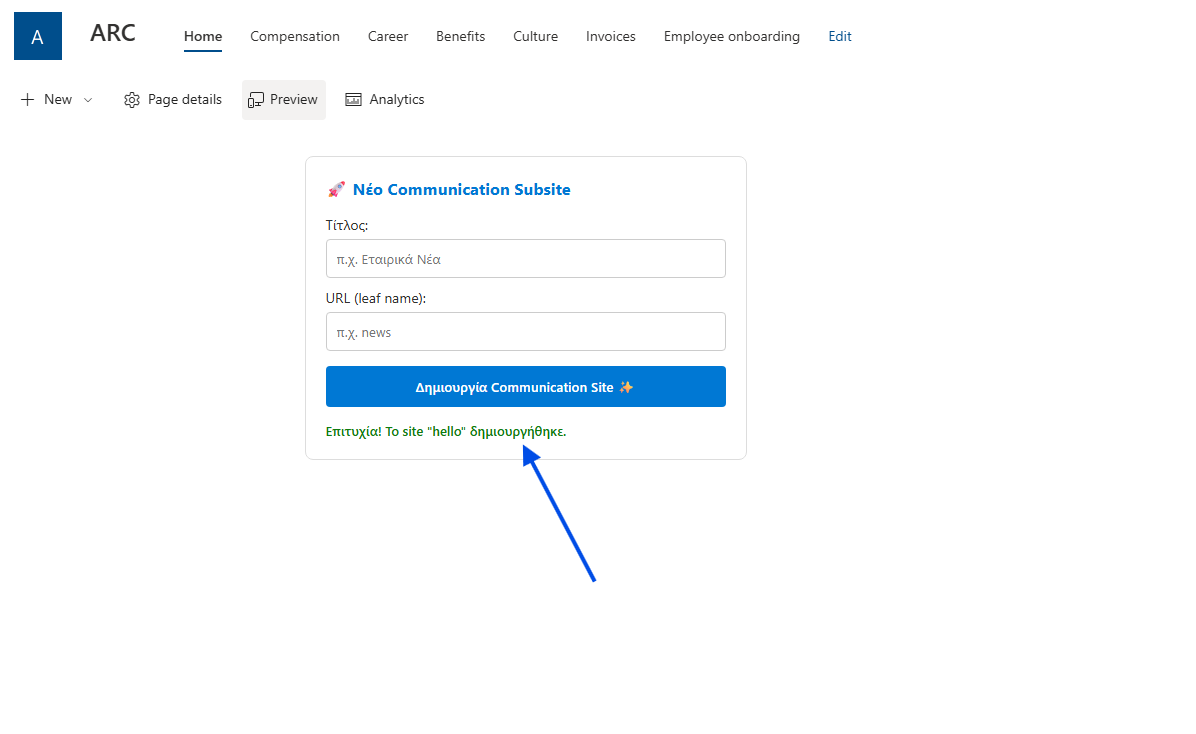
updateStatus(`Επιτυχία! Το site "${title}" δημιουργήθηκε.`, "#107c10");
titleInput.value = "";
urlInput.value = "";
// Προαιρετικό: Redirect στο νέο site μετά από 2 δευτερόλεπτα
// setTimeout(() => { window.location.href = `${siteUrl}/${url}`; }, 2000);
} else {
const err = await response.json();
const errorMsg = err.error ? err.error.message.value : "Άγνωστο σφάλμα διακομιστή";
updateStatus("Σφάλμα SharePoint: " + errorMsg, "#d13438");
}
} catch (error) {
updateStatus("Σφάλμα: " + error.message, "#d13438");
console.error(error);
} finally {
btn.disabled = false;
btn.innerText = "Δημιουργία Communication Site ✨";
}
}
function updateStatus(msg, color) {
const status = document.getElementById('comm-status');
status.style.display = "block";
status.style.color = color;
status.innerText = msg;
}
</script>