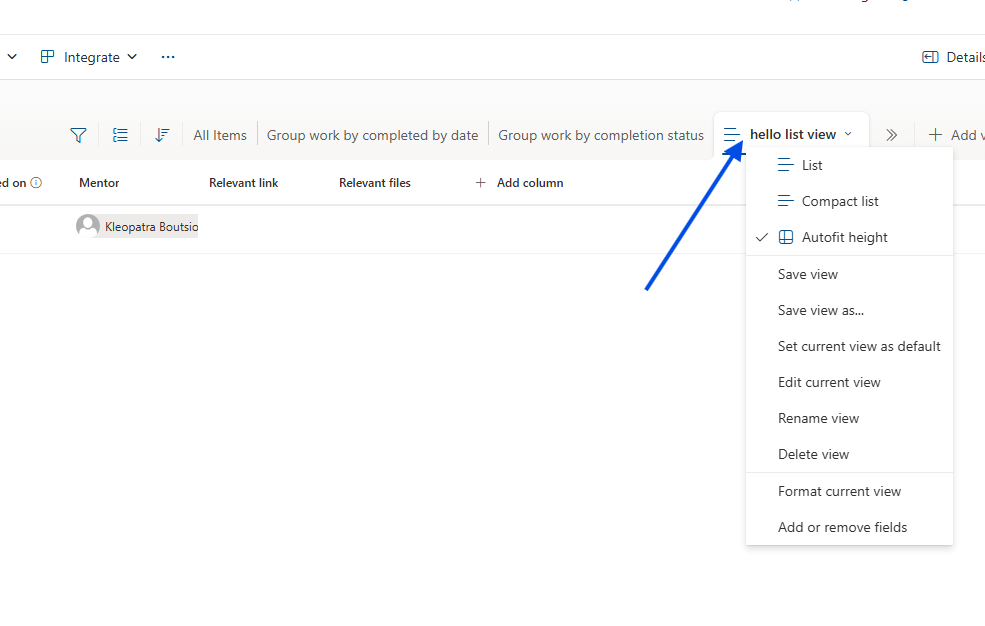
In today's article, we will explore how to create a new View in a SharePoint list. Rather than using the classic manual process, we will achieve this using the SharePoint REST API.
It is worth noting that this is a straightforward task that can, of course, be performed through the standard end-user environment.
Method 1: The Standard User Interface (UI)
To create a new view manually:
Navigate to Site Contents: Go to the site containing your list. Click the gear icon in the top right and select Site Contents.
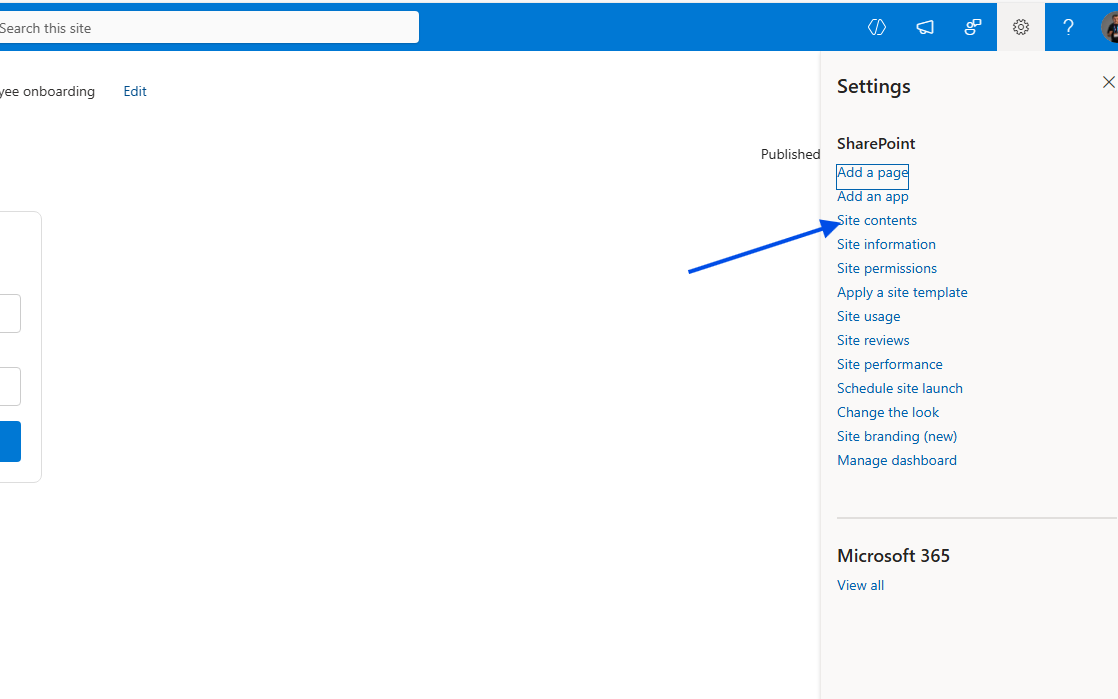
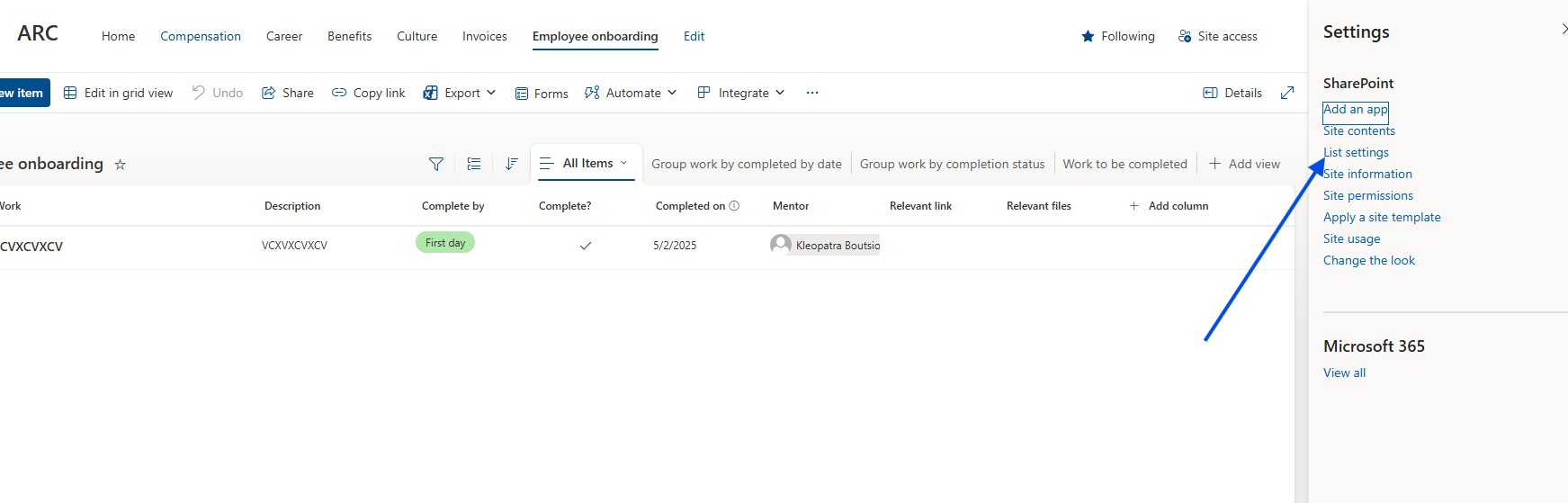
Access List Settings: Select the list you want to modify. Click the gear icon again and select List Settings.
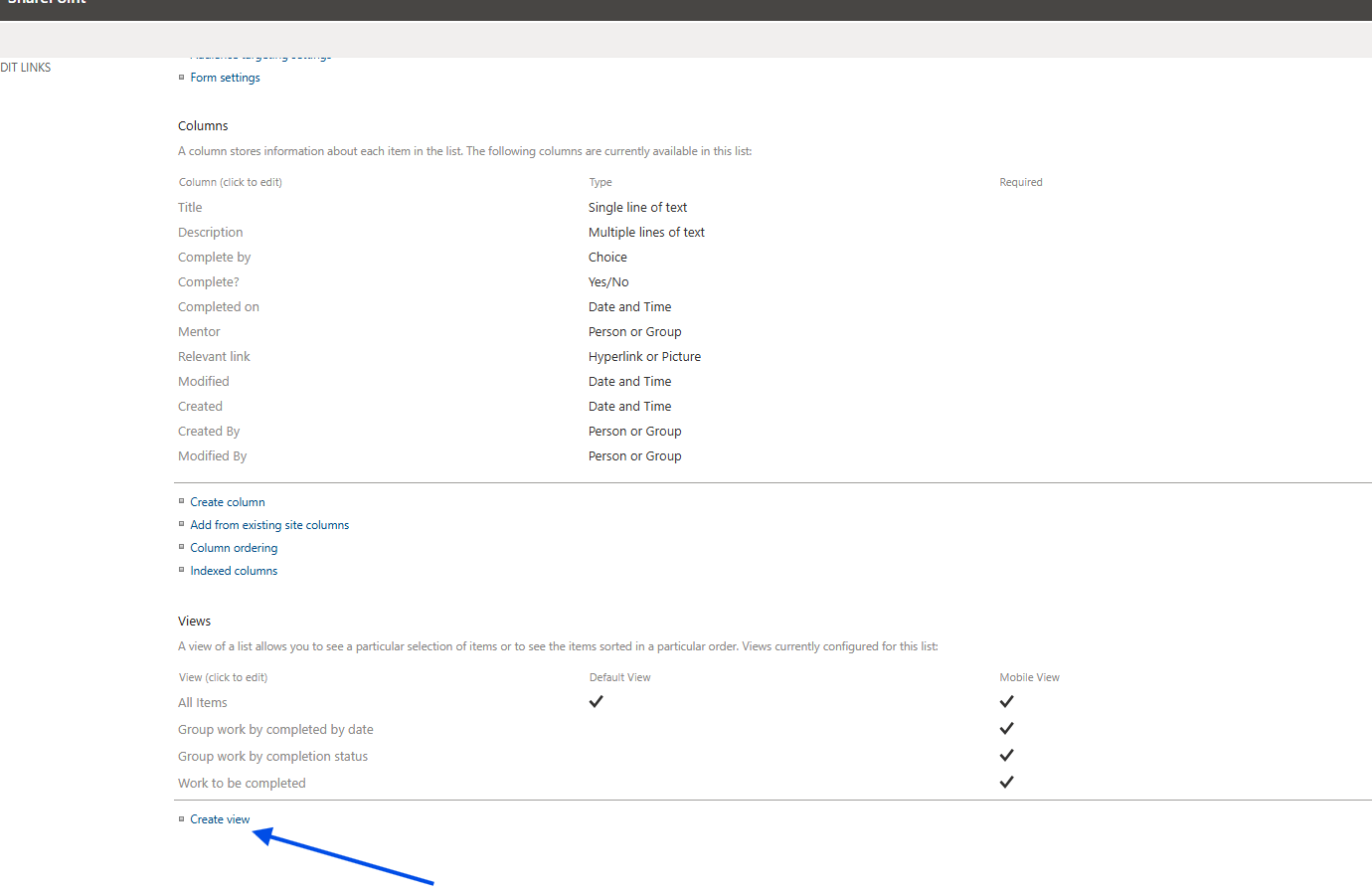
Create View: Scroll down to the Views section and select Create view.
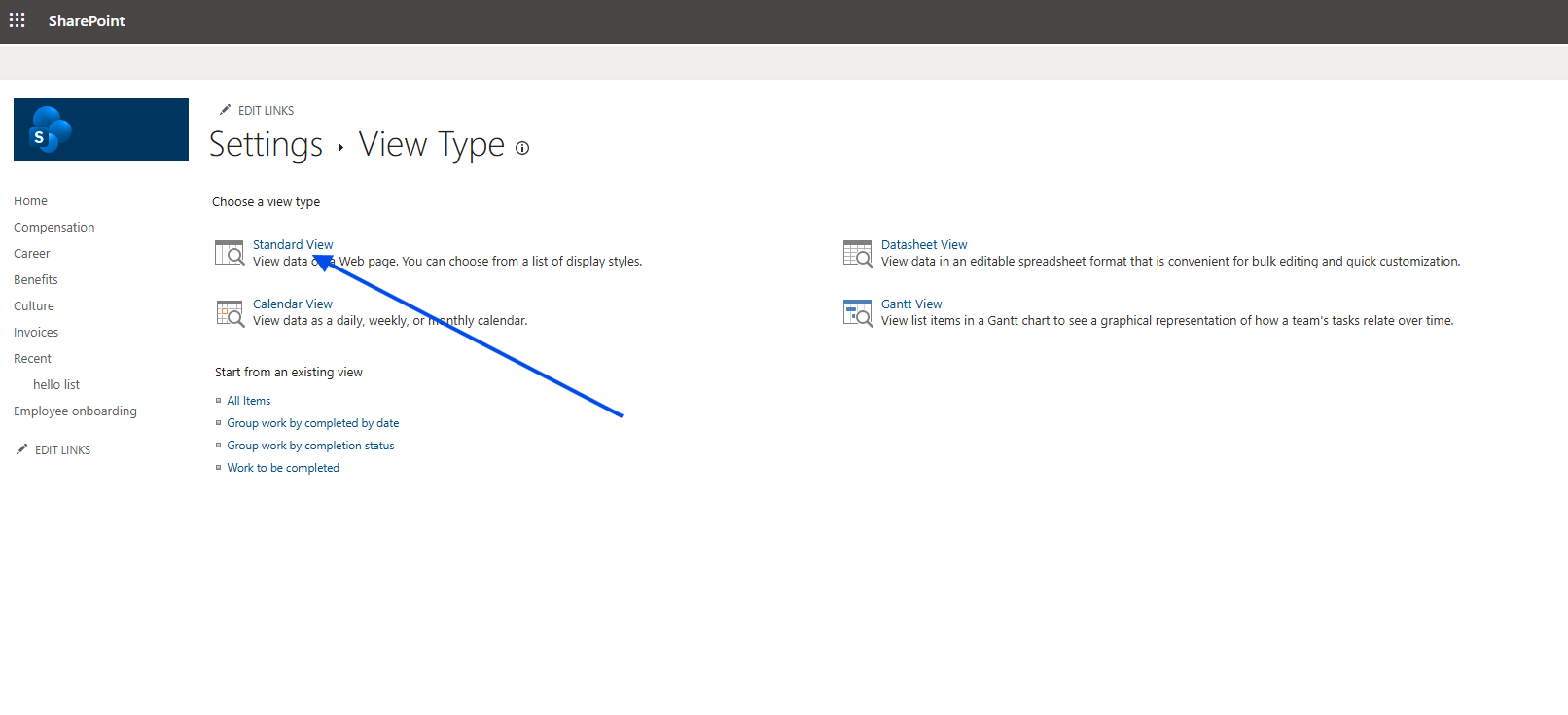
Choose Type: Choose the type of view you wish to create (e.g., Standard View).
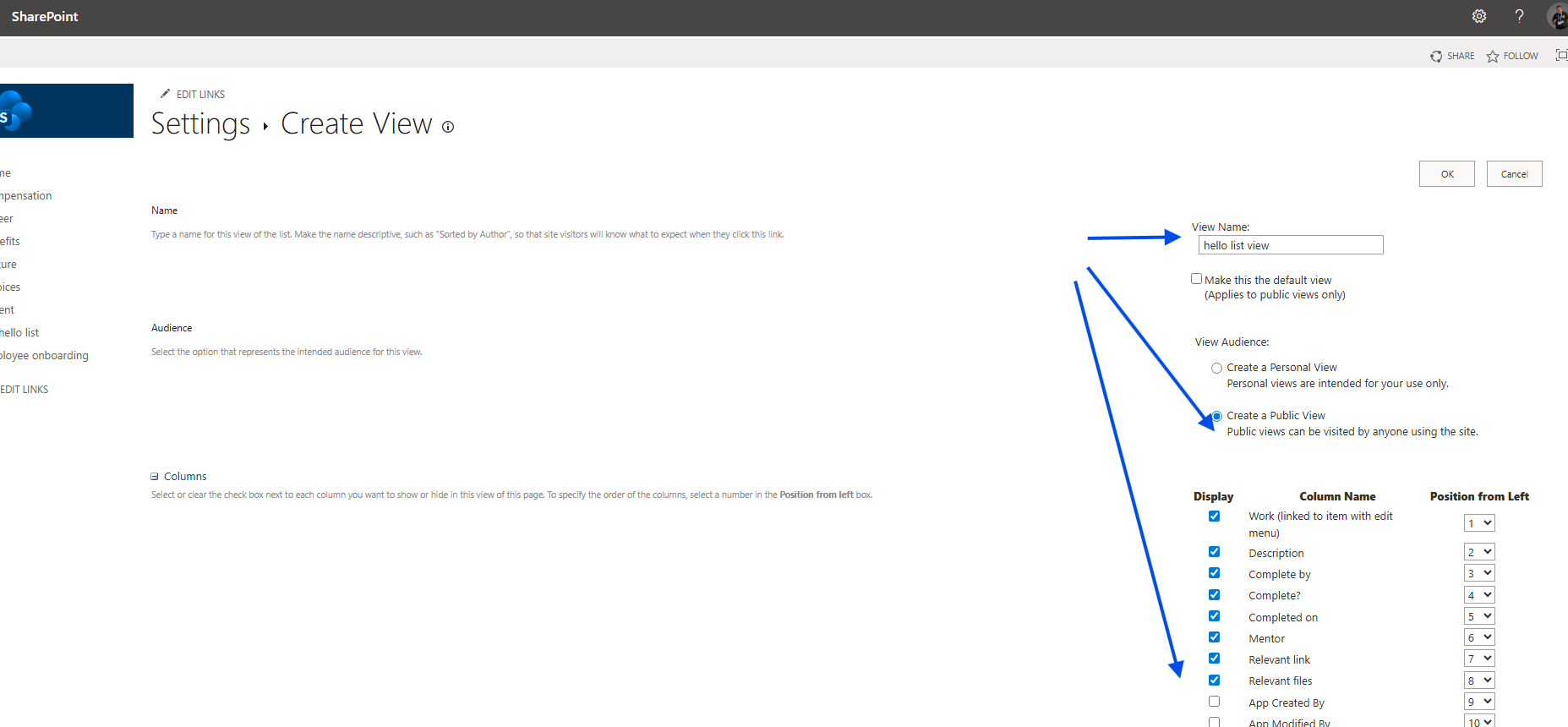
Configure: Select which fields will be visible, determine if it will be the default view, and apply any necessary filters.
Once completed, your new view is ready for use.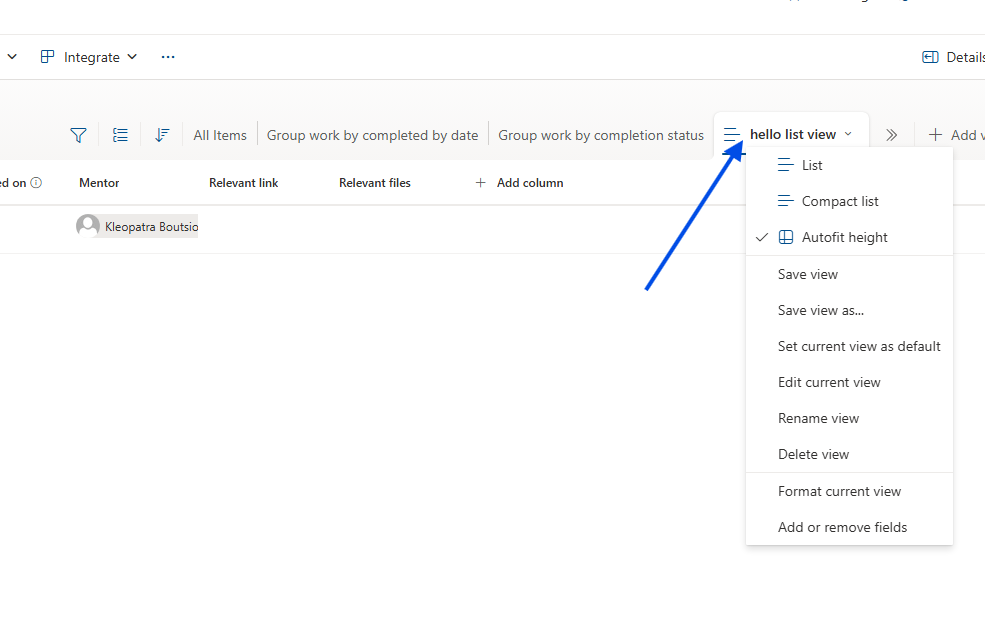
Method 2: Automation via REST API and JavaScript
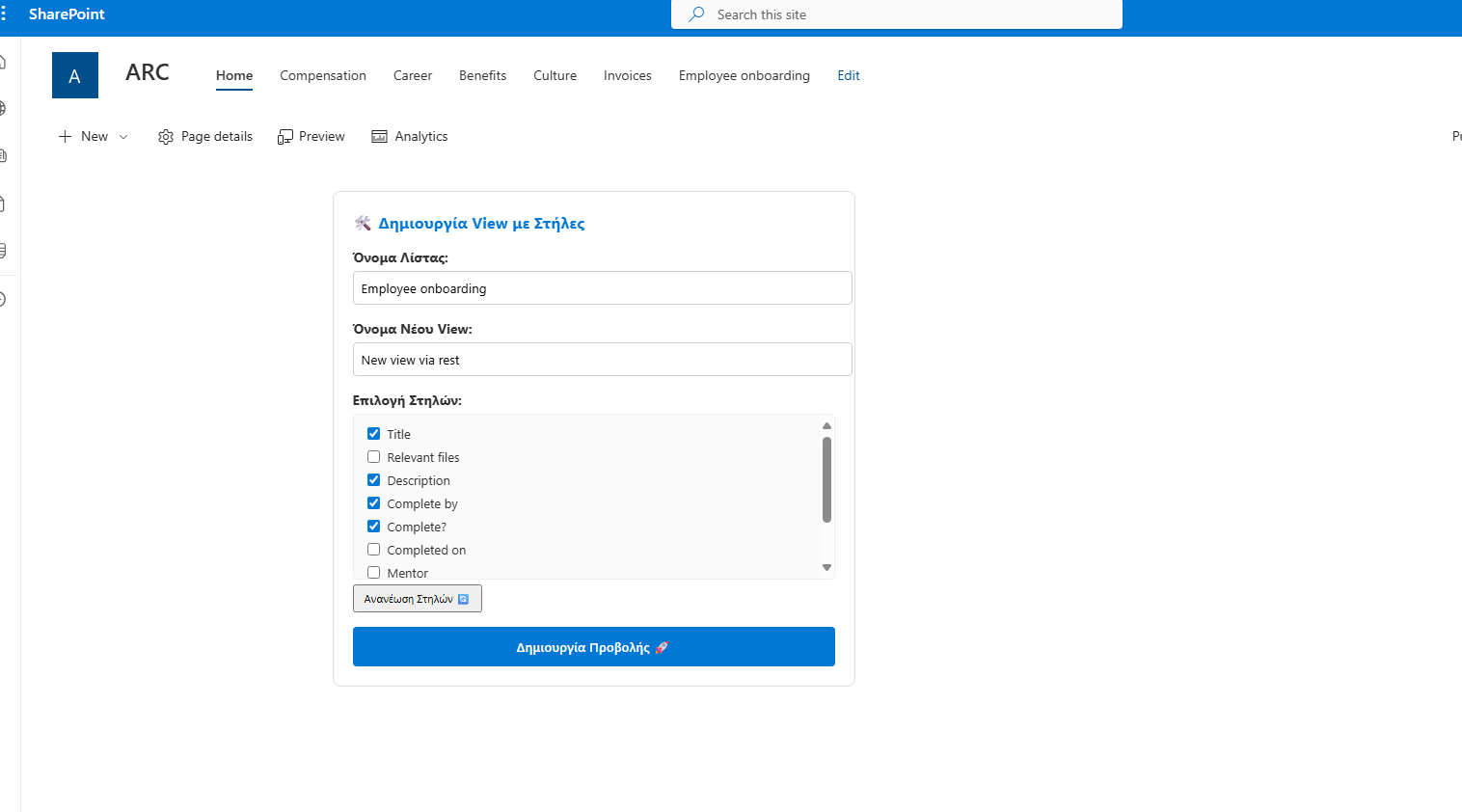
This process can be fully automated using JavaScript and the SharePoint REST API. Below is a custom interface designed to manage and create views programmatically.
The View Creator Interface
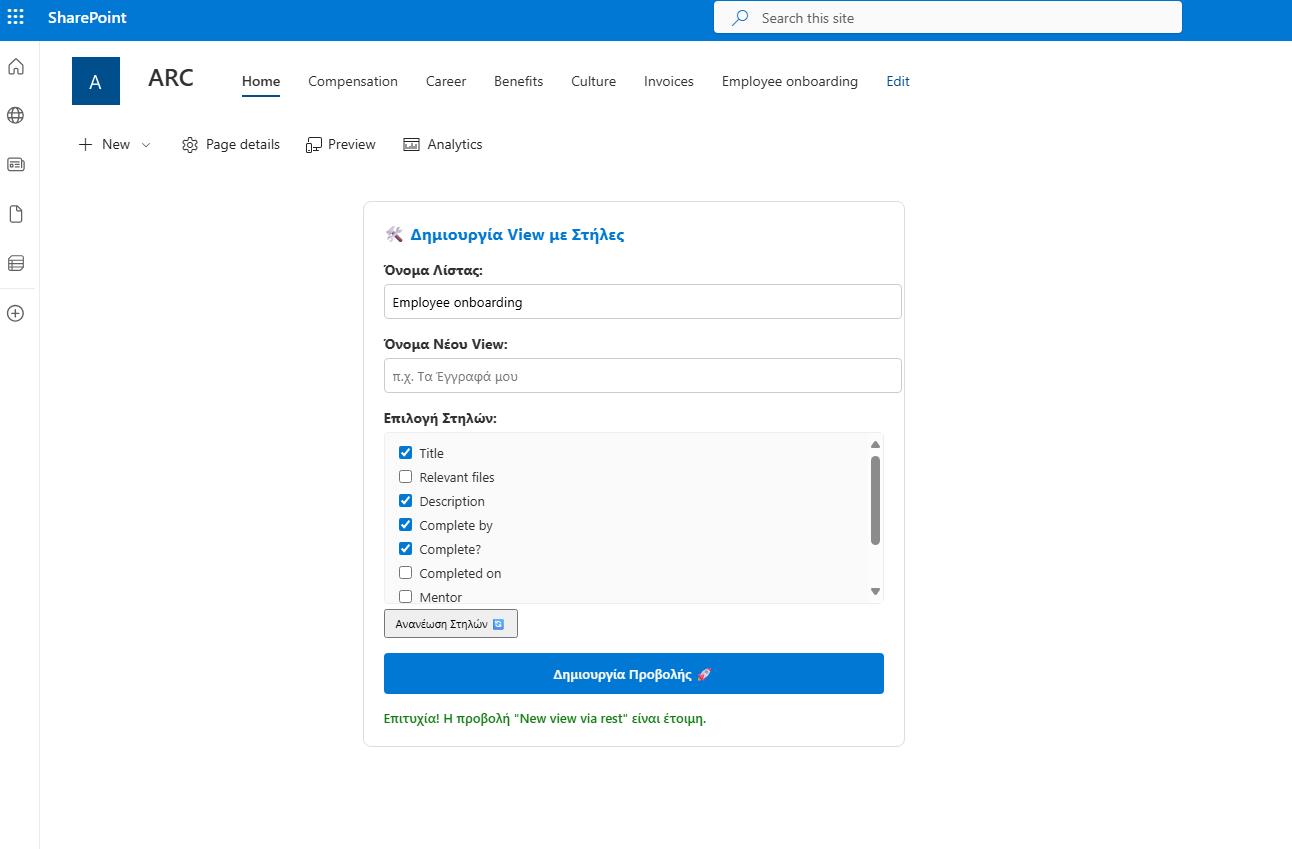
The following code creates a functional tool where you can enter a list name, fetch its available columns dynamically, and create a new view with specific fields in one click.
<div id="view-creator-container" style="padding: 20px; background: #fff; border-radius: 8px; border: 1px solid #ddd; font-family: 'Segoe UI', sans-serif; max-width: 500px;">
<h3 style="margin-top: 0; color: #0078d4;">🛠️ Δημιουργία View με Στήλες</h3>
<div style="margin-bottom: 15px;">
<label style="display: block; margin-bottom: 5px; font-weight: bold;">Όνομα Λίστας:</label>
<input type="text" id="view-target-list" value="MyList" style="width: 100%; padding: 8px; border: 1px solid #ccc; border-radius: 4px;">
</div>
<div style="margin-bottom: 15px;">
<label style="display: block; margin-bottom: 5px; font-weight: bold;">Όνομα Νέου View:</label>
<input type="text" id="new-view-name" placeholder="π.χ. Τα Έγγραφά μου" style="width: 100%; padding: 8px; border: 1px solid #ccc; border-radius: 4px;">
</div>
<div style="margin-bottom: 15px;">
<label style="display: block; margin-bottom: 5px; font-weight: bold;">Επιλογή Στηλών:</label>
<div id="columns-container" style="max-height: 150px; overflow-y: auto; border: 1px solid #eee; padding: 10px; border-radius: 4px; background: #fafafa;">
<p id="loading-text" style="font-size: 12px; color: #666;">Περιμένετε, φόρτωση στηλών...</p>
</div>
<button onclick="loadListColumns()" style="margin-top: 5px; font-size: 11px; cursor: pointer; padding: 5px 10px;">Ανανέωση Στηλών 🔄</button>
</div>
<button id="btn-create-view" onclick="handleCreateFullView()"
style="background: #0078d4; color: white; border: none; padding: 12px 20px; border-radius: 4px; cursor: pointer; font-weight: 600; width: 100%;">
Δημιουργία Προβολής 🚀
</button>
<div id="view-status" style="margin-top: 15px; font-size: 13px; display: none; font-weight: 500;"></div>
</div>
<script>
// Helper συνάρτηση για το URL
function getSiteUrl() {
let relativeUrl = "";
if (typeof _spPageContextInfo !== "undefined") {
relativeUrl = _spPageContextInfo.webServerRelativeUrl;
} else {
const pathParts = window.location.pathname.split('/');
if (pathParts.includes('sites') || pathParts.includes('teams')) {
relativeUrl = pathParts.slice(0, 3).join('/');
}
}
return window.location.origin + (relativeUrl === "/" ? "" : relativeUrl);
}
// Φόρτωση στηλών κατά την εκκίνηση
document.addEventListener("DOMContentLoaded", function() {
// Μικρή καθυστέρηση για να προλάβει το SharePoint να αρχικοποιηθεί αν χρειάζεται
setTimeout(loadListColumns, 500);
});
async function loadListColumns() {
const listName = document.getElementById('view-target-list').value;
const container = document.getElementById('columns-container');
const status = document.getElementById('view-status');
if (!listName) return;
container.innerHTML = "<p style='font-size: 12px; color: #666;'>Φόρτωση...</p>";
const siteUrl = getSiteUrl();
try {
const res = await fetch(`${siteUrl}/_api/web/lists/getbytitle('${listName}')/fields?$filter=Hidden eq false and ReadOnlyField eq false`, {
headers: { "Accept": "application/json;odata=verbose" }
});
if (!res.ok) throw new Error("Η λίστα δεν βρέθηκε.");
const data = await res.json();
const fields = data.d.results;
if (fields.length === 0) {
container.innerHTML = "Δεν βρέθηκαν διαθέσιμες στήλες.";
return;
}
container.innerHTML = fields.map(f => `
<div style="margin-bottom: 5px; display: flex; align-items: center;">
<input type="checkbox" class="col-check" value="${f.InternalName}" id="col-${f.InternalName}" style="margin-right: 8px;">
<label for="col-${f.InternalName}" style="font-size: 13px; cursor: pointer;">${f.Title}</label>
</div>
`).join('');
} catch (e) {
container.innerHTML = `<span style='color:red; font-size:12px;'>Σφάλμα: Ελέγξτε αν το όνομα "${listName}" είναι σωστό.</span>`;
console.error(e);
}
}
async function handleCreateFullView() {
const listName = document.getElementById('view-target-list').value;
const viewName = document.getElementById('new-view-name').value.trim();
const btn = document.getElementById('btn-create-view');
const selectedCols = Array.from(document.querySelectorAll('.col-check:checked')).map(cb => cb.value);
if (!viewName || selectedCols.length === 0) {
updateViewStatus("Δώστε όνομα και επιλέξτε τουλάχιστον μία στήλη!", "#d13438");
return;
}
btn.disabled = true;
updateViewStatus("Δημιουργία προβολής...", "#666");
try {
const siteUrl = getSiteUrl();
// 1. Digest Token
const contextRes = await fetch(`${siteUrl}/_api/contextinfo`, {
method: "POST",
headers: { "Accept": "application/json;odata=verbose" }
});
const contextData = await contextRes.json();
const digest = contextData.d.GetContextWebInformation.FormDigestValue;
// 2. Δημιουργία View
const viewRes = await fetch(`${siteUrl}/_api/web/lists/getbytitle('${listName}')/views`, {
method: "POST",
body: JSON.stringify({
'__metadata': { 'type': 'SP.View' },
'Title': viewName,
'PersonalView': false
}),
headers: {
"Accept": "application/json;odata=verbose",
"Content-Type": "application/json;odata=verbose",
"X-RequestDigest": digest
}
});
if (viewRes.ok) {
// 3. Προσθήκη Στηλών (Parallel execution για ταχύτητα)
updateViewStatus("Προσθήκη στηλών...", "#0078d4");
const addFieldPromises = selectedCols.map(field =>
fetch(`${siteUrl}/_api/web/lists/getbytitle('${listName}')/views/getbytitle('${viewName}')/viewfields/addviewfield('${field}')`, {
method: "POST",
headers: { "X-RequestDigest": digest }
})
);
await Promise.all(addFieldPromises);
updateViewStatus(`Επιτυχία! Η προβολή "${viewName}" είναι έτοιμη.`, "#107c10");
document.getElementById('new-view-name').value = "";
} else {
const err = await viewRes.json();
updateViewStatus("Σφάλμα: " + err.error.message.value, "#d13438");
}
} catch (e) {
updateViewStatus("Σφάλμα: " + e.message, "#d13438");
} finally {
btn.disabled = false;
btn.innerText = "Δημιουργία Προβολής 🚀";
}
}
function updateViewStatus(msg, color) {
const status = document.getElementById('view-status');
status.style.display = "block";
status.style.color = color;
status.innerText = msg;
}
</script>
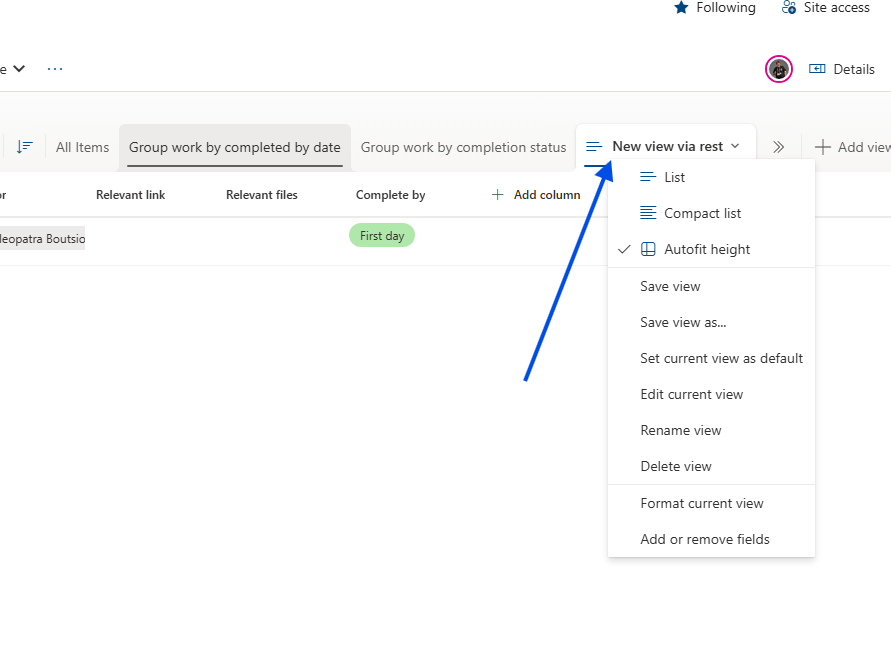
As demonstrated, the new view is generated with all selected columns automatically.