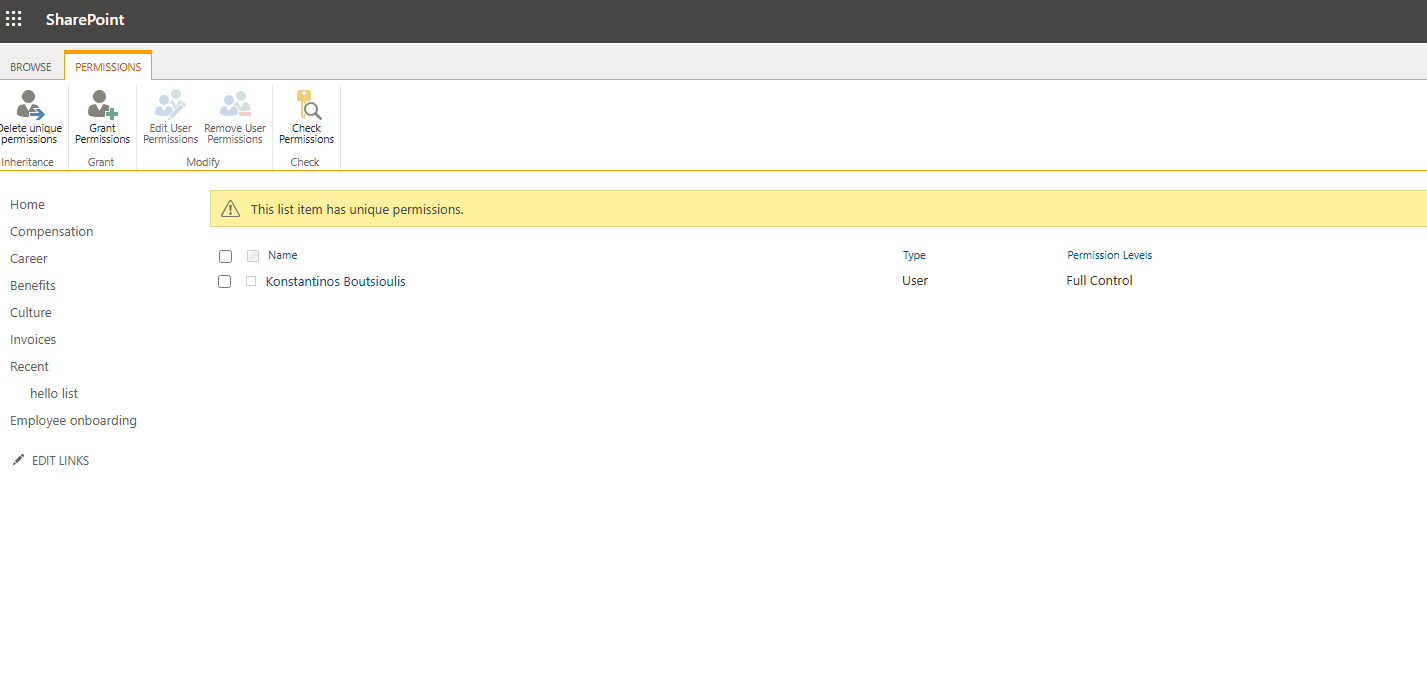
In today’s post, we will see how we can break inheritance for a list item using the REST API.
First, note that this is a process that can also be done through the end‑user environment using the following steps:
We first locate the list to which the specific item belongs.
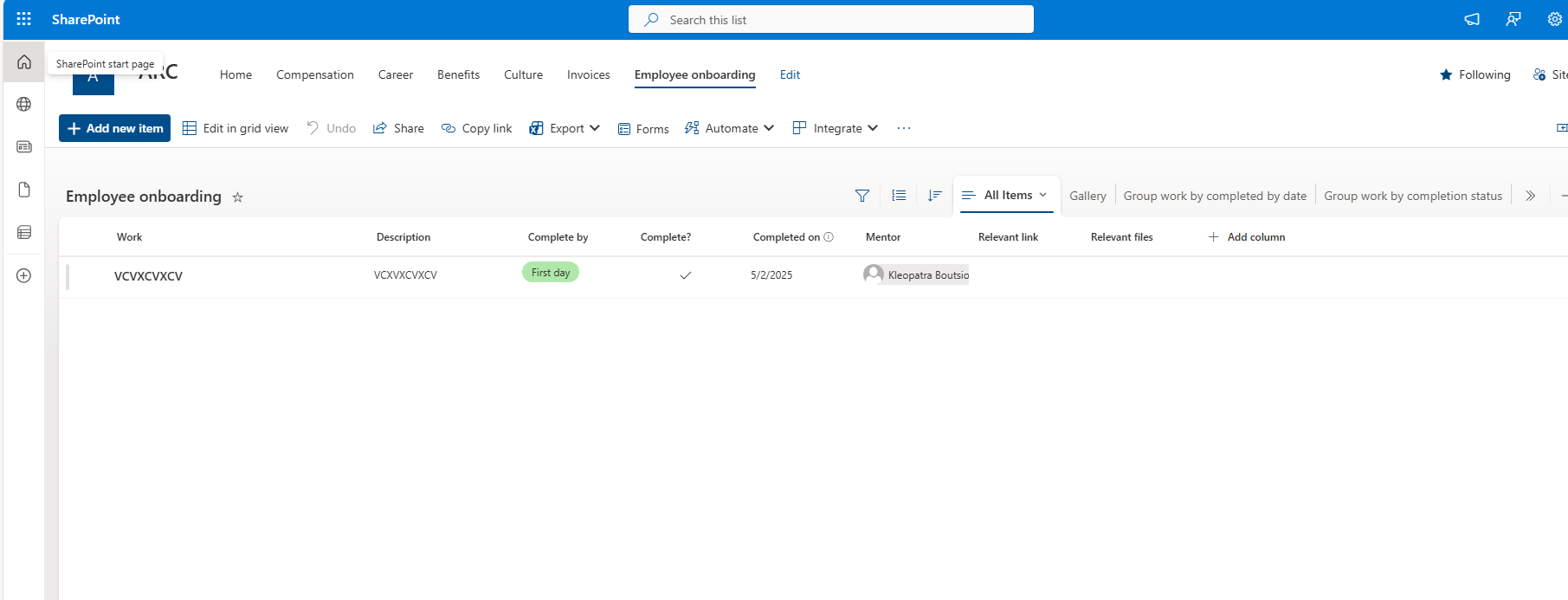
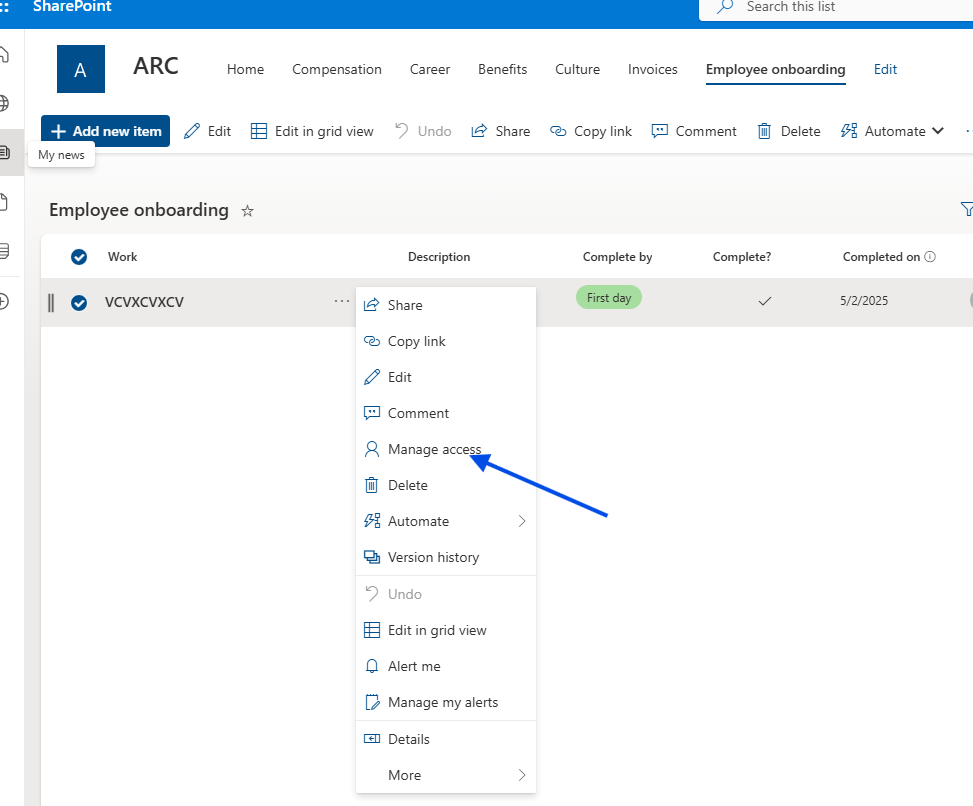
Then we select the item and, from the three dots to the right of the title, choose Manage access.
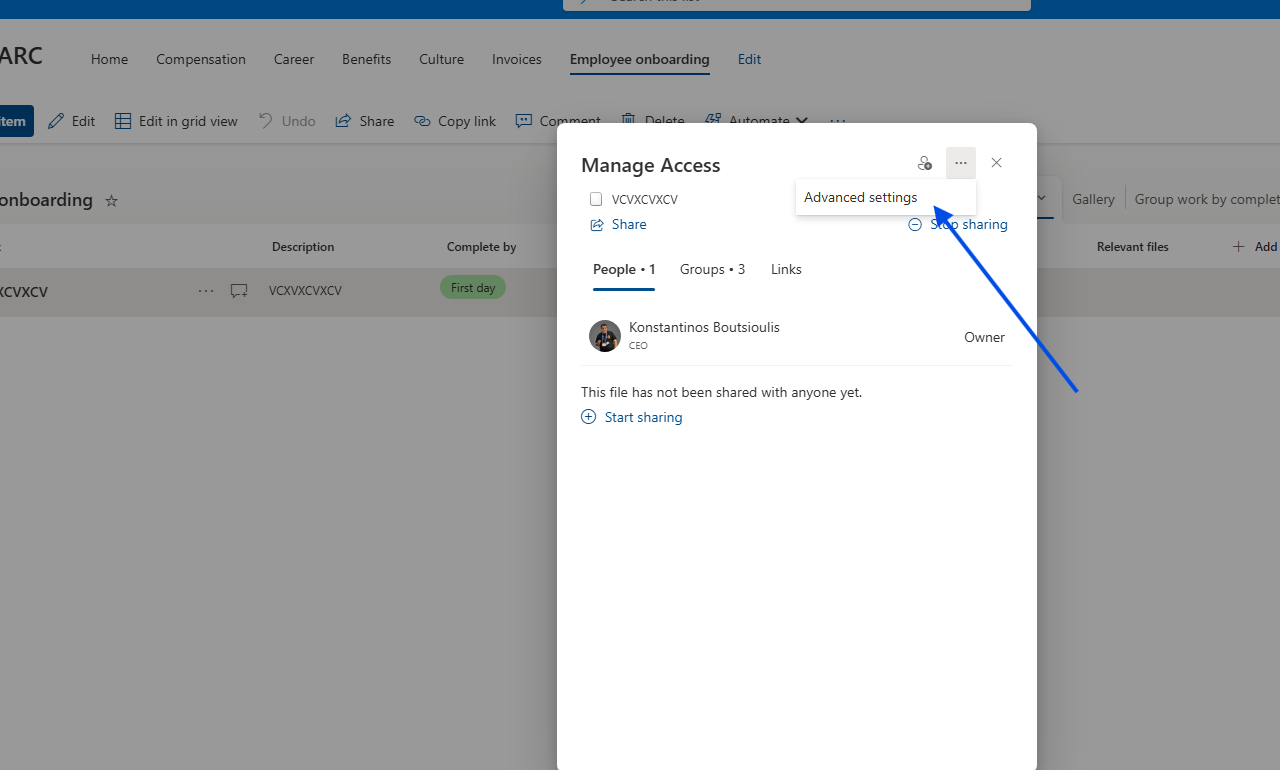
Next, from the three dots at the top right of the pop‑up window, we select Advanced settings.
On the page we are taken to, we first check whether the item inherits from the parent, and this is where we can change the permissions. We select Stop inheriting permissions.
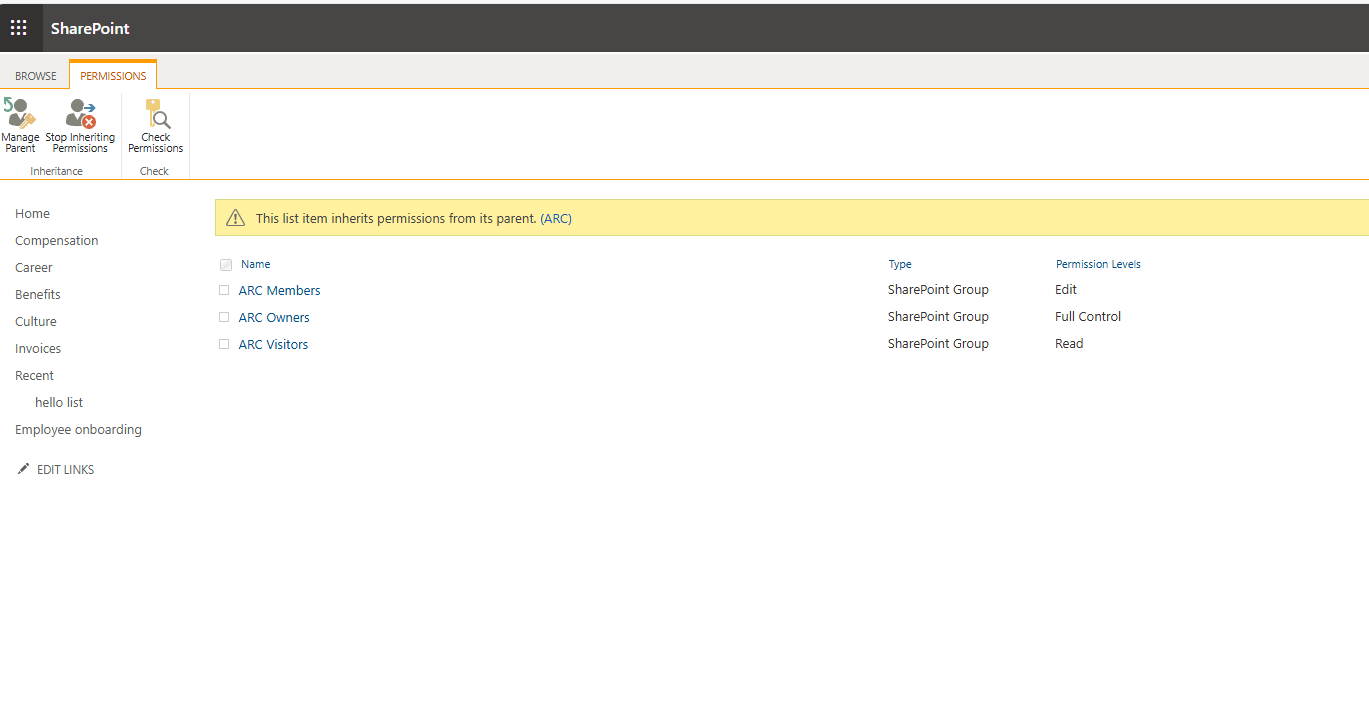
Alternatively, I suggest a solution where we create a simple form: you enter the ID of the item in a textbox, and by clicking the button, inheritance is broken for that specific item.
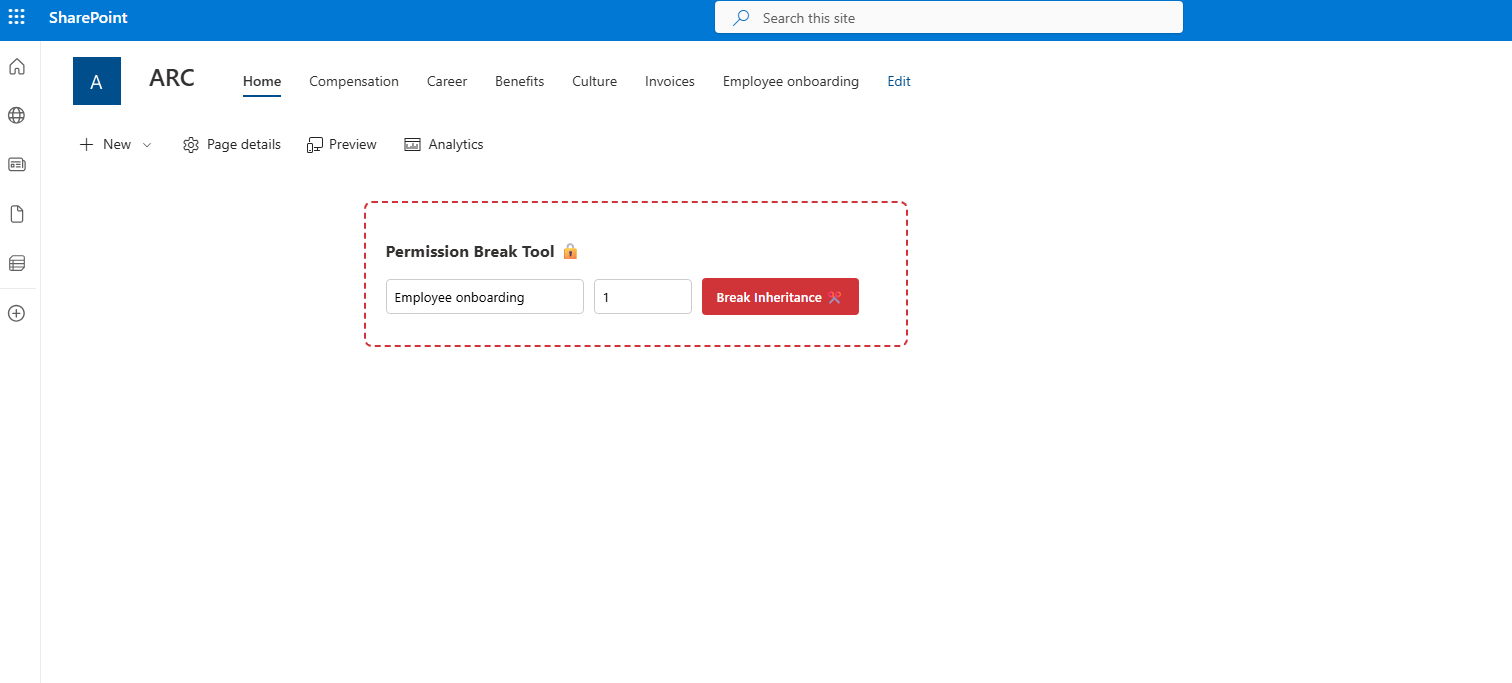
In a Modern Script Editor, insert the following code:
<div class="permission-tool"><h3>Permission Break Tool 🔒</h3><div style="display: flex; gap: 10px; align-items: center; flex-wrap: wrap;"><input type="text" id="list-name-input" placeholder="Όνομα Λίστας..."value="Employee onboarding"style="padding: 8px; border: 1px solid #ccc; border-radius: 4px; width: 180px;"><input type="number" id="item-id-input" placeholder="ID..."style="padding: 8px; border: 1px solid #ccc; border-radius: 4px; width: 80px;"><button id="btn-break" onclick="handleBreak()"style="background: #d13438; color: white; border: none; padding: 10px 15px; cursor: pointer; border-radius: 4px; font-weight: 600;">Break Inheritance ✂️</button></div><div id="status-log" style="margin-top: 10px; font-size: 14px;"></div></div><style>.permission-tool {padding: 20px;background: #fff;border: 2px dashed #d13438;border-radius: 8px;font-family: 'Segoe UI', sans-serif;max-width: 500px;}.success { color: #107c10; font-weight: bold; background: #dff6dd; padding: 5px; border-radius: 3px; }.error { color: #d13438; font-weight: bold; background: #fde7e9; padding: 5px; border-radius: 3px; }</style><script>async function handleBreak() {const itemId = document.getElementById('item-id-input').value;const listName = document.getElementById('list-name-input').value.trim();const status = document.getElementById('status-log');const btn = document.getElementById('btn-break');if (!itemId || !listName) {status.innerHTML = "<span class='error'>Συμπληρώστε Όνομα Λίστας και ID.</span>";return;}btn.disabled = true;status.innerText = "Λήψη security token...";try {// 1. Dynamic determination of the Site URLlet siteUrl = window.location.origin;if (typeof _spPageContextInfo !== "undefined") {siteUrl = window.location.origin + _spPageContextInfo.webServerRelativeUrl;} else {const pathParts = window.location.pathname.split('/');if (pathParts.includes('sites') || pathParts.includes('teams')) {siteUrl = window.location.origin + pathParts.slice(0, 3).join('/');}}// 2. Get Request Digest (required for POST)const contextRes = await fetch(`${siteUrl}/_api/contextinfo`, {method: "POST",headers: { "Accept": "application/json;odata=verbose" }});const contextData = await contextRes.json();const digest = contextData.d.GetContextWebInformation.FormDigestValue;status.innerText = "Breaking inheritance...";// 3. API call to Break Inheritance// copyRoleAssignments=false: Clears everything and leaves only Adminsconst endpoint = `${siteUrl}/_api/web/lists/getbytitle('${listName}')/items(${itemId})/breakroleinheritance(copyRoleAssignments=false, clearSubscopes=true)`;const response = await fetch(endpoint, {method: "POST",headers: {"Accept": "application/json;odata=verbose","X-RequestDigest": digest}});if (response.ok) {status.innerHTML = `<span class='success'>Success! Item ${itemId} now has unique permissions.</span>`;} else {const err = await response.json();status.innerHTML = `<span class='error'>Error: ${err.error.message.value}</span>`;}} catch (e) {console.error(e);status.innerHTML = `<span class='error'>Network or permissions error.</span>`;} finally {btn.disabled = false;}}</script>
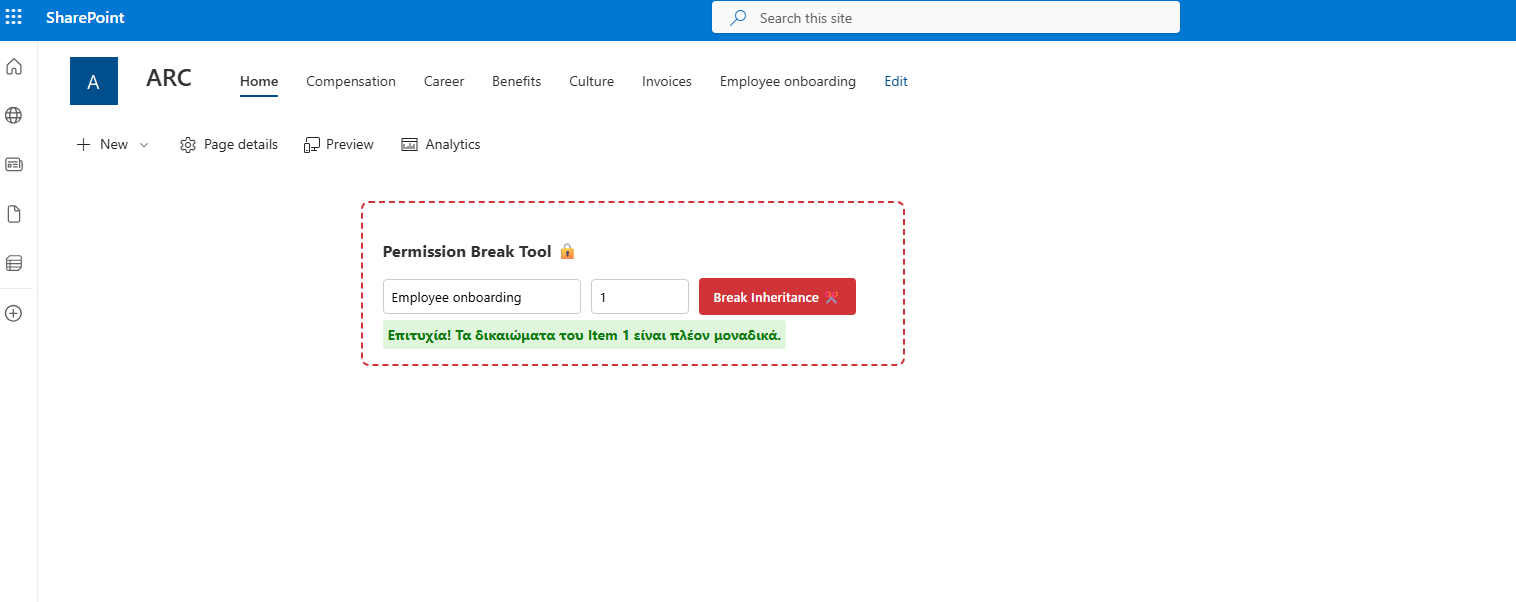
As you can see, the item has lost its inheritance after using this simple solution.