In today’s post, we will see how we can break inheritance for a list using the REST API.
First, note that this is a process that can also be done through the end‑user environment using the following steps:
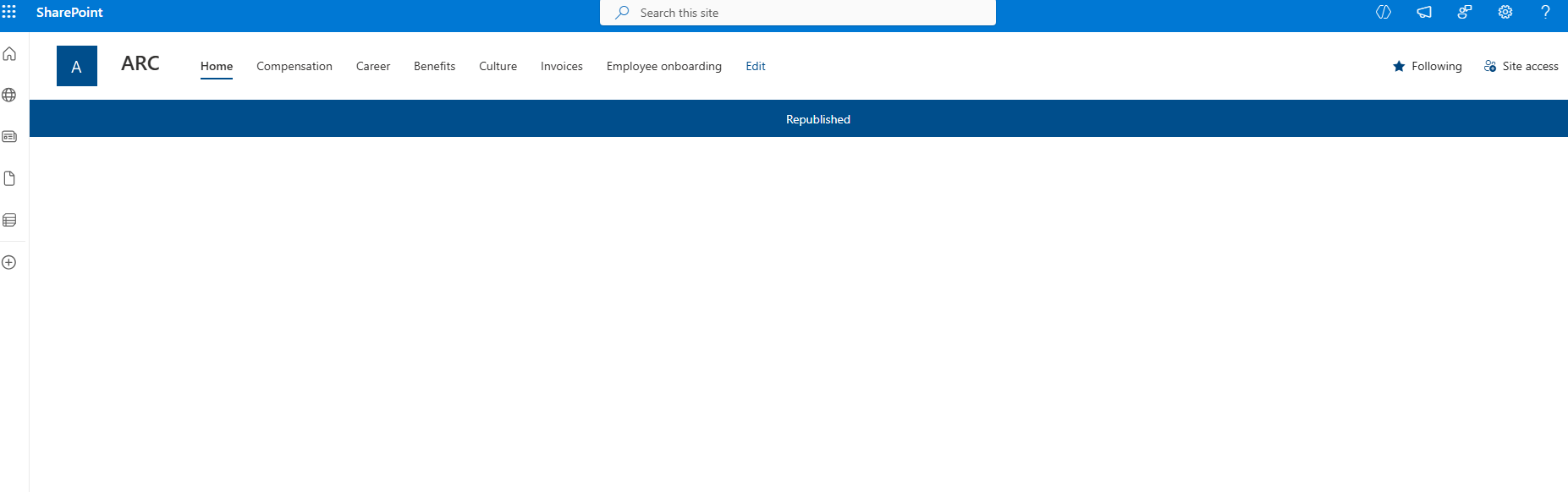
We first locate the site to which the specific list belongs.
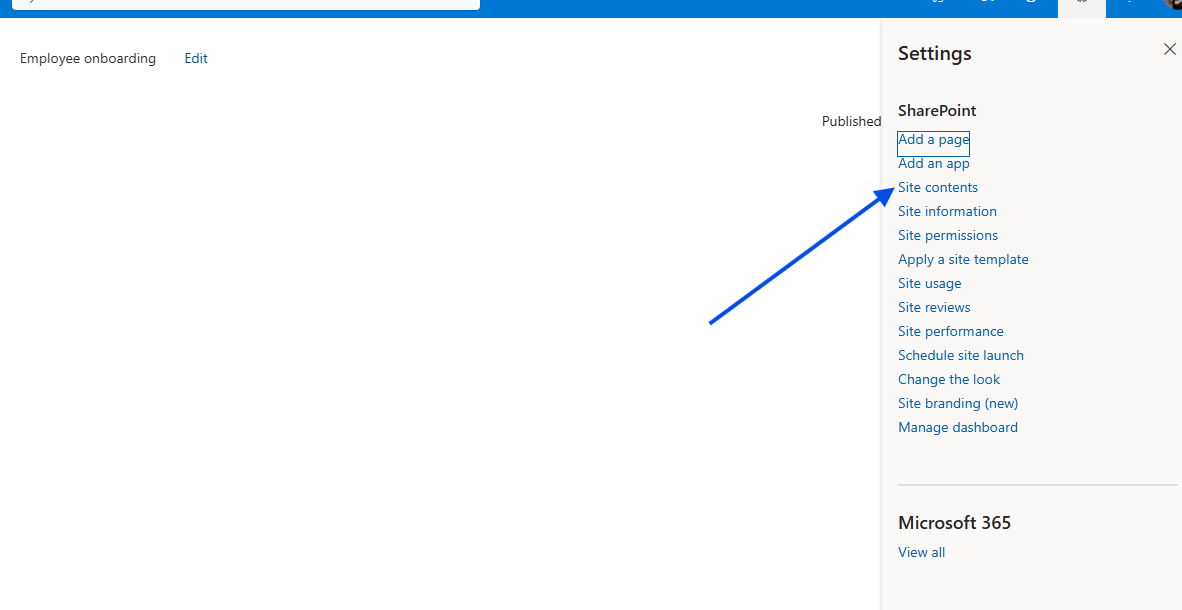
Then we click the gear icon at the top right and, in the next step, select Site contents.
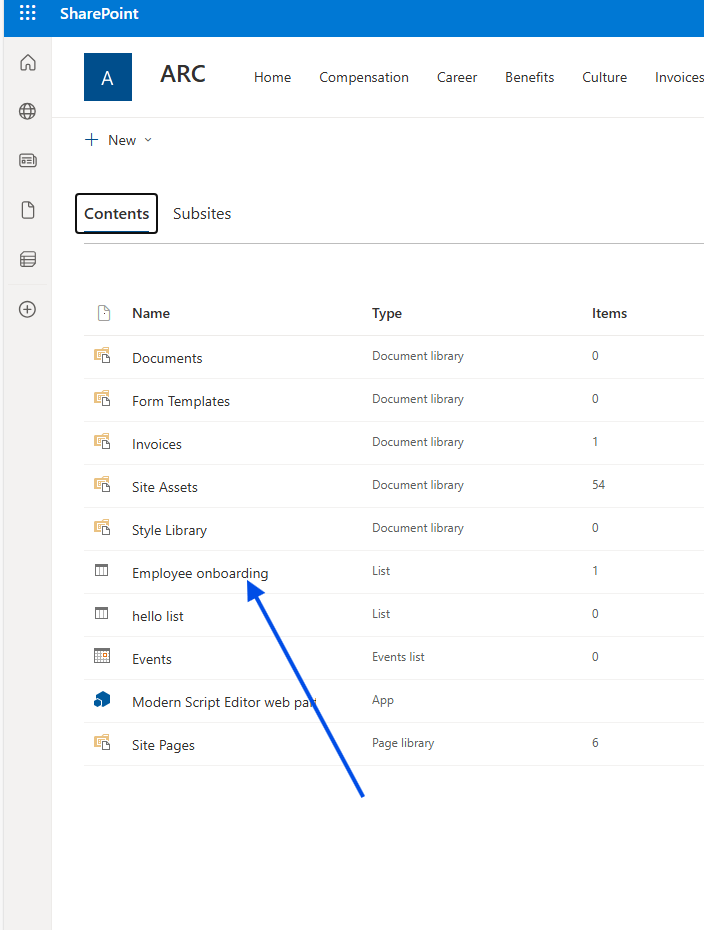
On the new page, we locate the list we want.
Next, we click the gear icon again at the top right and select List settings.
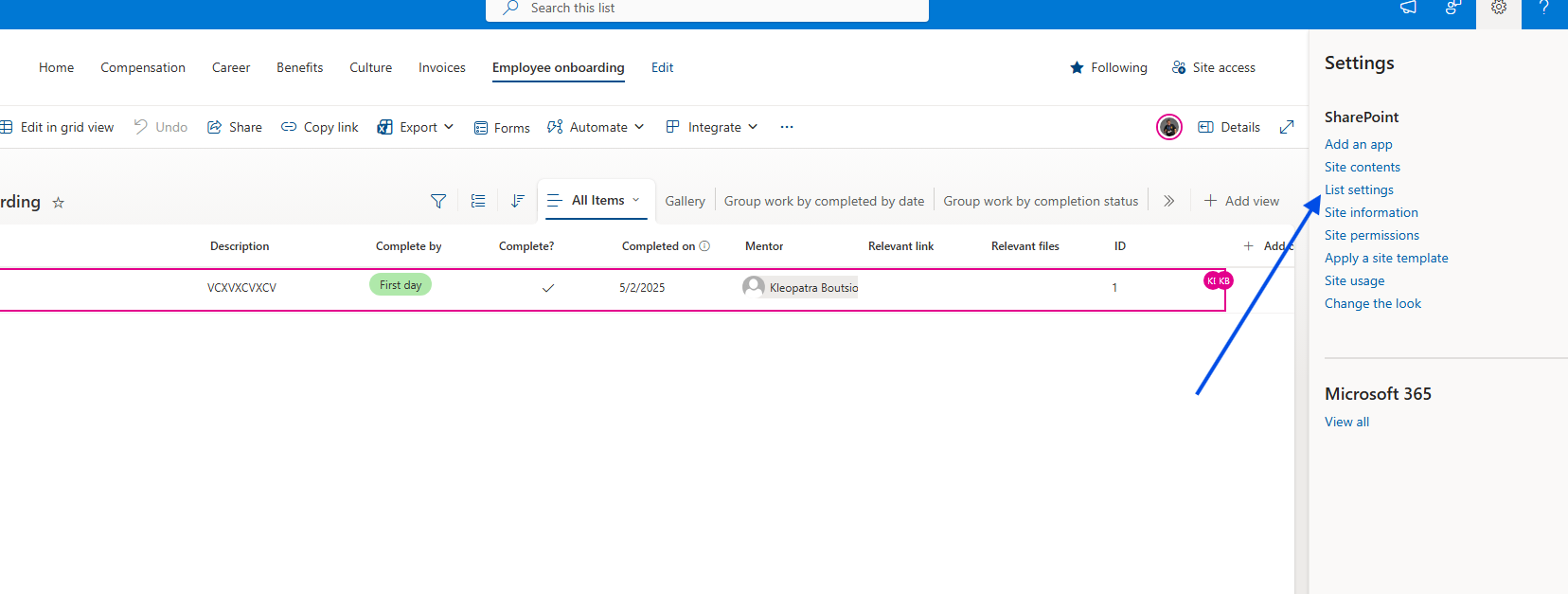
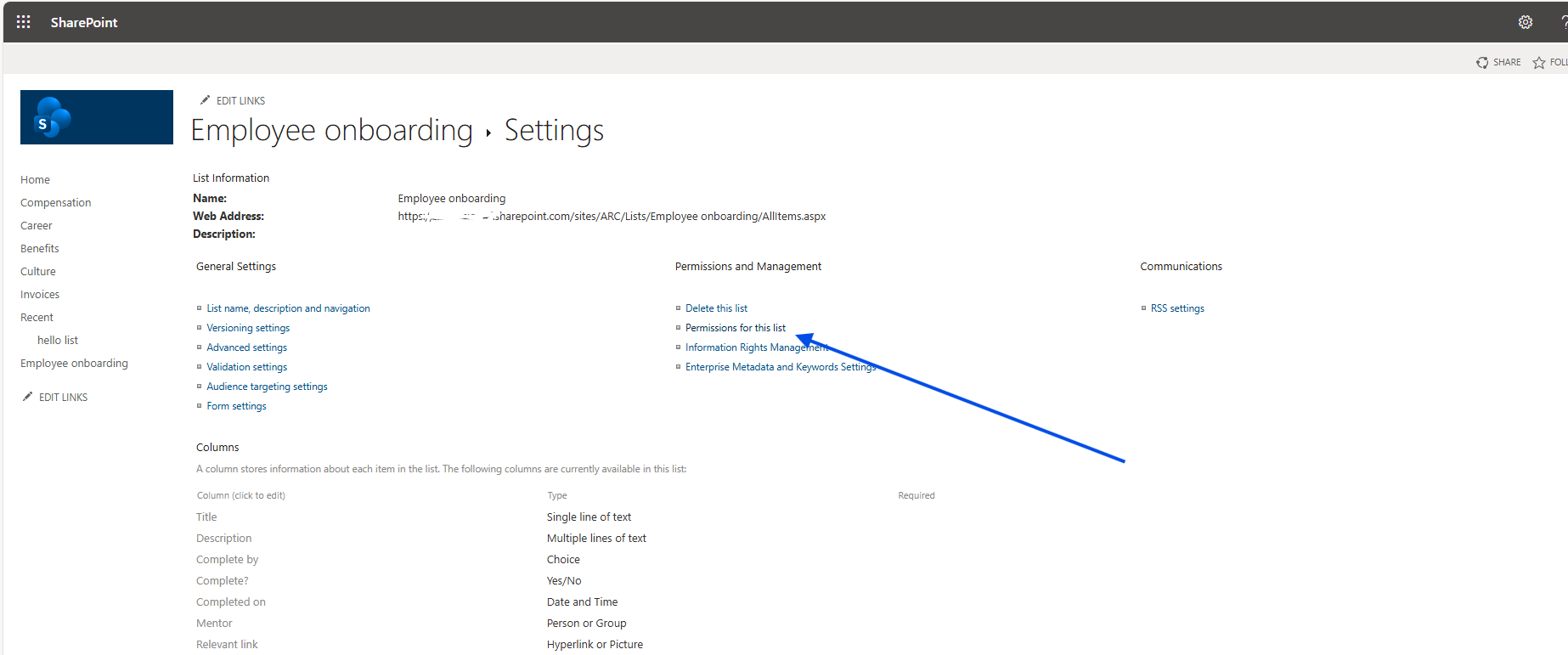
In the next step, we select Permissions for this list.
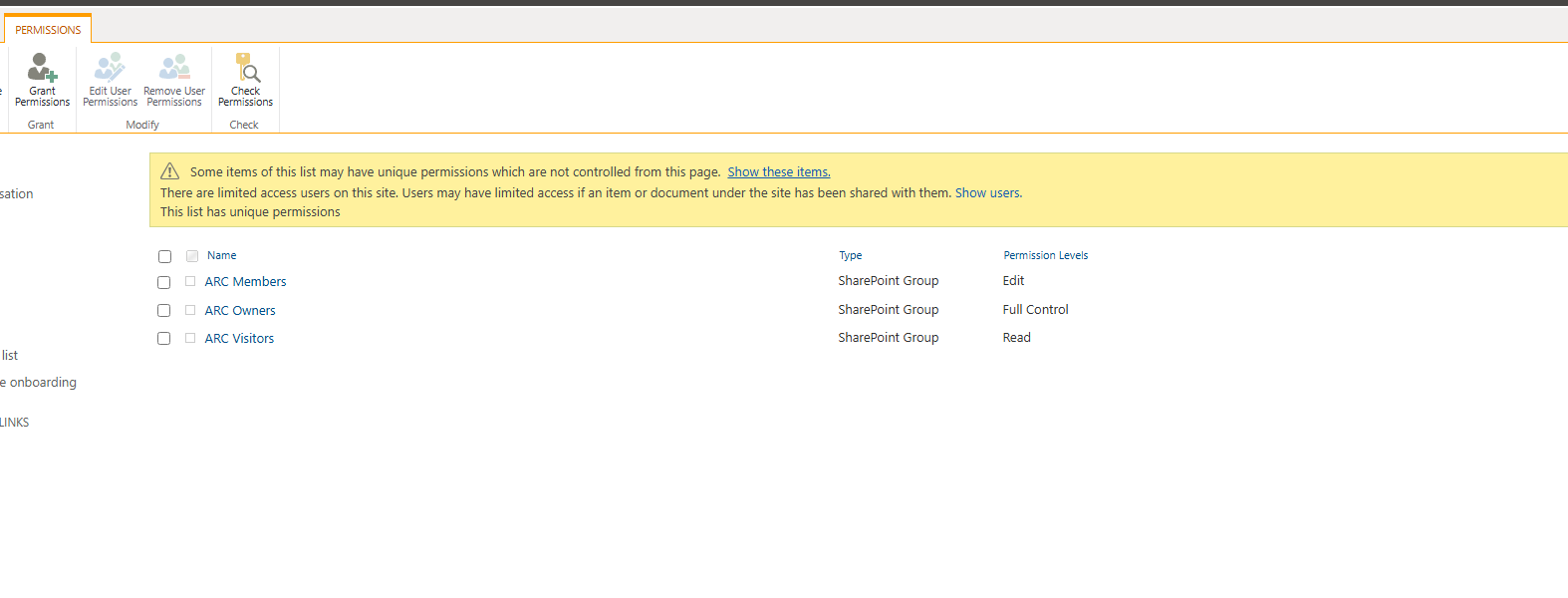
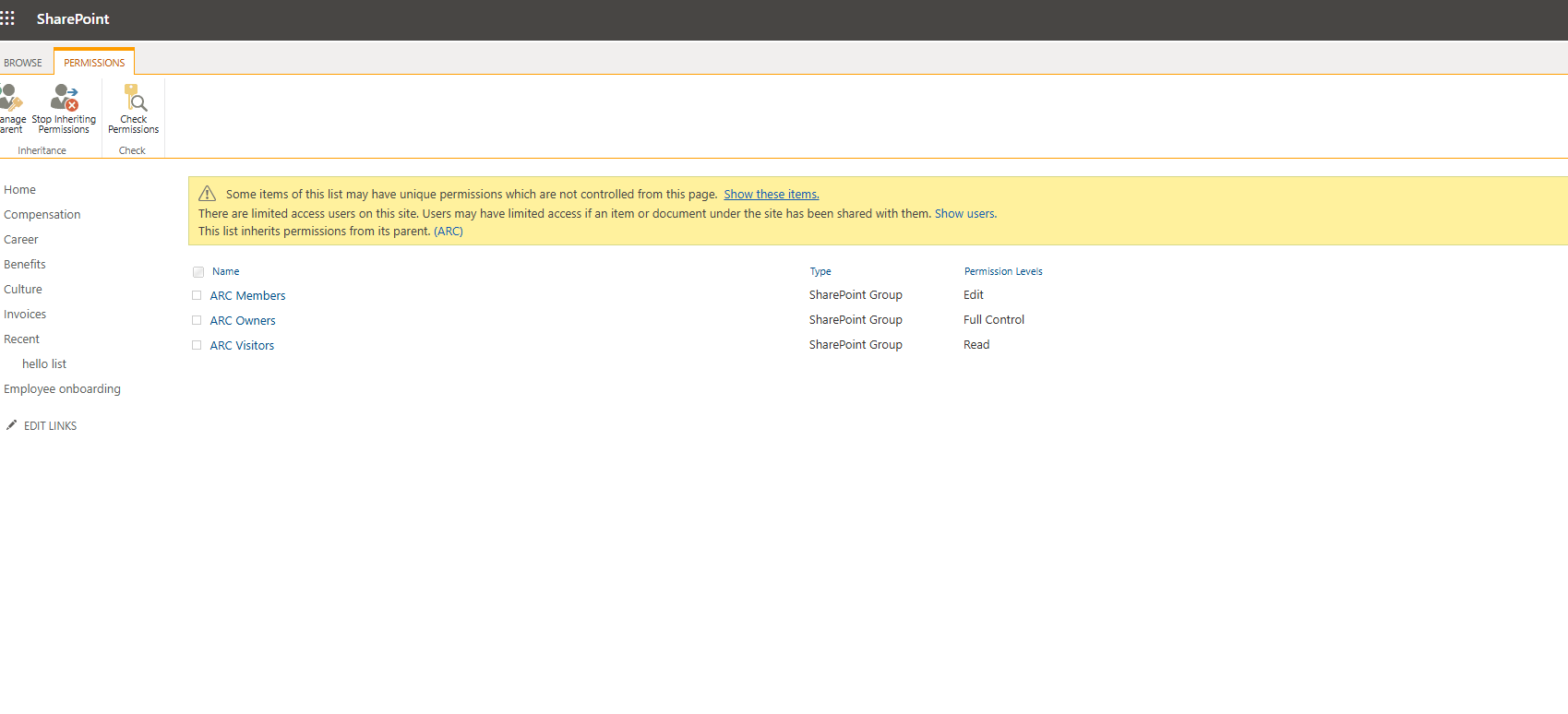
On the page we are taken to, we can first see whether the list inherits from the parent, and this is also where we can change the permissions. We select Stop inheriting permissions.
Alternatively, I propose a solution where we build a tool that displays all lists on the site with a button next to each that allows us to break inheritance.
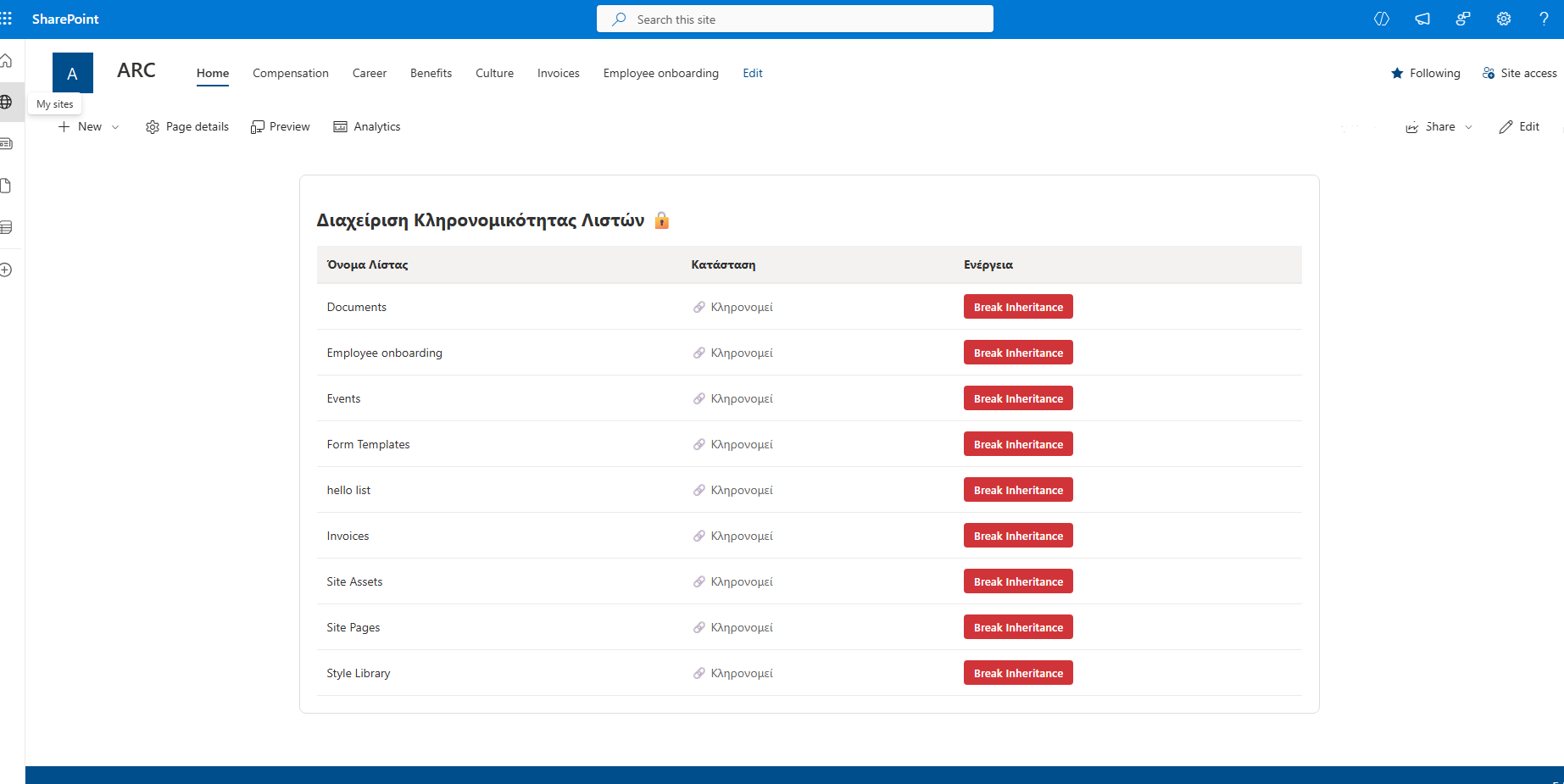
In a Modern Script Editor, insert the following code:
<div id="list-manager-container"><h2 style="font-family: 'Segoe UI', sans-serif; color: #333;">Διαχείριση Κληρονομικότητας Λιστών 🔒</h2><table id="list-table" style="width:100%; border-collapse: collapse; margin-top: 15px; font-family: 'Segoe UI', sans-serif;"><thead><tr style="background-color: #f3f2f1; text-align: left;"><th style="padding: 12px; border-bottom: 2px solid #edebe9;">Όνομα Λίστας</th><th style="padding: 12px; border-bottom: 2px solid #edebe9;">Κατάσταση</th><th style="padding: 12px; border-bottom: 2px solid #edebe9;">Ενέργεια</th></tr></thead><tbody id="list-body"><tr><td colspan="3" style="padding:20px; text-align:center;">Φόρτωση...</td></tr></tbody></table></div><script>(function() {// 1. Dynamic site URL detectionconst getSiteUrl = () => {if (typeof _spPageContextInfo !== "undefined") return _spPageContextInfo.webAbsoluteUrl;const parts = window.location.pathname.split('/');return window.location.origin + (parts.includes('sites') || parts.includes('teams') ? parts.slice(0, 3).join('/') : "");};const siteUrl = getSiteUrl();// 2. Load listsasync function loadLists() {const tbody = document.getElementById('list-body');try {// Filter out hidden lists (Hidden eq false)const response = await fetch(`${siteUrl}/_api/web/lists?$filter=Hidden eq false&$select=Title,HasUniqueRoleAssignments,Id`, {headers: { "Accept": "application/json; odata=verbose" }});const data = await response.json();const lists = data.d.results;tbody.innerHTML = "";lists.forEach(list => {const isUnique = list.HasUniqueRoleAssignments;const row = document.createElement('tr');row.style.borderBottom = "1px solid #edebe9";row.innerHTML = `<td style="padding: 12px;">${list.Title}</td><td style="padding: 12px;">${isUnique ? '<span style="color:#107c10;">✅ Μοναδικά</span>' : '<span style="color:#666;">🔗 Κληρονομεί</span>'}</td><td style="padding: 12px;"><buttononclick="breakInheritance('${list.Id}', '${list.Title.replace(/'/g, "\\'")}')"${isUnique ? 'disabled' : ''}style="background-color: ${isUnique ? '#c8c6c4' : '#d13438'}; color: white; border: none; padding: 6px 12px; cursor: ${isUnique ? 'not-allowed' : 'pointer'}; border-radius: 4px; font-weight:600;">Break Inheritance</button></td>`;tbody.appendChild(row);});} catch (error) {console.error(error);tbody.innerHTML = "<tr><td colspan='3' style='color:red; padding:20px;'>Σφάλμα κατά τη φόρτωση. Βεβαιωθείτε ότι είστε στο SharePoint.</td></tr>";}}// 3. Break inheritancewindow.breakInheritance = async (listId, listTitle) => {if (!confirm(`ΠΡΟΣΟΧΗ: Θέλετε σίγουρα να σπάσετε την κληρονομικότητα για τη λίστα "${listTitle}";`)) return;try {// Get Digest Token (required for POST)const contextRes = await fetch(`${siteUrl}/_api/contextinfo`, {method: "POST",headers: { "Accept": "application/json;odata=verbose" }});const contextData = await contextRes.json();const digest = contextData.d.GetContextWebInformation.FormDigestValue;// API Call: breakroleinheritance(copyRoleAssignments, clearSubscopes)// Using true, false so that existing users do NOT immediately lose accessconst res = await fetch(`${siteUrl}/_api/web/lists(guid'${listId}')/breakroleinheritance(copyRoleAssignments=true, clearSubscopes=false)`, {method: "POST",headers: {"Accept": "application/json;odata=verbose","X-RequestDigest": digest}});if (res.ok) {alert("Επιτυχία!");loadLists();} else {throw new Error("Η ενέργεια απέτυχε.");}} catch (error) {alert("Σφάλμα: " + error.message);}};// InitializeloadLists();})();</script><style>#list-manager-container { padding: 20px; background: white; border-radius: 8px; border: 1px solid #ddd; }#list-table tr:hover { background-color: #faf9f8; }</style>
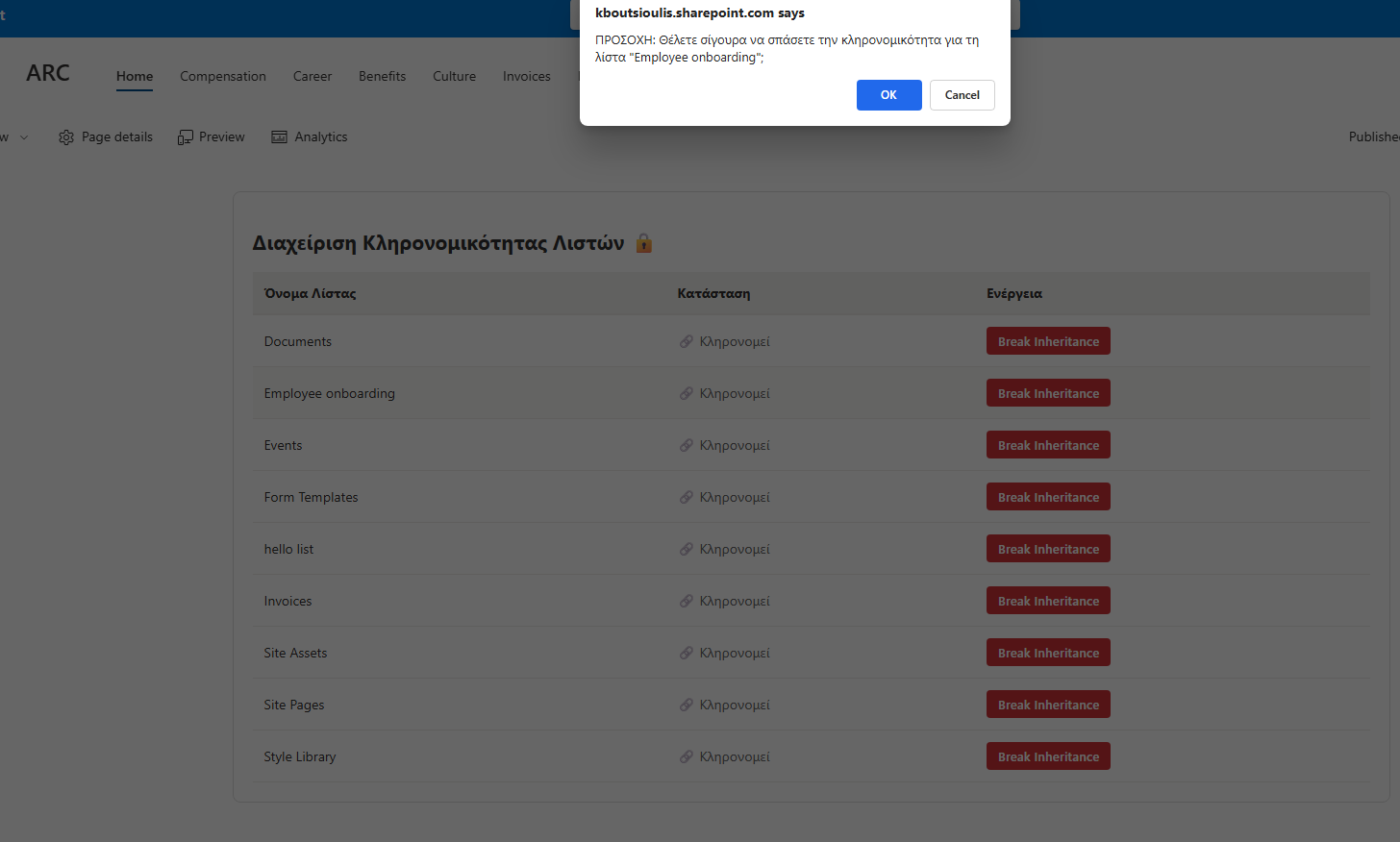
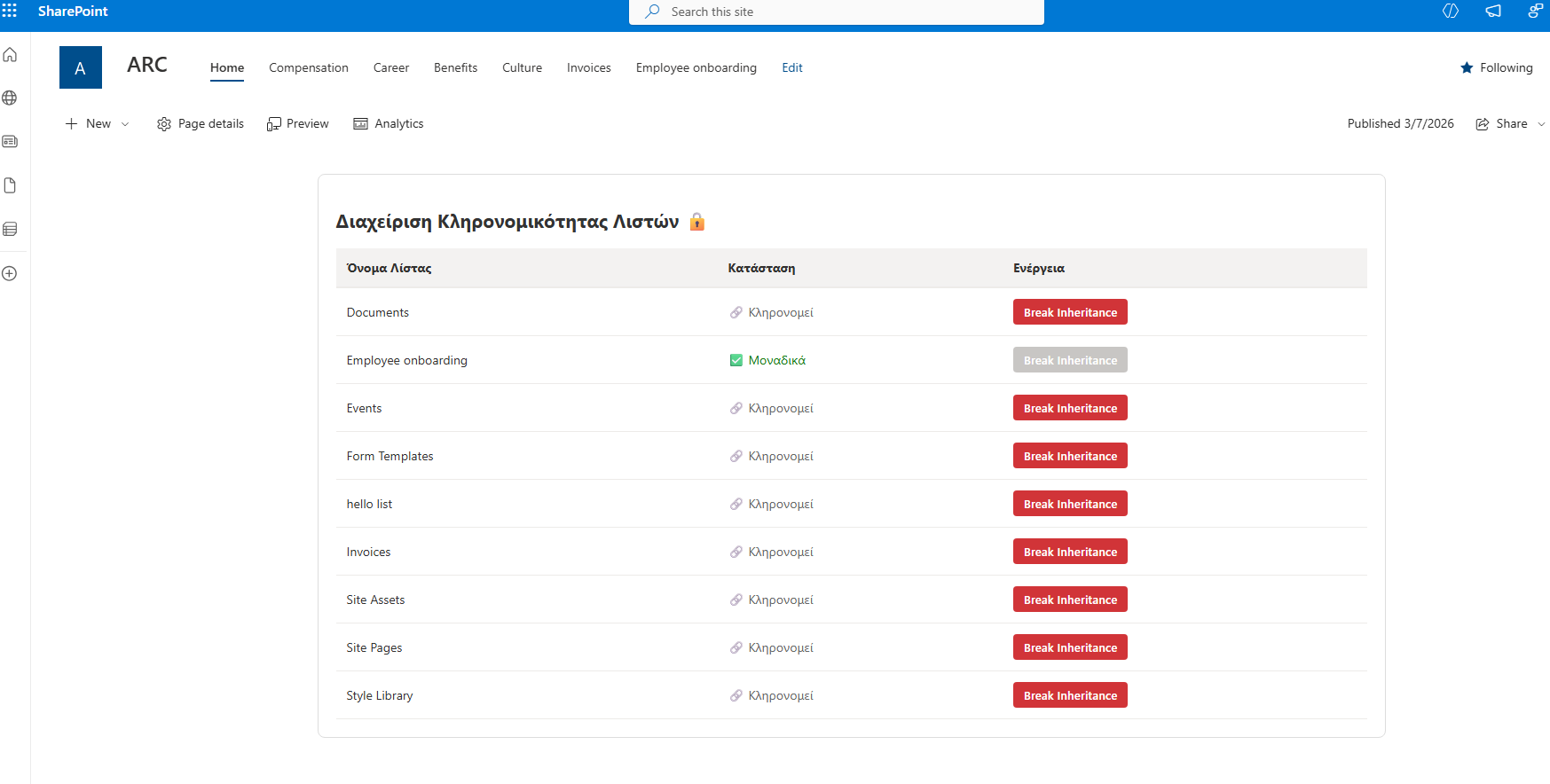
As you can see, we selected a list, and after using this simple solution, it no longer inherits permissions.