Today’s post will show how we can copy a SharePoint list using PowerShell.
It’s important to highlight that this is a process that can also be performed entirely through the end‑user interface in SharePoint Online.
First, the user locates the site where the list is hosted.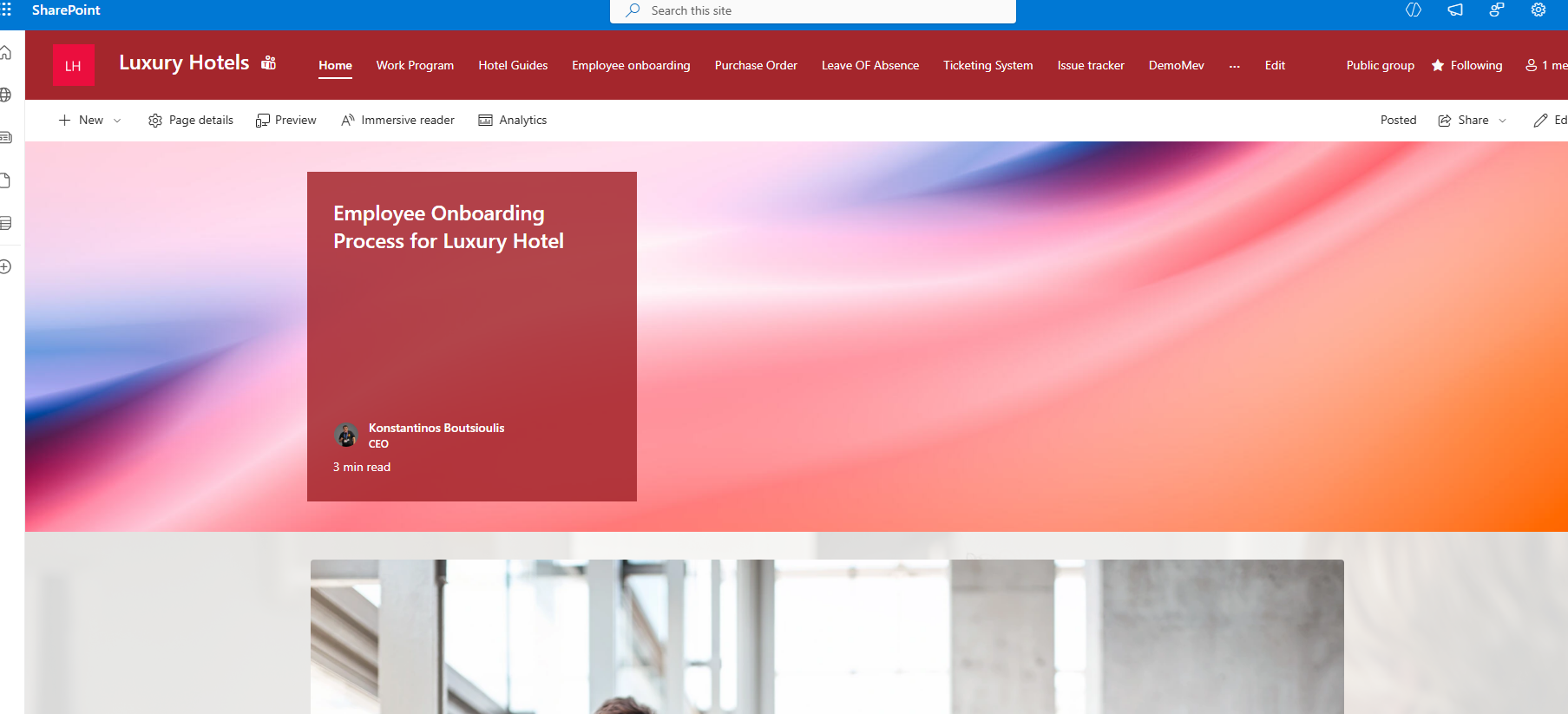
Then they locate the list they want. If they click the gear icon at the top‑right…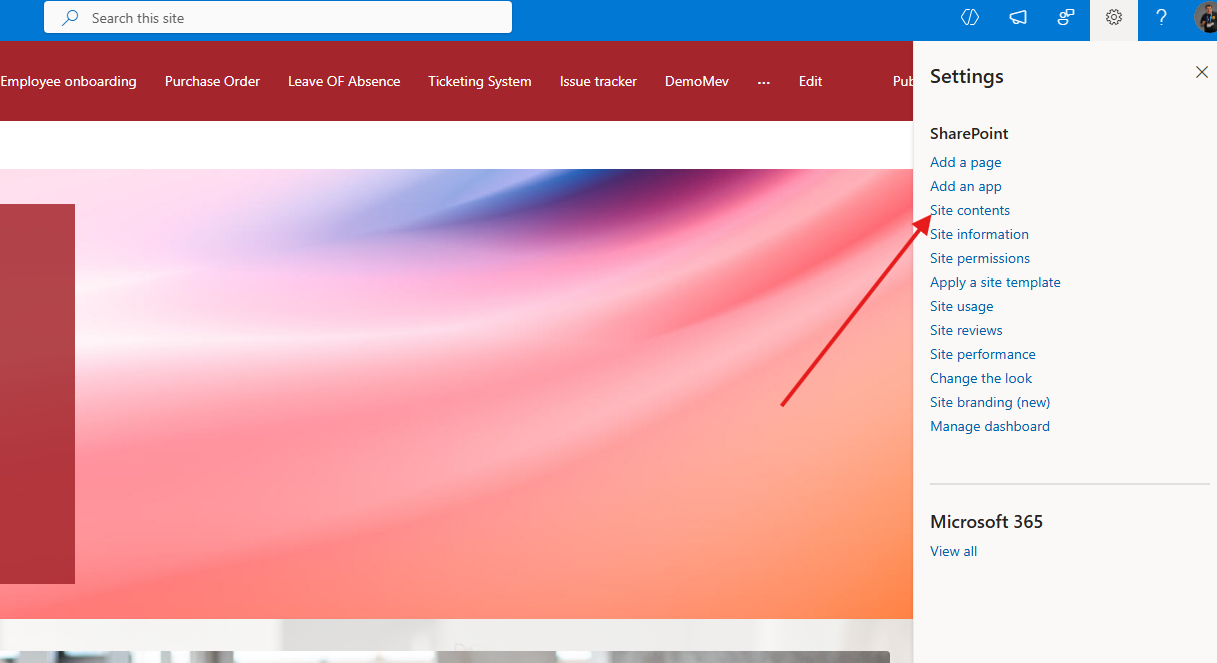
and then select Site Contents, they will be taken to the page displaying all the contents of that site.
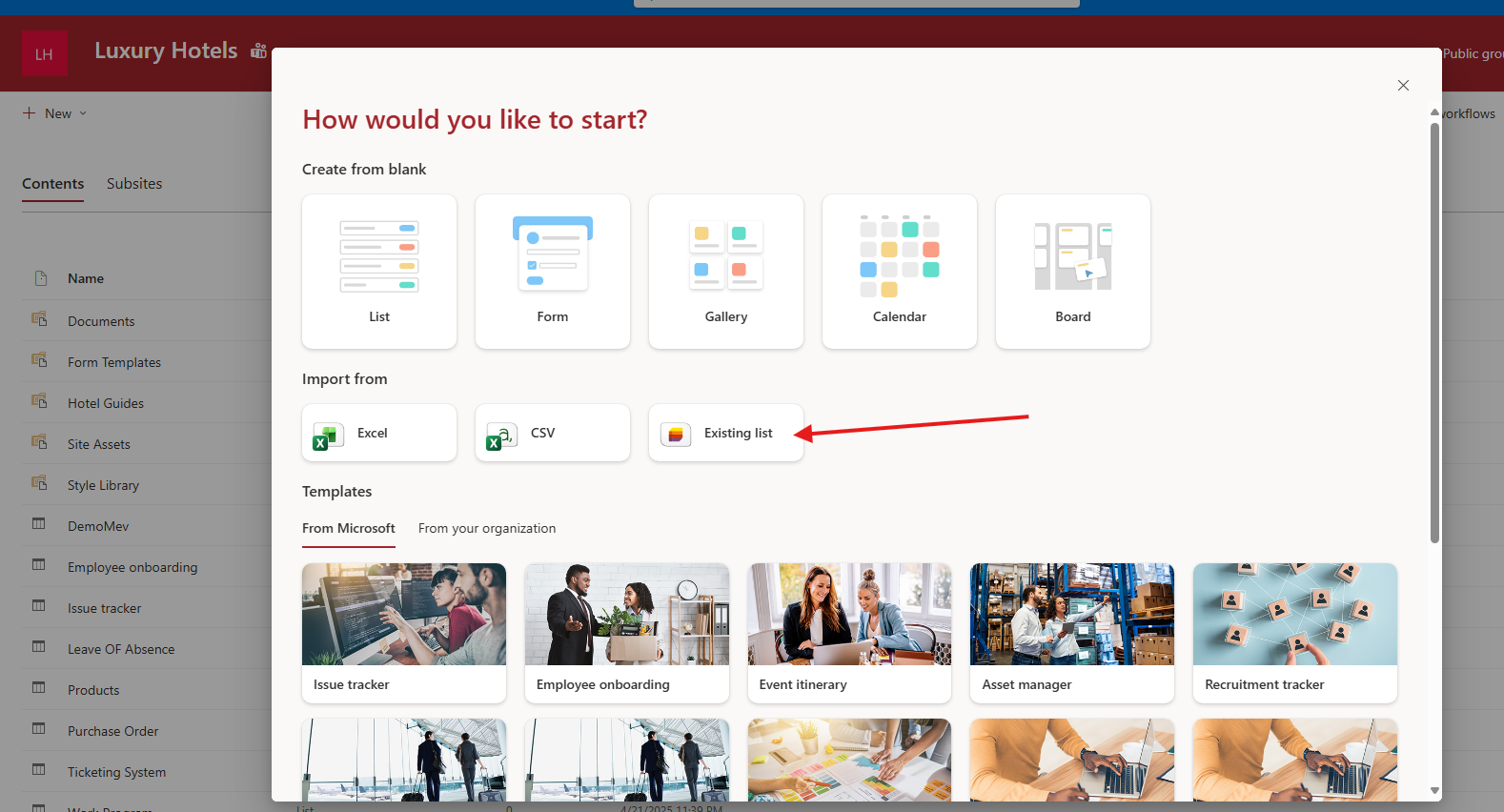
From there, they select New (top‑left) and then List.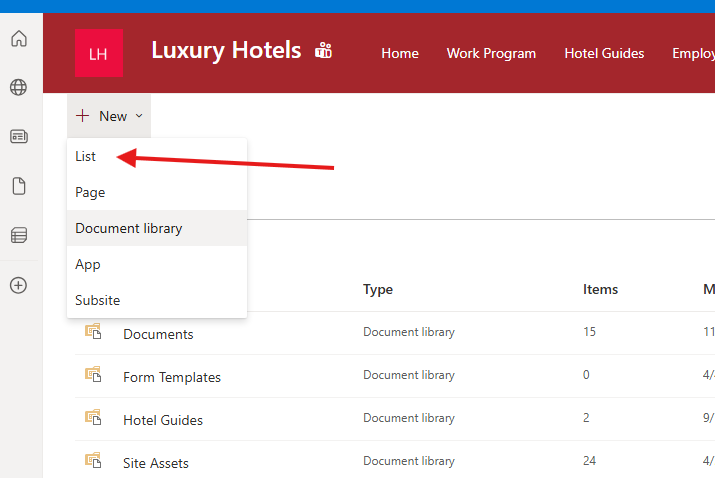
Next, they choose From existing.
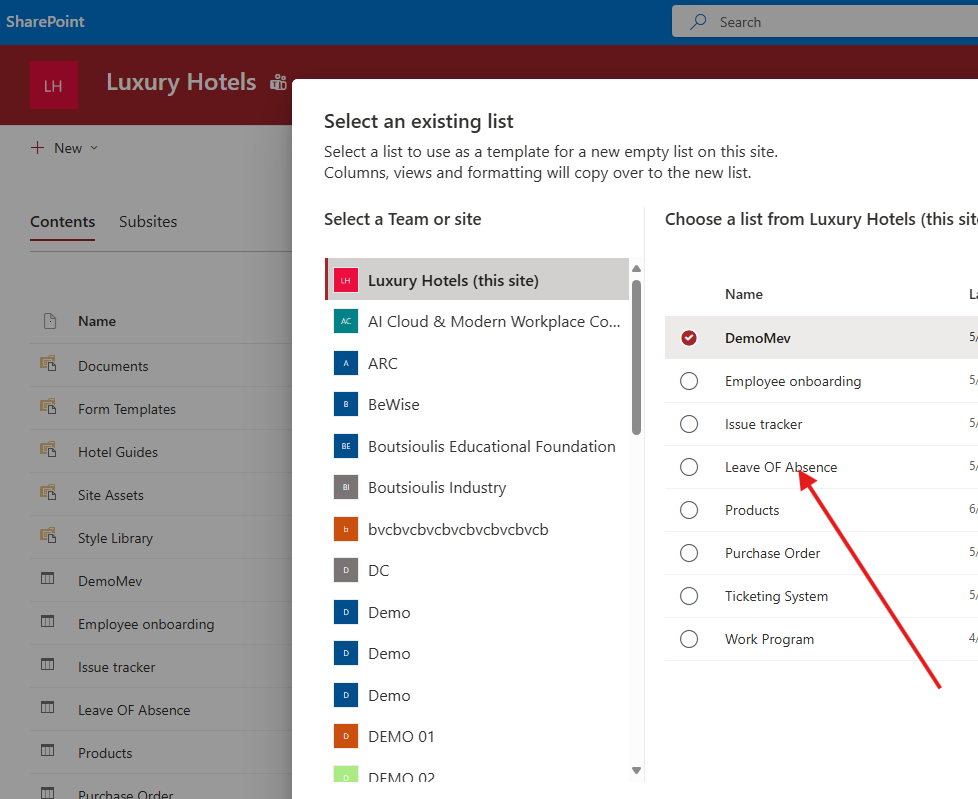
In the next step, they must select the list they want to use as a template and press OK.
Then, they provide a name for the new list and press Create.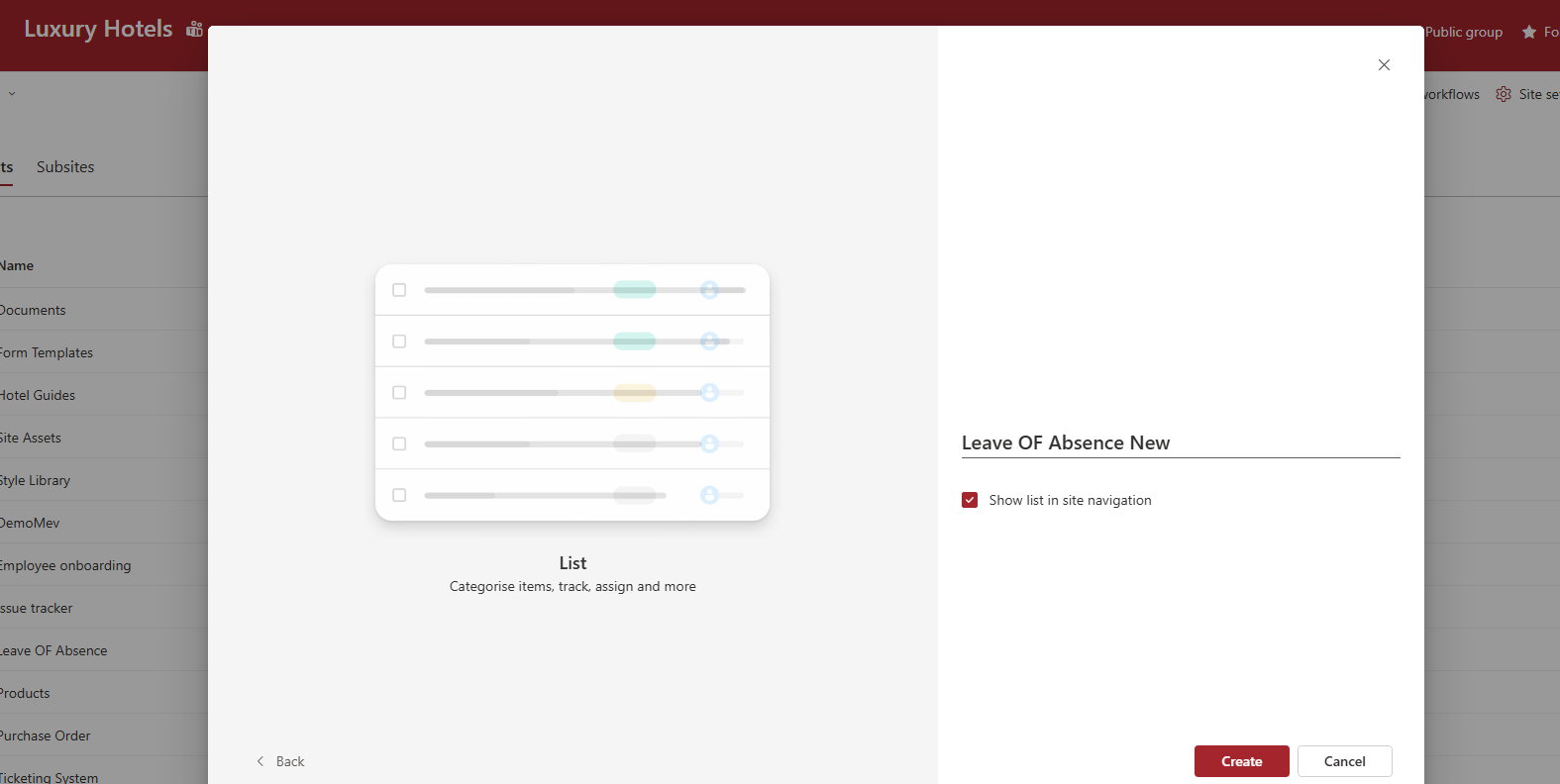
Finally, as you can see, the new list has been created and is identical to the original one.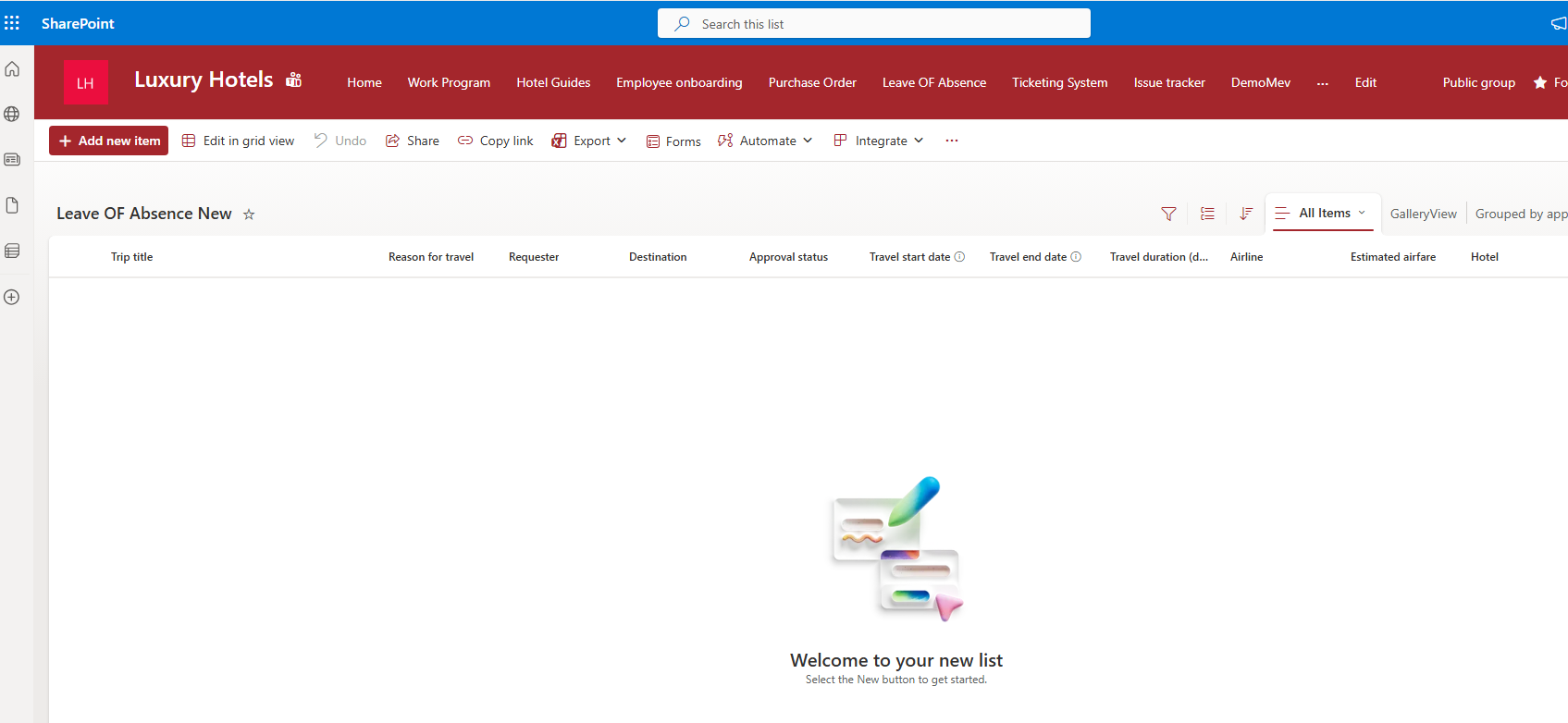
However, the same result can be achieved using a simple PowerShell execution, as shown below:
# --- Settings ---$sourceSiteUrl = "https://yourtenant.sharepoint.com/sites/SourceSite"$targetSiteUrl = "https://yourtenant.sharepoint.com/sites/TargetSite"$sourceListName = "Όνομα_Αρχικής_Λίστας"$targetListName = "Όνομα_Νέας_Λίστας"$tempTemplatePath = "$env:TEMP\list_structure.xml"# 1. Connect to SourceWrite-Host "Connecting to Source: $sourceSiteUrl" -ForegroundColor Cyan$sourceConn = Connect-PnPOnline -Url $sourceSiteUrl -Interactive -ReturnConnection# 2. Export Only the Structure (Template)Write-Host "Exporting structure for list: $sourceListName" -ForegroundColor YellowGet-PnPListTemplate -Identity $sourceListName -Out $tempTemplatePath -Connection $sourceConn# 3. Connect to TargetWrite-Host "Connecting to Target: $targetSiteUrl" -ForegroundColor Cyan$targetConn = Connect-PnPOnline -Url $targetSiteUrl -Interactive -ReturnConnection# 4. Create the List on Target (Without Items)Write-Host "Creating new list '$targetListName' on target..." -ForegroundColor GreenAdd-PnPListFromTemplate -TemplatePath $tempTemplatePath -Title $targetListName -Connection $targetConn# Cleanup temporary fileif (Test-Path $tempTemplatePath) { Remove-Item $tempTemplatePath }Write-Host "`nCompleted! The empty list has been successfully created." -ForegroundColor Green