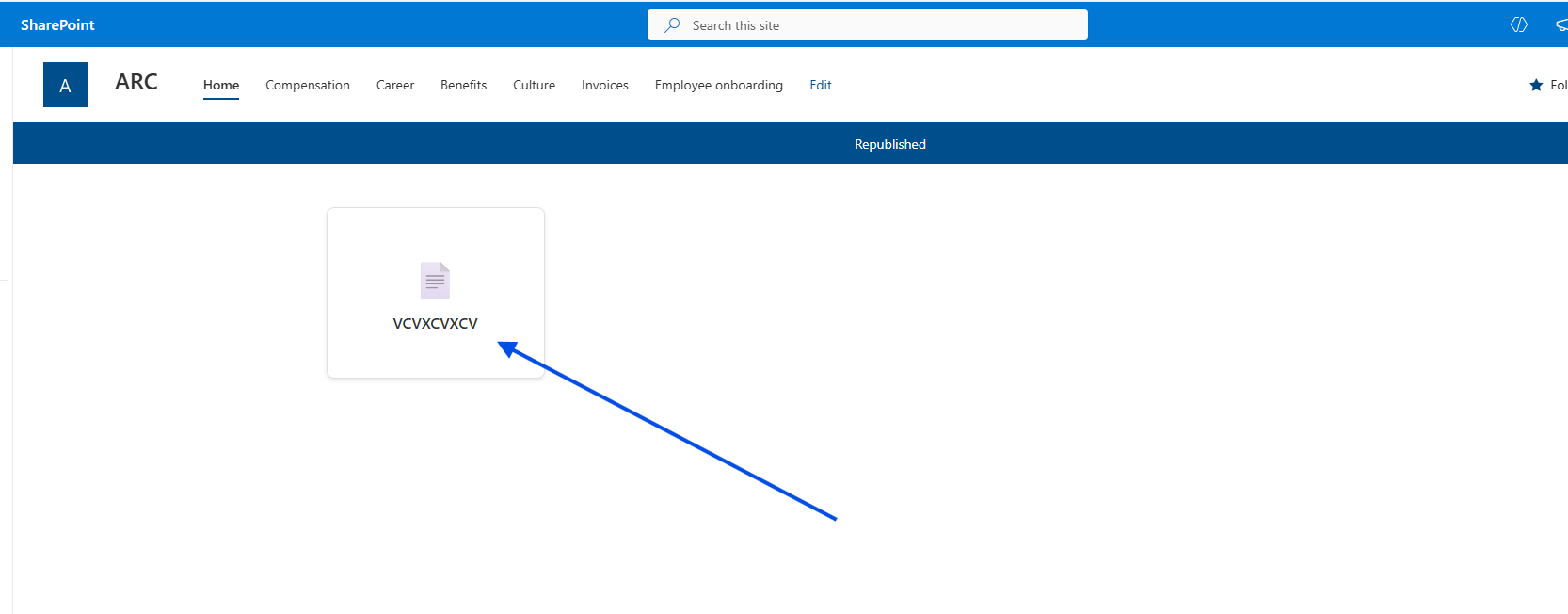
In today’s post, we will see how we can change the view of a list and display the items as tiles.
There is also a similar option available through the end‑user interface, but it is not as visually appealing as what we can achieve with custom code.
First, we select the list where we want to apply the change.
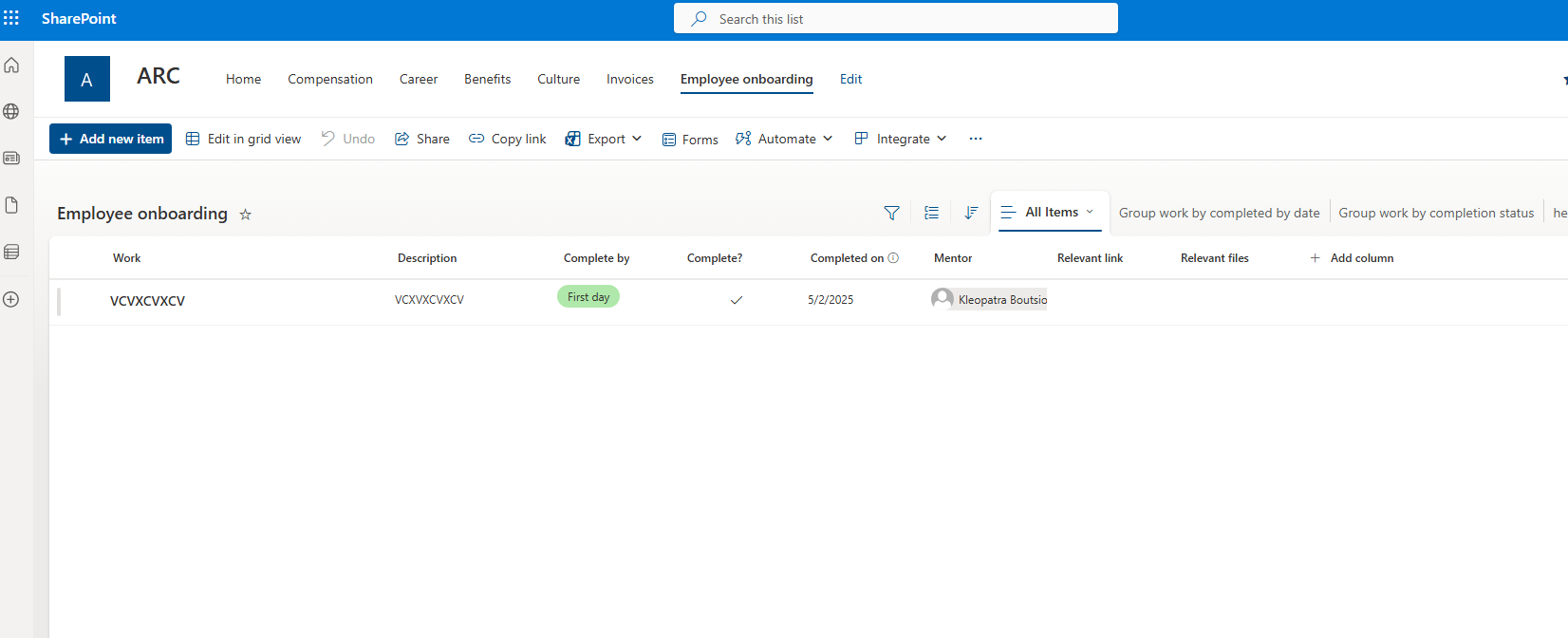
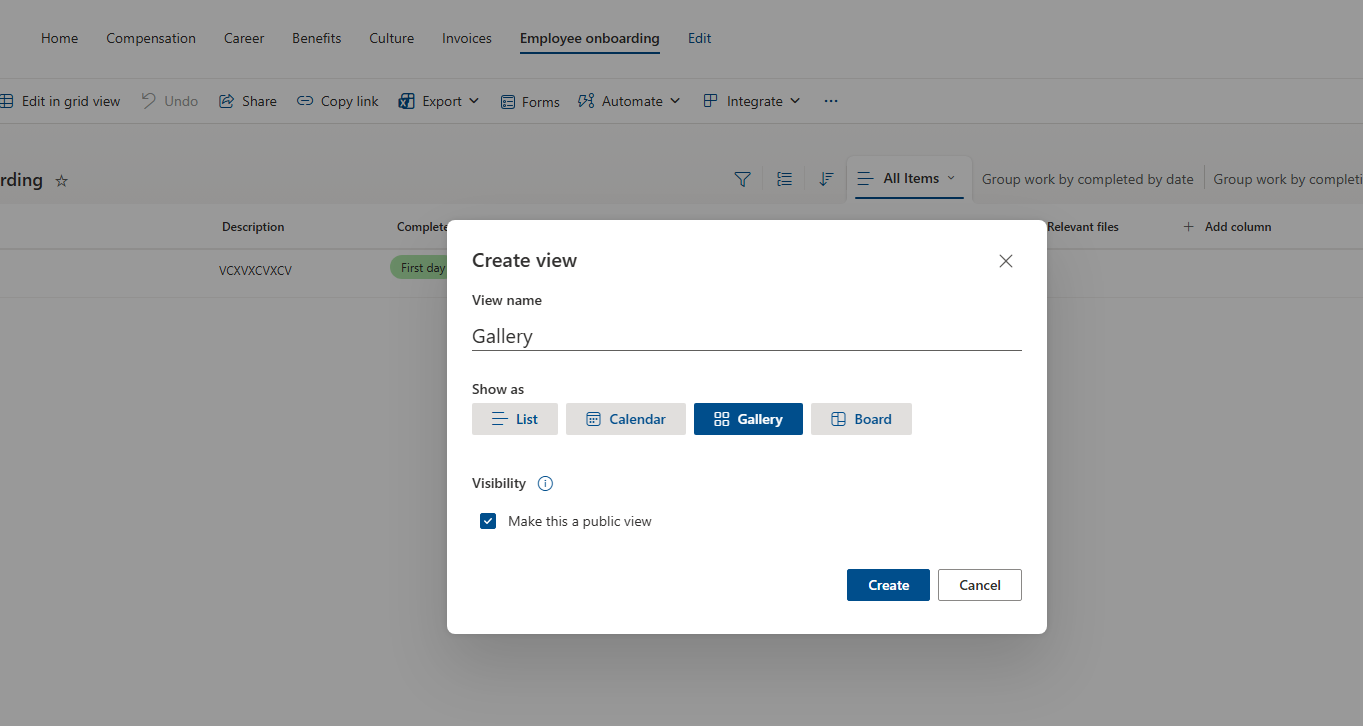
Then, on the right side, we open the list views and select Add new view.
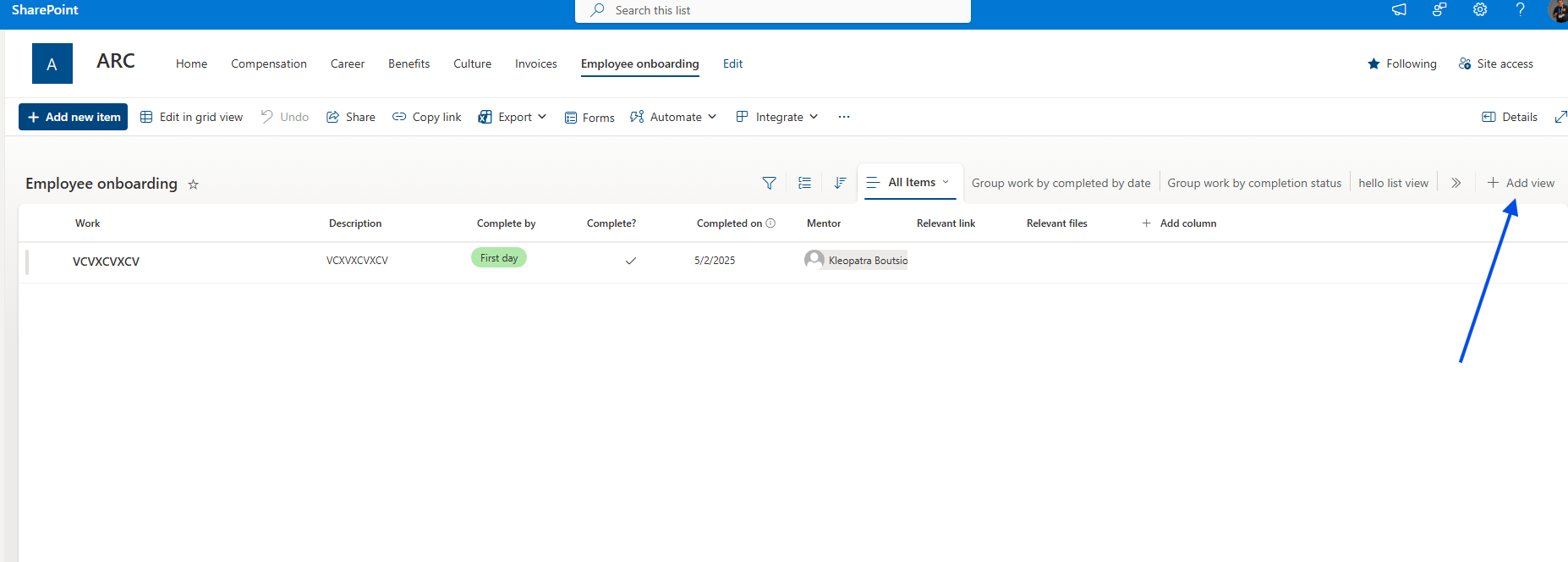
We give a name to our new view and then select Gallery.
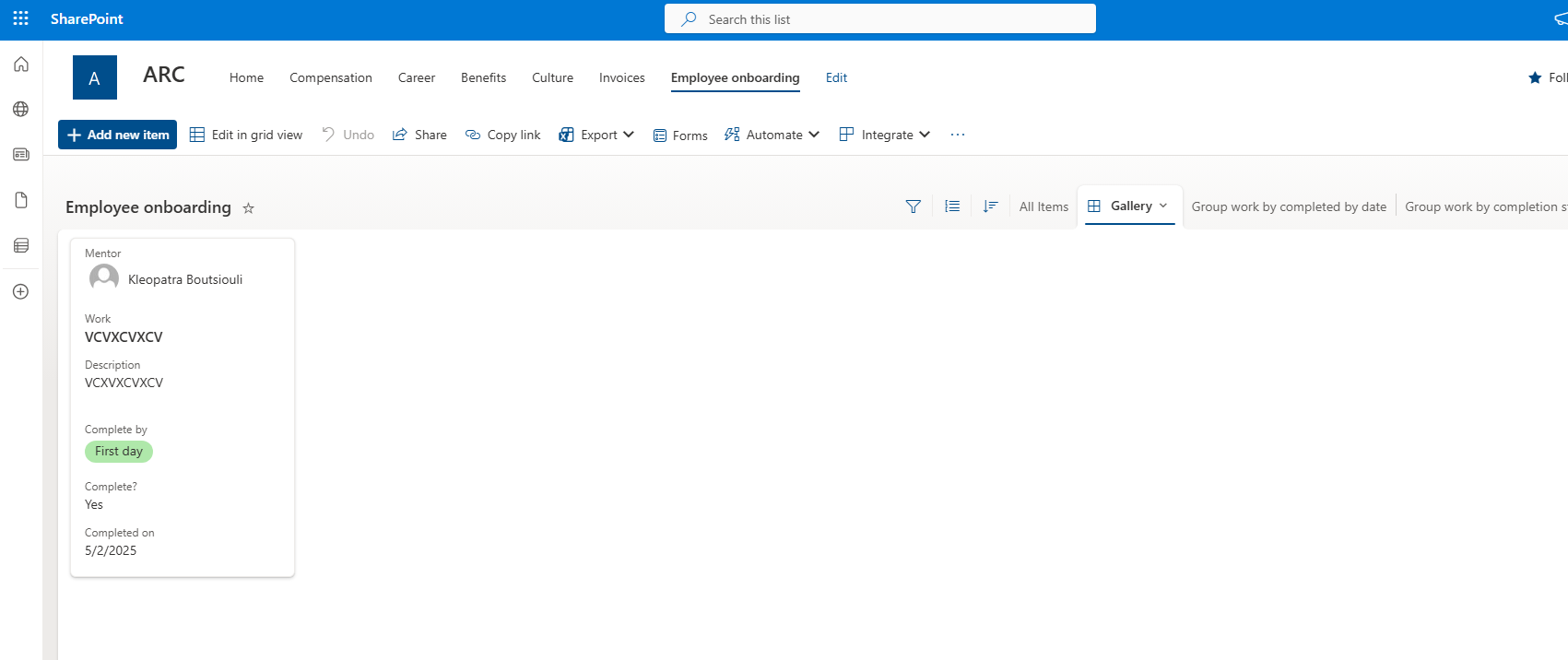
As you can see, all items are now displayed as tiles, showing their information inside the cards.
This is how the list layout looks.
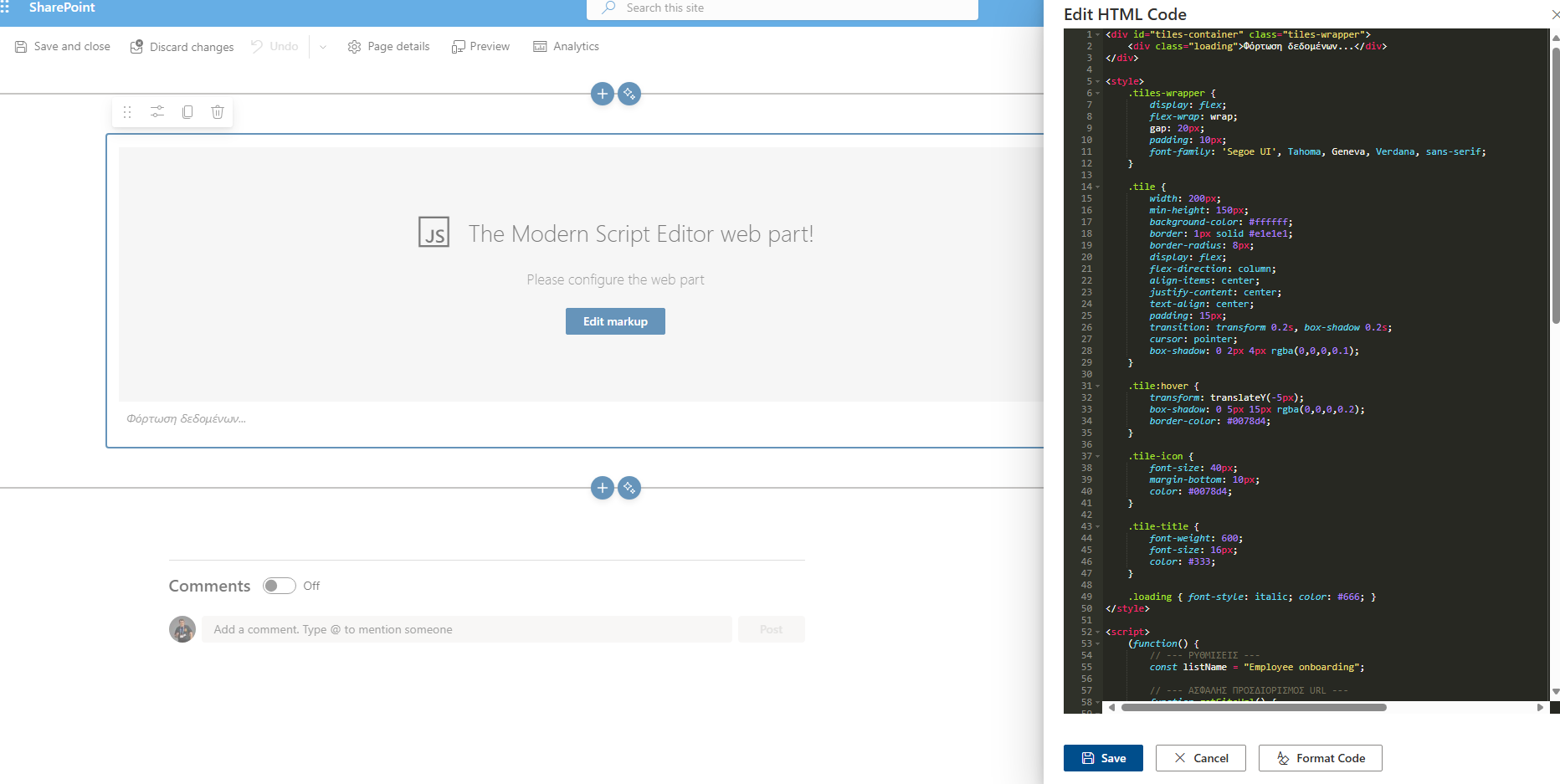
However, there is also the custom‑code solution I mentioned earlier, using a Modern Script Editor.
Simply add the following script, and you will see how the appearance of the list items changes inside the web part.
<div id="tiles-container" class="tiles-wrapper"><div class="loading">Φόρτωση δεδομένων...</div></div><style>.tiles-wrapper {display: flex;flex-wrap: wrap;gap: 20px;padding: 10px;font-family: 'Segoe UI', Tahoma, Geneva, Verdana, sans-serif;}.tile {width: 200px;min-height: 150px;background-color: #ffffff;border: 1px solid #e1e1e1;border-radius: 8px;display: flex;flex-direction: column;align-items: center;justify-content: center;text-align: center;padding: 15px;transition: transform 0.2s, box-shadow 0.2s;cursor: pointer;box-shadow: 0 2px 4px rgba(0,0,0,0.1);}.tile:hover {transform: translateY(-5px);box-shadow: 0 5px 15px rgba(0,0,0,0.2);border-color: #0078d4;}.tile-icon {font-size: 40px;margin-bottom: 10px;color: #0078d4;}.tile-title {font-weight: 600;font-size: 16px;color: #333;}.loading { font-style: italic; color: #666; }</style><script>(function() {// --- SETTINGS ---const listName = "Employee onboarding";// --- SAFE URL DETECTION ---function getSiteUrl() {if (typeof _spPageContextInfo !== "undefined") {return _spPageContextInfo.webAbsoluteUrl;} else {// Fallback for Modern Pagesconst pathParts = window.location.pathname.split('/');let baseUrl = window.location.origin;if (pathParts.includes('sites') || pathParts.includes('teams')) {baseUrl += pathParts.slice(0, 3).join('/');}return baseUrl;}}const siteUrl = getSiteUrl();const container = document.getElementById('tiles-container');async function fetchListData() {// Using getbytitle to fetch itemsconst endpoint = `${siteUrl}/_api/web/lists/getbytitle('${listName}')/items?$select=Title,Id`;try {const response = await fetch(endpoint, {headers: { "Accept": "application/json; odata=verbose" }});if (!response.ok) {throw new Error(`The list '${listName}' was not found or you do not have access.`);}const data = await response.json();renderTiles(data.d.results);} catch (error) {console.error("Error fetching list:", error);container.innerHTML = `<div style="color:red;">Error: ${error.message}</div>`;}}function renderTiles(items) {if (!items || items.length === 0) {container.innerHTML = "The list is empty or contains no items.";return;}container.innerHTML = ''; // Clear loading stateitems.forEach(item => {const tile = document.createElement('div');tile.className = 'tile';const titleText = item.Title || "No Title";tile.innerHTML = `<div class="tile-icon">📄</div><div class="tile-title">${titleText}</div>`;tile.onclick = () => {// Dynamic URL to Display Formwindow.location.href = `${siteUrl}/Lists/${listName.replace(/\s/g, '%20')}/DispForm.aspx?ID=${item.Id}`;};container.appendChild(tile);});}// Execute when DOM is loadedif (document.readyState === 'loading') {document.addEventListener('DOMContentLoaded', fetchListData);} else {fetchListData();}})();</script>