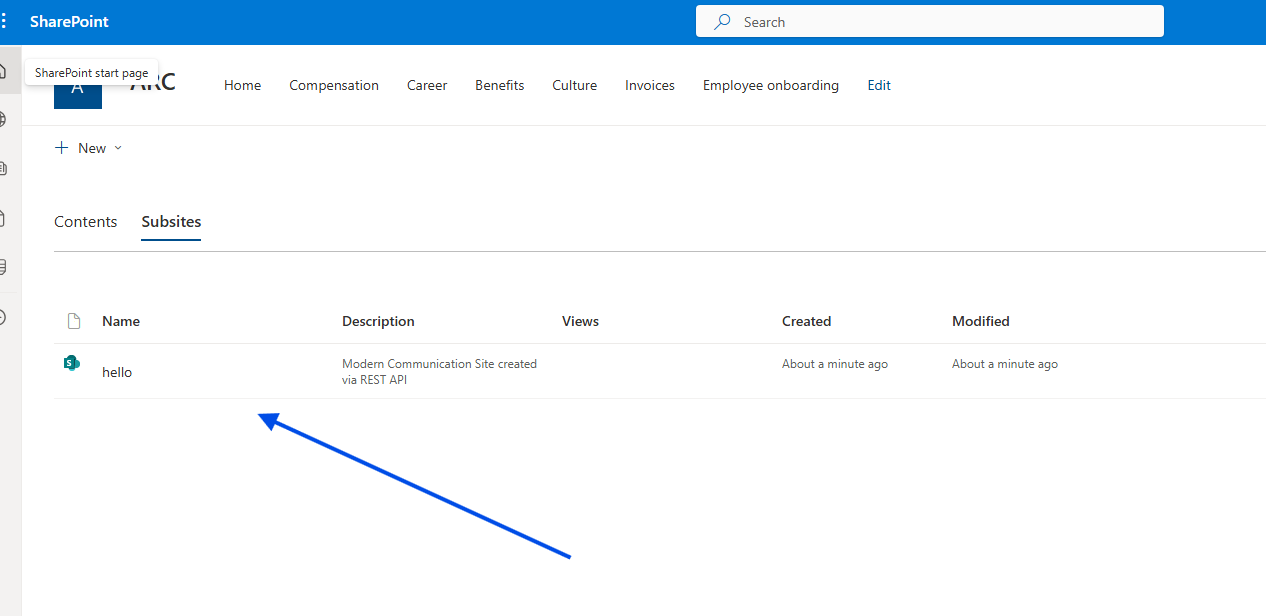
In today’s article, we will look at how we can create a new site using an automated process.
The site we choose to create is a Communication Site, so it must be understood that this process can only be applied to this type of site.
Of course, it can also be applied to other site types, but some small adjustments need to be made in the JavaScript code.
As we all know, to create a Communication Site, we have two options using the end‑user environment.
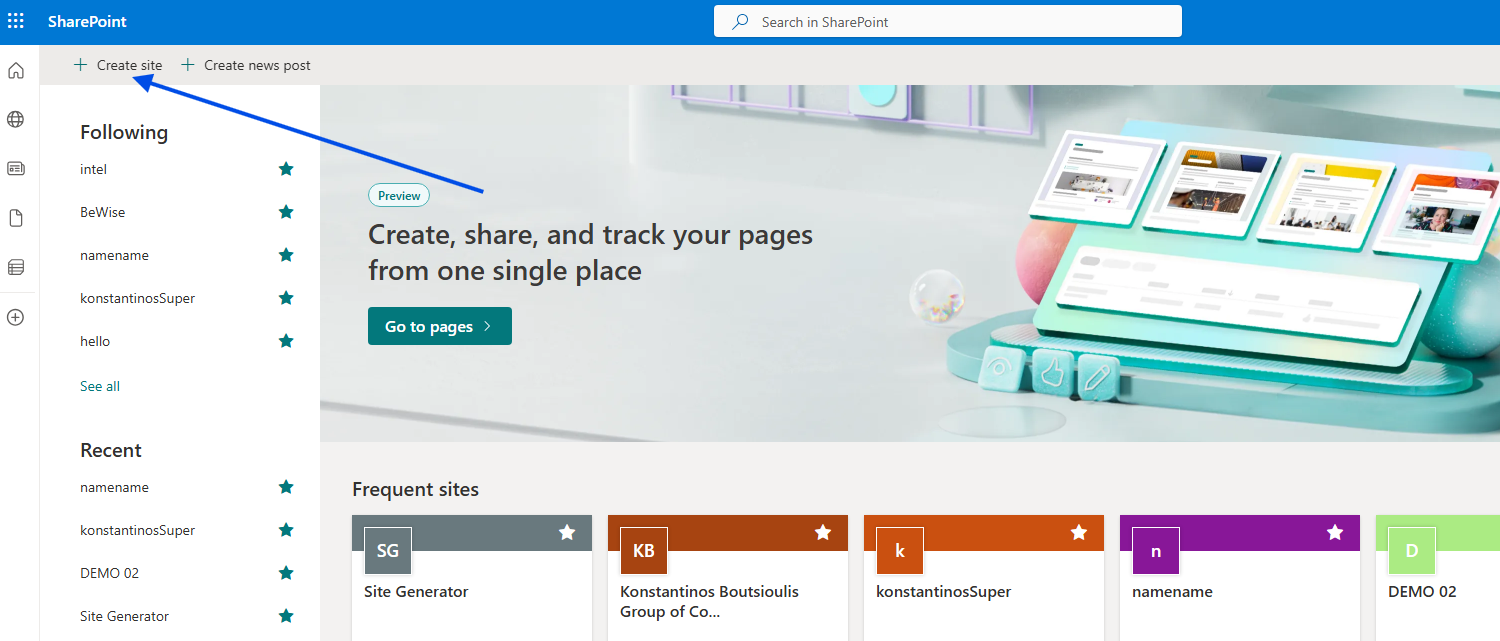
First, from the home page, where we need to select New site at the top left.
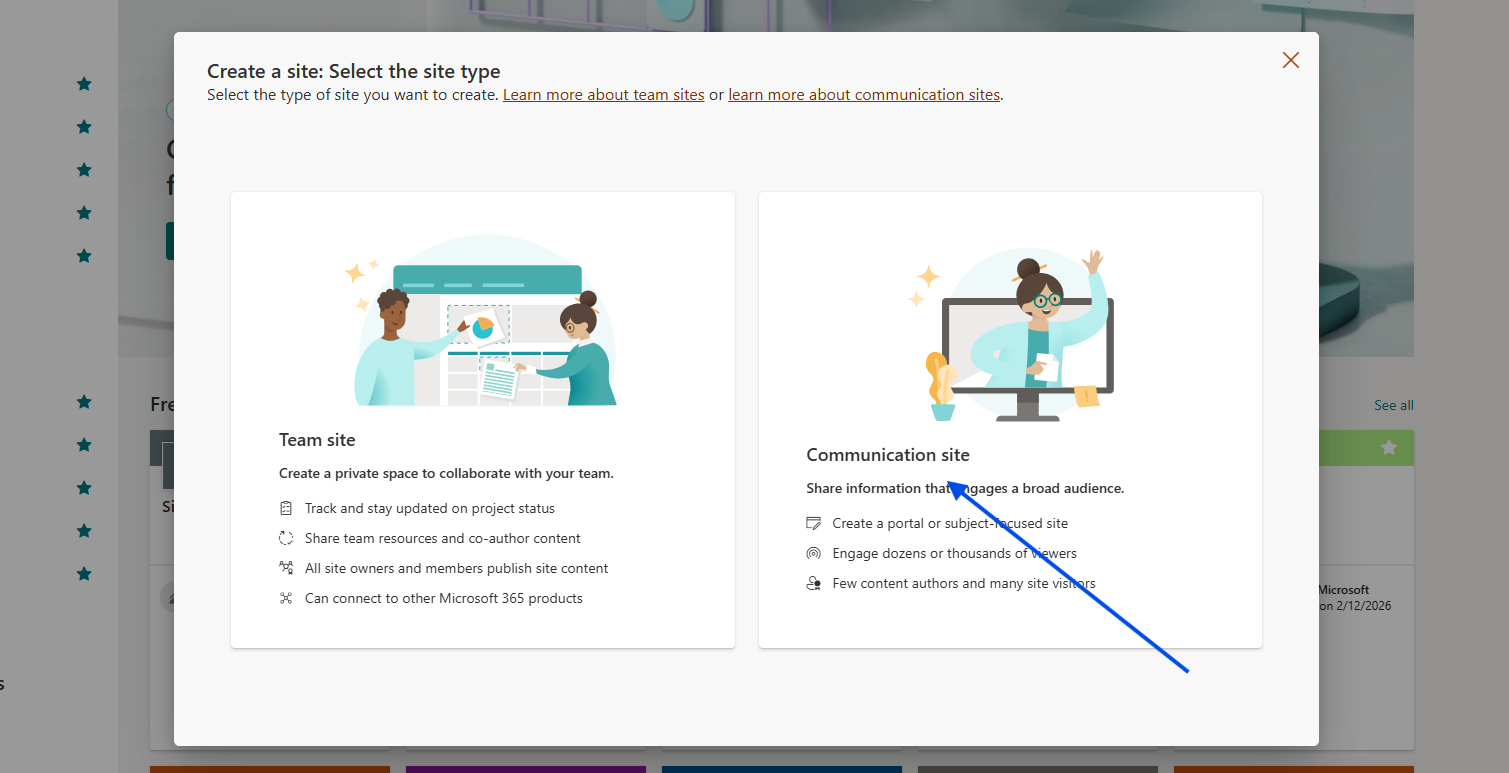
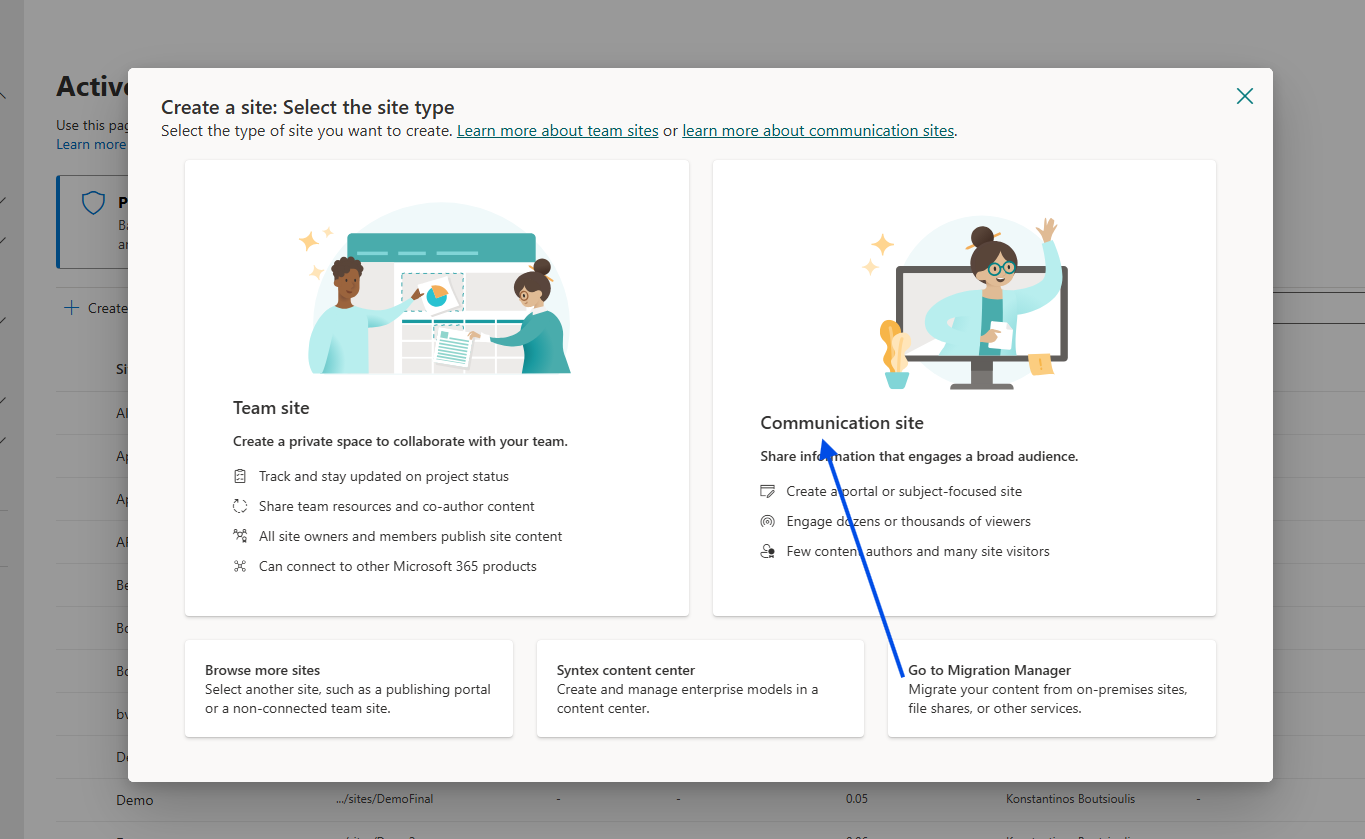
Then we choose the site type — in our case, Communication.
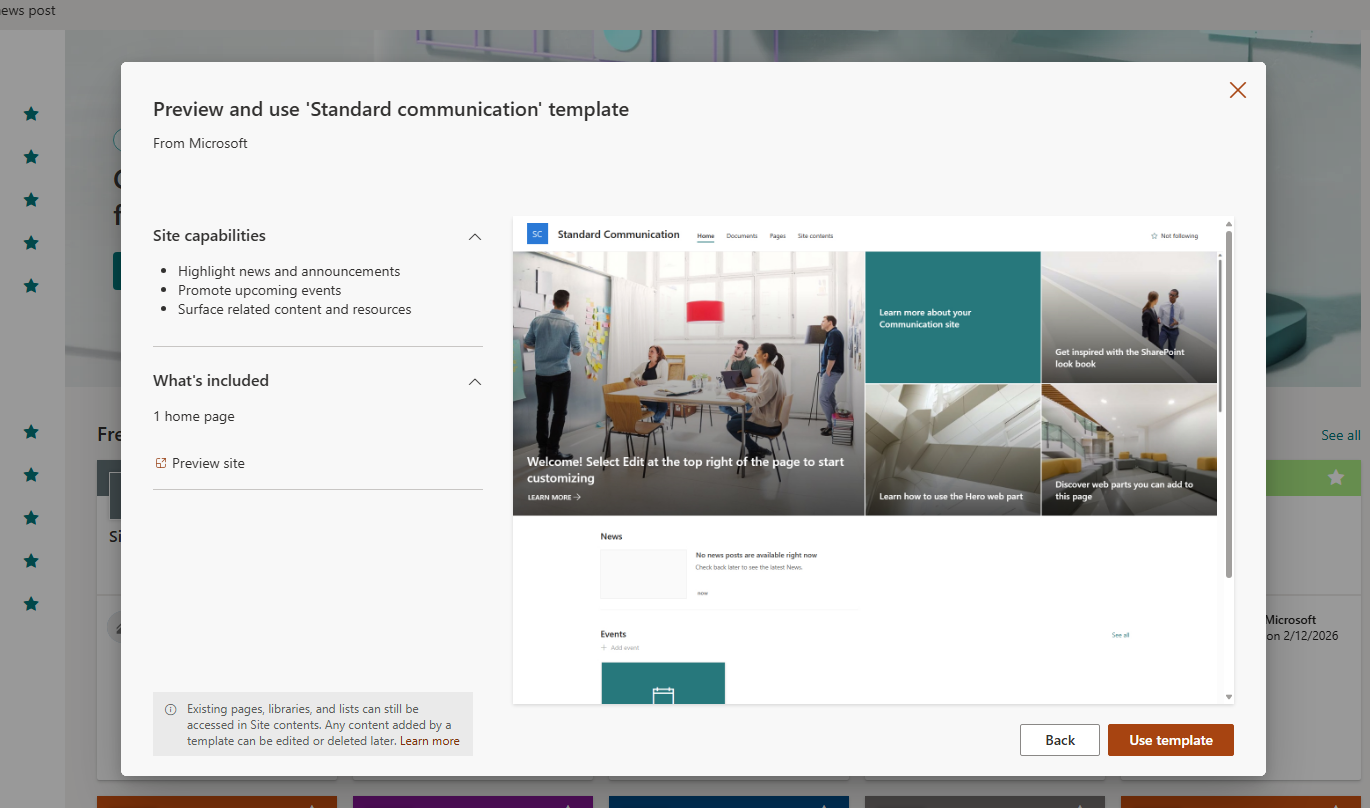
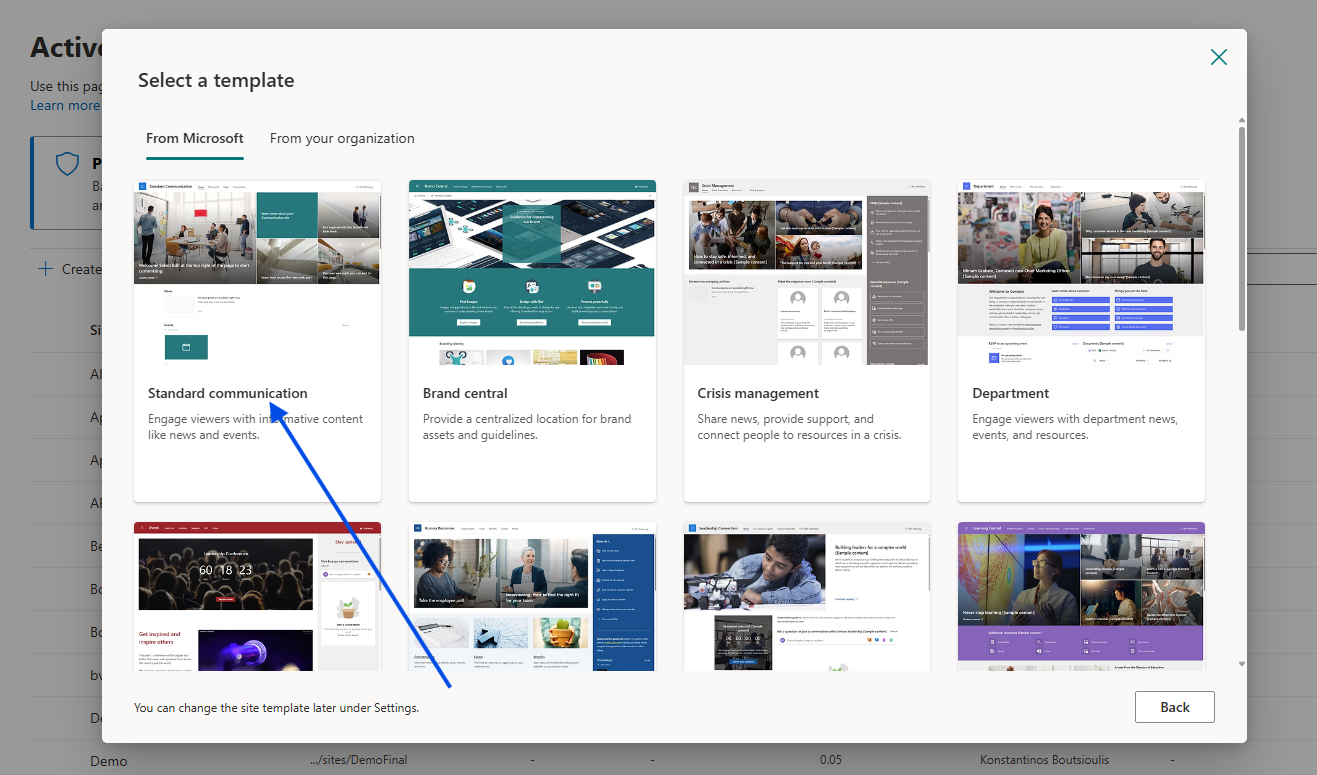
Next, we select the site template.
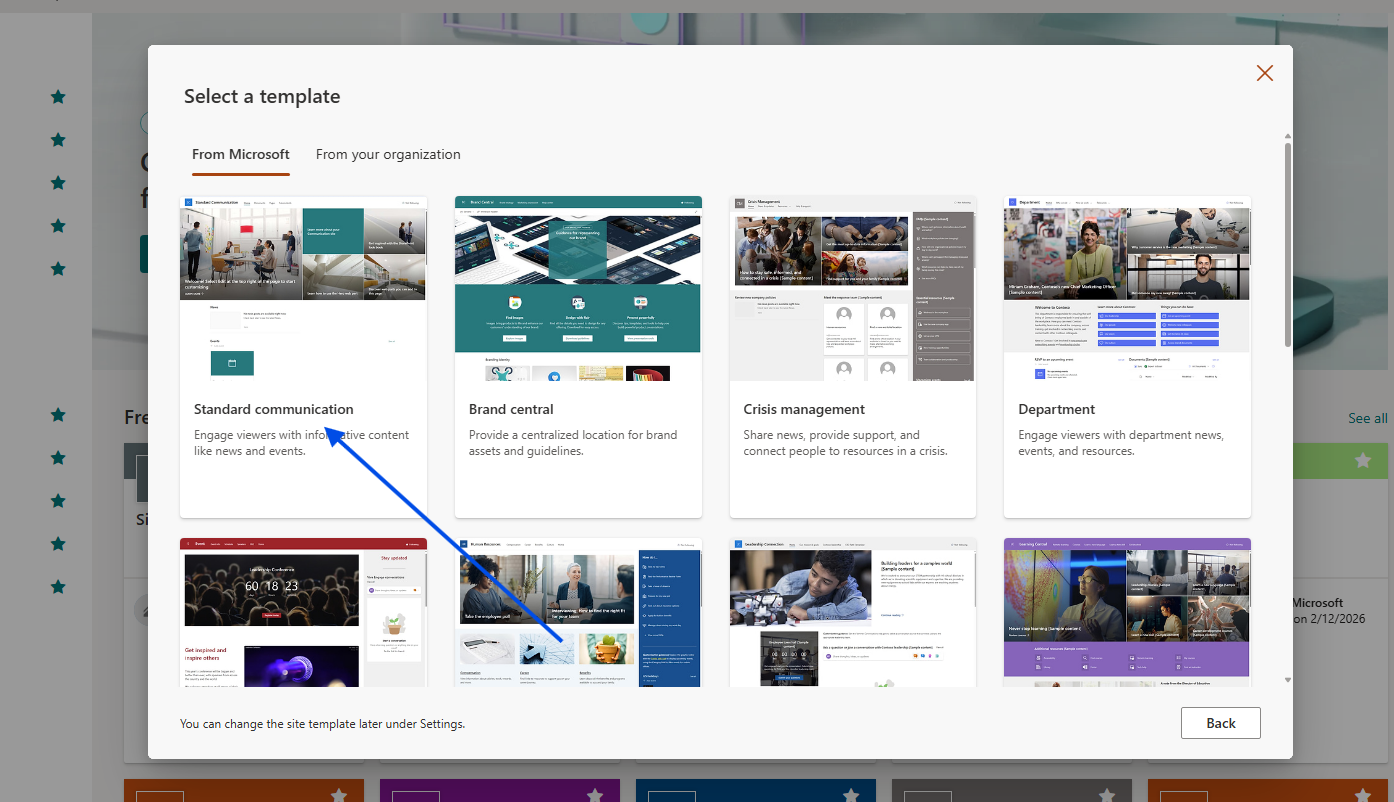
And then we click Use template.
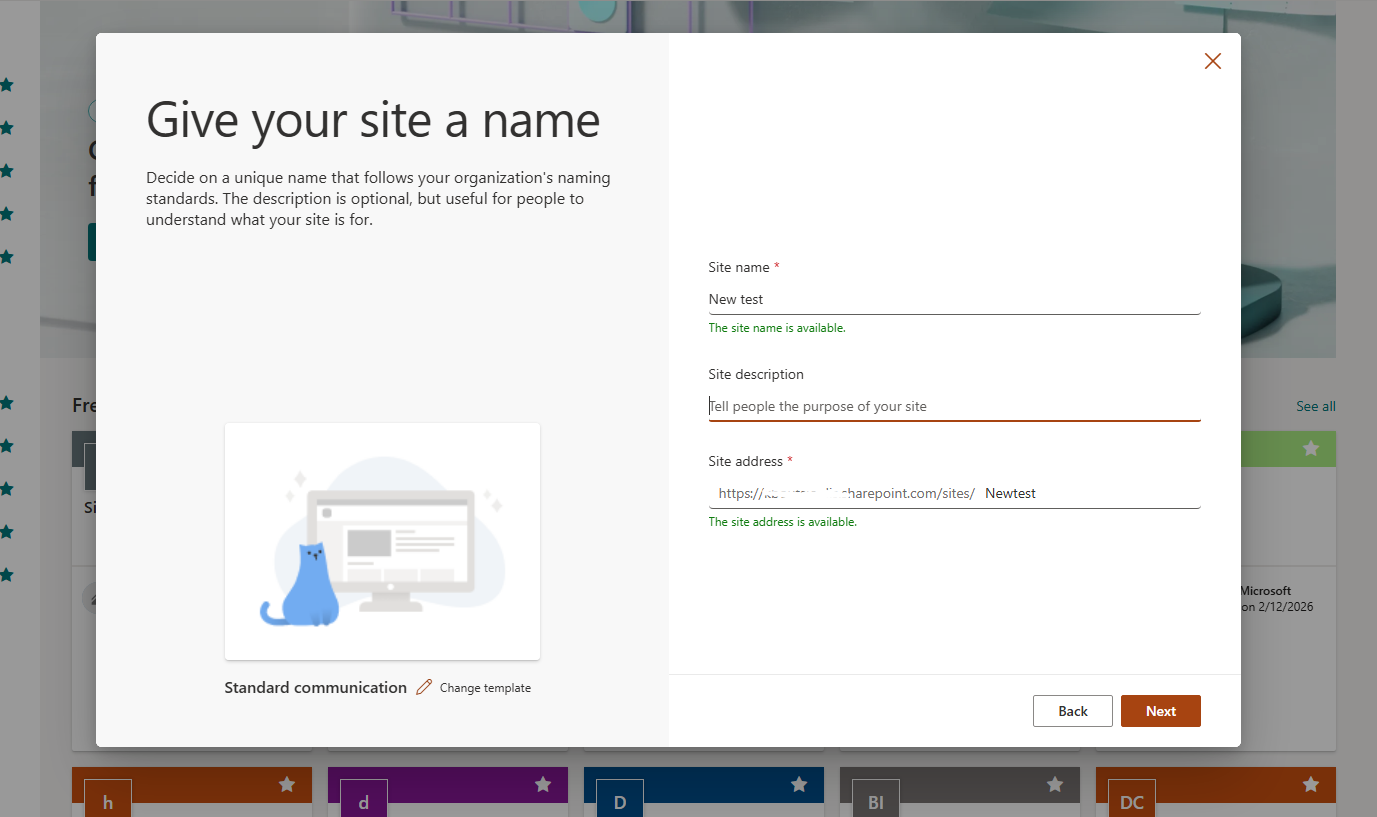
In the next step, we need to provide a name for our site as well as the URL, ensuring it does not conflict with an existing URL.
We also enter the site description.
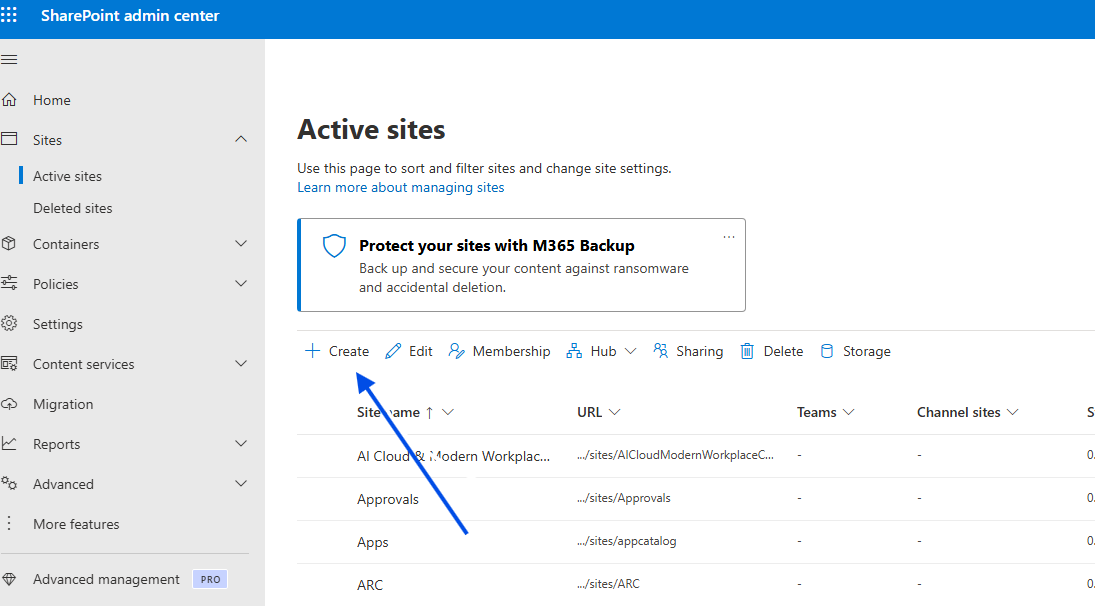
Additionally, if we are administrators, we can perform the same process from the SharePoint Admin Center, where we select Create at the top left.
And then we choose the site type and fill in the details just like before.
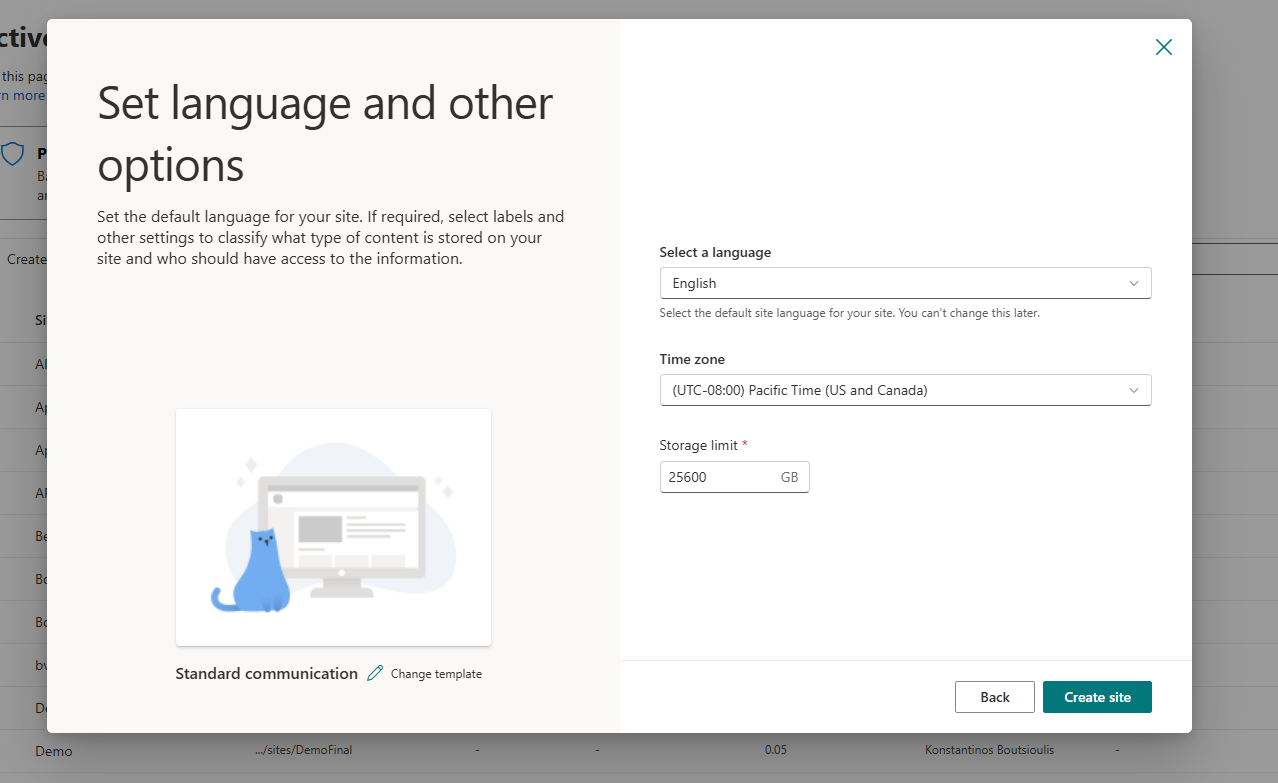
There may be cases where we also need to enter the time zone and storage quota, provided the necessary configurations have been made.
However, there is an even easier way to automate the entire process using the following JavaScript and REST API, which will run inside a Modern Script Editor Web Part.
</button><div id="comm-status" style="margin-top: 15px; font-size: 13px; display: none; font-weight: 500;"></div></div><script>async function createCommSite() {const titleInput = document.getElementById('comm-site-title');const urlInput = document.getElementById('comm-site-url');const status = document.getElementById('comm-status');const btn = document.getElementById('btn-create-comm');const title = titleInput.value.trim();const url = urlInput.value.trim();if (!title || !url) {updateStatus("Συμπληρώστε όλα τα πεδία!", "#d13438");return;}btn.disabled = true;btn.innerText = "Γίνεται δημιουργία...";updateStatus("Επικοινωνία με το SharePoint...", "#666");try {// --- ΑΣΦΑΛΗΣ ΠΡΟΣΔΙΟΡΙΣΜΟΣ URL ---// Αν το _spPageContextInfo λείπει, παίρνουμε το URL από το window.locationlet relativeUrl = "/";if (typeof _spPageContextInfo !== "undefined") {relativeUrl = _spPageContextInfo.webServerRelativeUrl;} else {// Logic για εξαγωγή του site path αν είμαστε σε subsiteconst pathSegments = window.location.pathname.split('/');if (pathSegments.includes('sites') || pathSegments.includes('teams')) {relativeUrl = pathSegments.slice(0, 3).join('/');}}const siteUrl = window.location.origin + (relativeUrl === "/" ? "" : relativeUrl);// --------------------------------// 1. Λήψη Request Digest (Απαραίτητο για POST requests)const contextRes = await fetch(`${siteUrl}/_api/contextinfo`, {method: "POST",headers: { "Accept": "application/json;odata=verbose" }});if (!contextRes.ok) throw new Error("Αδυναμία λήψης Security Token (Context Info).");const contextData = await contextRes.json();const digest = contextData.d.GetContextWebInformation.FormDigestValue;// 2. REST API Request για δημιουργία Subsiteconst response = await fetch(`${siteUrl}/_api/web/webinfos/add`, {method: "POST",body: JSON.stringify({'parameters': {'__metadata': { 'type': 'SP.WebInfoCreationInformation' },'Url': url,'Title': title,'Description': 'Modern Communication Site created via REST API','Language': 1032, // Ελληνικά'WebTemplate': 'SITEPAGEPUBLISHING#0', // Template για Communication Site'UseUniquePermissions': false}}),headers: {"Accept": "application/json;odata=verbose","Content-Type": "application/json;odata=verbose","X-RequestDigest": digest}});if (response.ok) {updateStatus(`Επιτυχία! Το site "${title}" δημιουργήθηκε.`, "#107c10");titleInput.value = "";urlInput.value = "";// Προαιρετικό: Redirect στο νέο site μετά από 2 δευτερόλεπτα// setTimeout(() => { window.location.href = `${siteUrl}/${url}`; }, 2000);} else {const err = await response.json();const errorMsg = err.error ? err.error.message.value : "Άγνωστο σφάλμα διακομιστή";updateStatus("Σφάλμα SharePoint: " + errorMsg, "#d13438");}} catch (error) {updateStatus("Σφάλμα: " + error.message, "#d13438");console.error(error);} finally {btn.disabled = false;btn.innerText = "Δημιουργία Communication Site ✨";}}function updateStatus(msg, color) {const status = document.getElementById('comm-status');status.style.display = "block";status.style.color = color;status.innerText = msg;}</script>
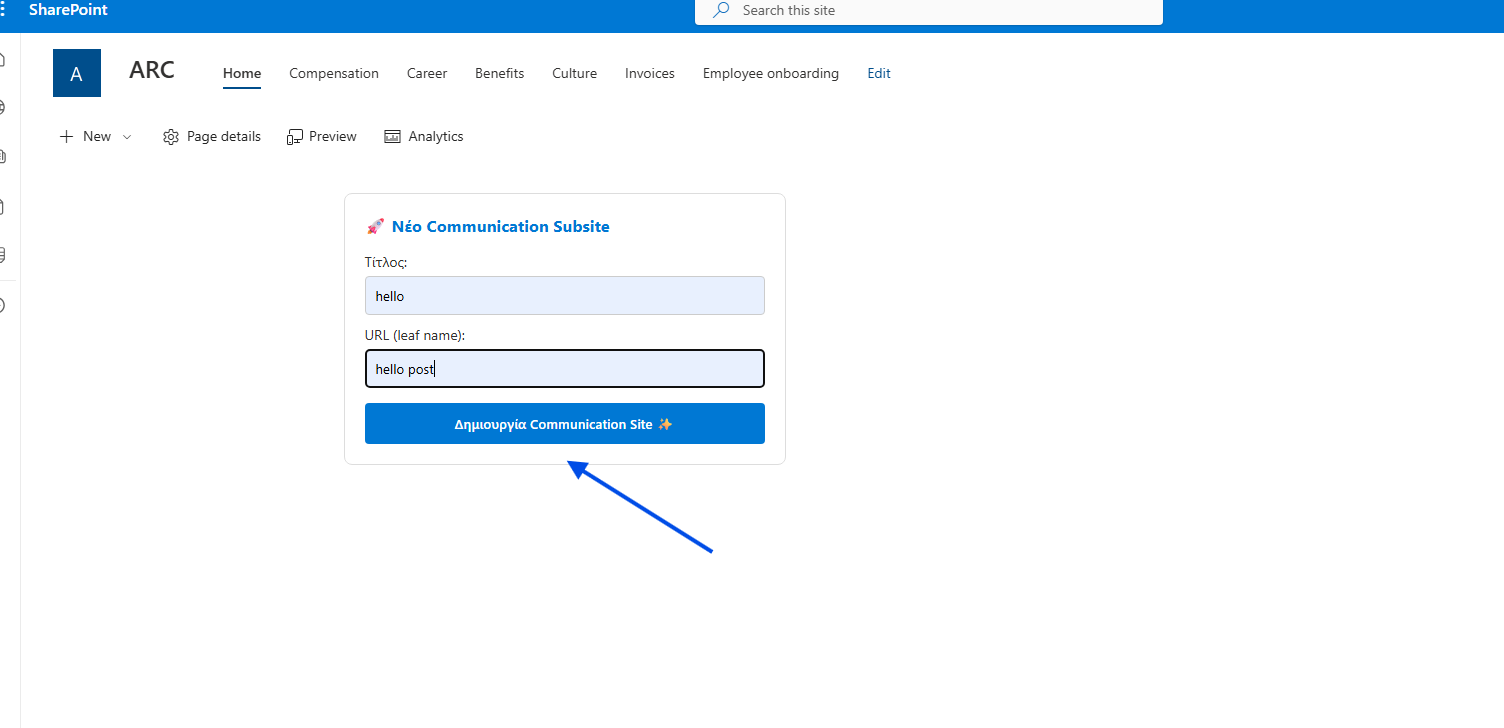
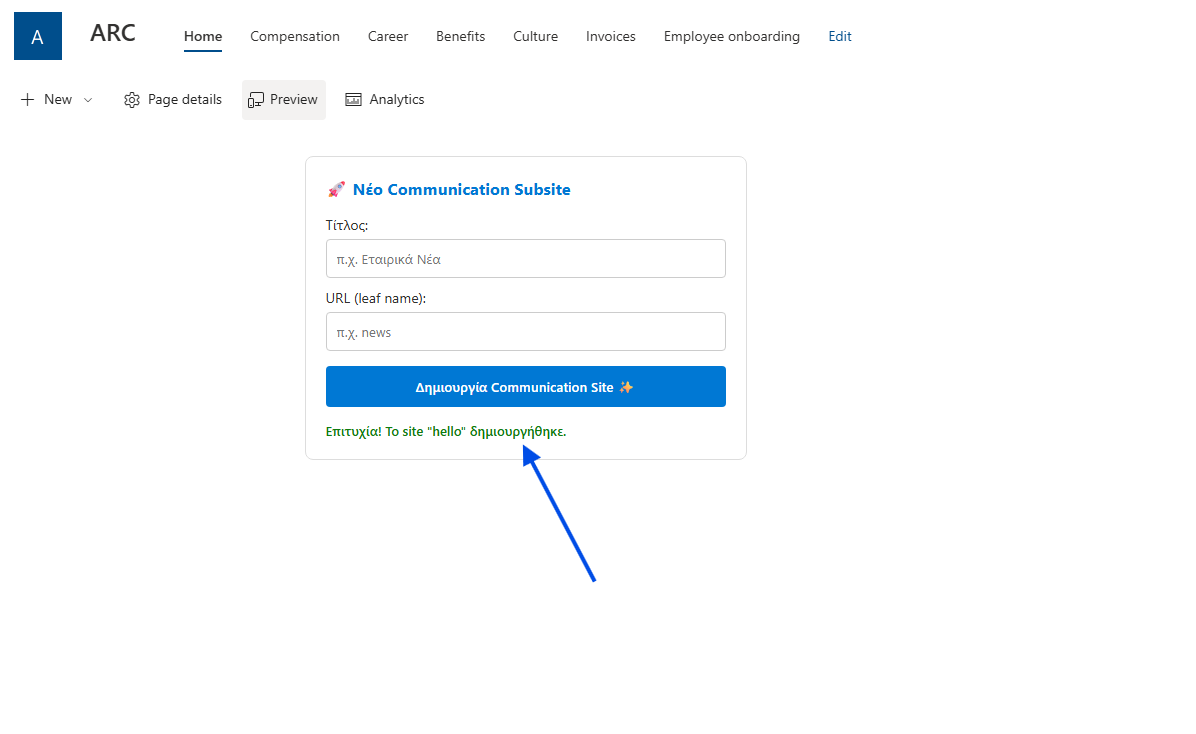
We simply choose a name, click the button, and finally our new site is created.