In today’s post, we will see how we can create a list from a form using the Modern Script Editor and the REST API.
This is a very simple process that can also be done through the end‑user environment with a few basic actions.
First, we select the site where we want the list to be hosted.
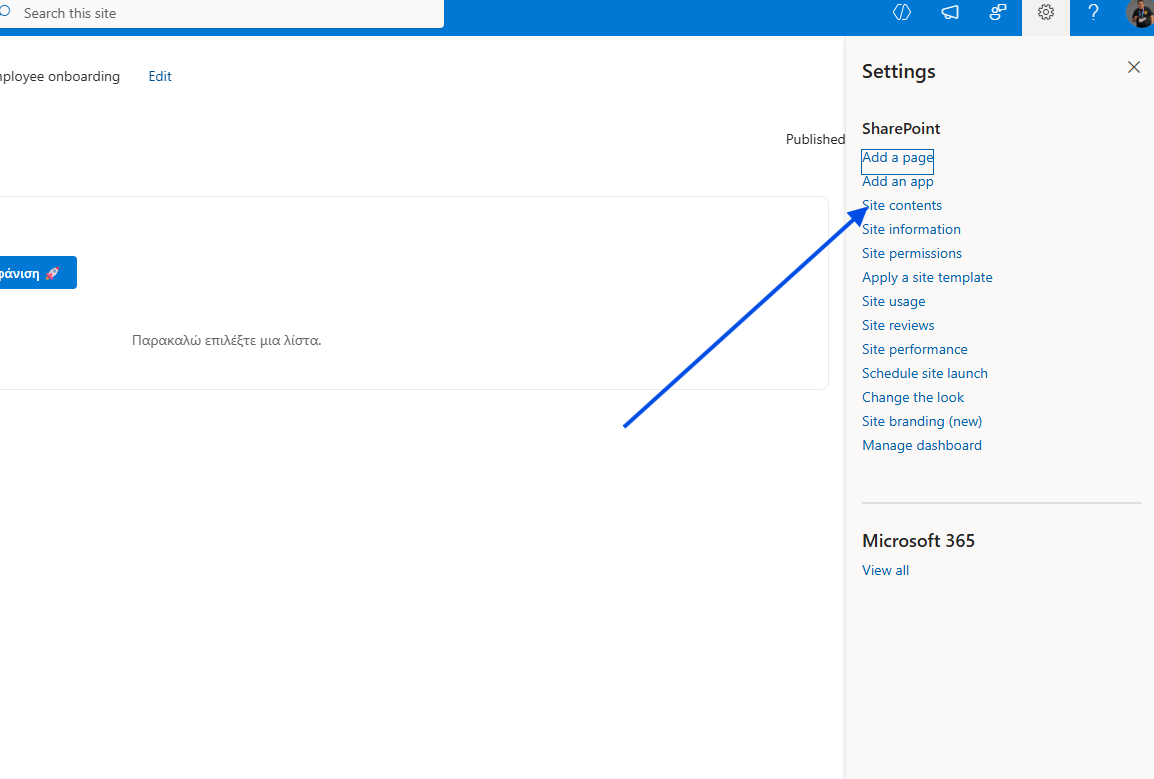
Then we click the gear icon at the top right and, from the available options, select Site contents.
In the next step, we need to select Add at the top left, and then List.
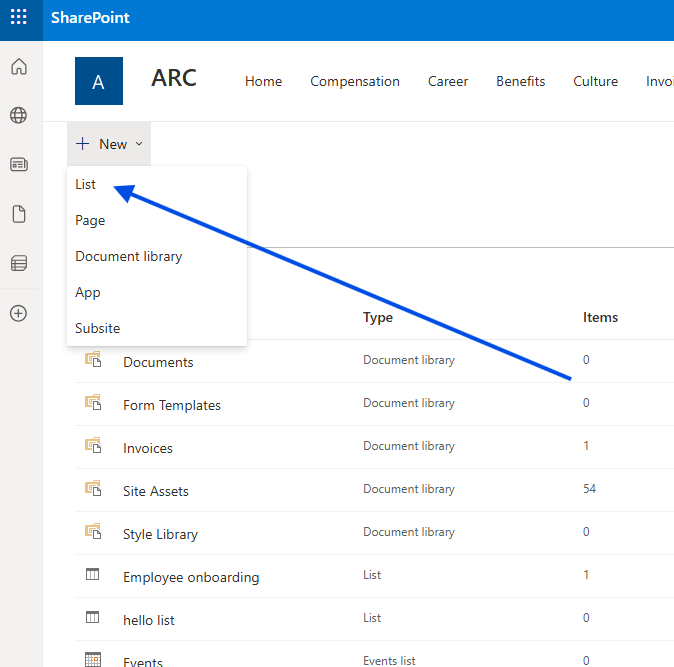
In the pop‑up window, we choose the type of list we want, or apply one of the available list templates.
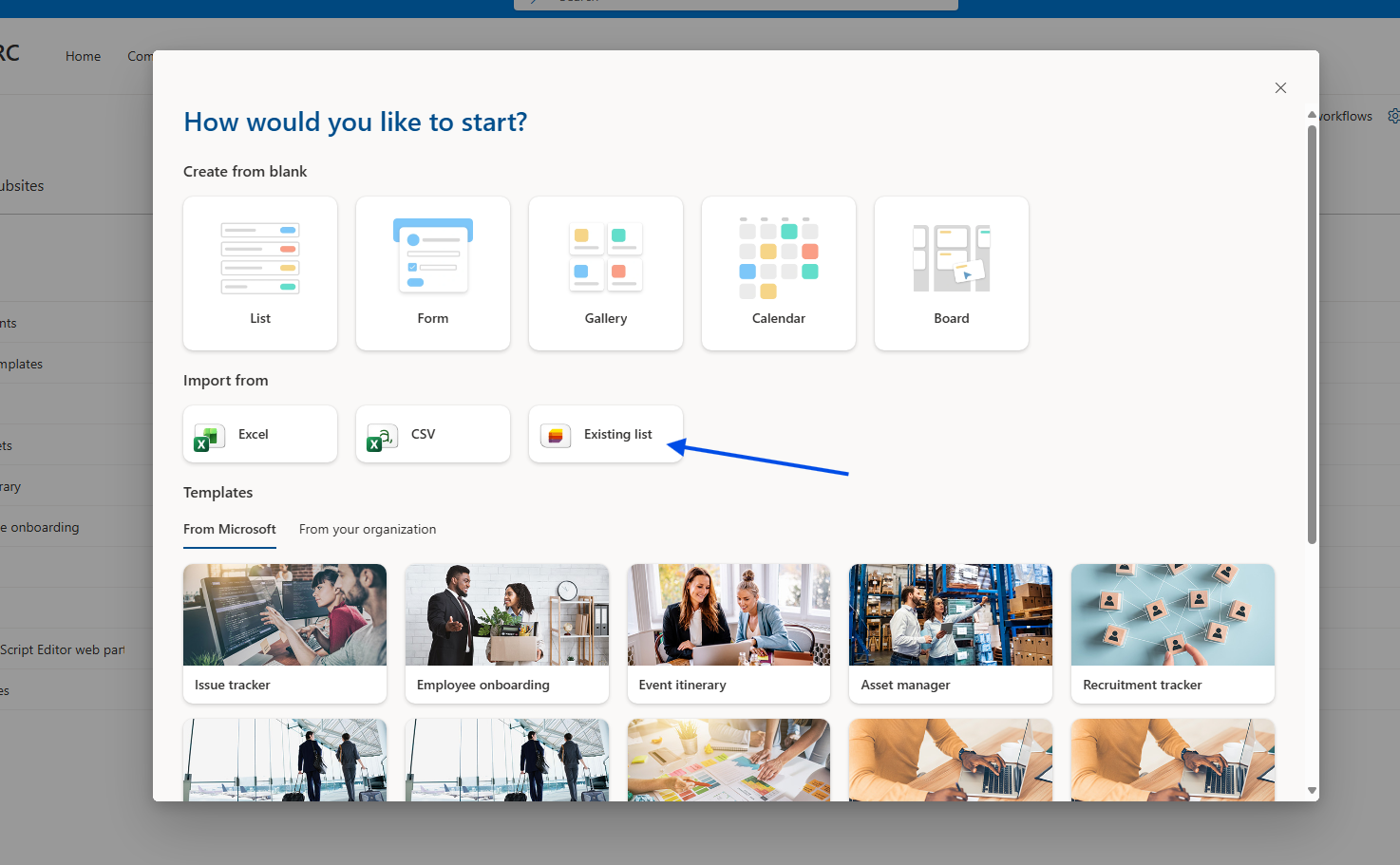
However, we would then have to add the columns we want one by one.
With the solution I propose, we can add them directly from the initial form.
We choose to insert a Modern Script Editor web part and paste the following code:
<div id="list-creator-app" style="font-family: 'Segoe UI', sans-serif; padding: 20px; background: #fff; border: 1px solid #ddd; border-radius: 8px; max-width: 500px;"><h2 style="color: #0078d4; margin-top: 0;">🛠️ SharePoint List Creator</h2><div style="margin-bottom: 20px;"><label style="display:block; font-weight:600;">Όνομα Λίστας:</label><input type="text" id="new-list-name" placeholder="π.χ. MyNewProjectList" style="width: 100%; padding: 8px; margin-top: 5px; border: 1px solid #8a8886; box-sizing: border-box;"></div><div style="margin-bottom: 10px;"><label style="font-weight:600;">Προσθήκη Στηλών:</label><div style="display: flex; gap: 10px; margin-top: 5px;"><input type="text" id="col-name" placeholder="Όνομα Στήλης" style="flex: 2; padding: 5px;"><select id="col-type" style="flex: 1; padding: 5px;"><option value="2">Text</option><option value="3">Note (Multiline)</option><option value="9">Number</option><option value="4">Date</option><option value="8">Yes/No</option></select><button onclick="addColumnRow()" style="background: #2b88d8; color: white; border: none; padding: 5px 15px; cursor: pointer; border-radius: 4px;">+</button></div></div><table id="columns-config" style="width: 100%; border-collapse: collapse; margin-top: 15px;"><thead><tr style="background: #f3f2f1; text-align: left;"><th style="padding: 8px; border: 1px solid #ddd;">Στήλη</th><th style="padding: 8px; border: 1px solid #ddd;">Τύπος</th><th style="padding: 8px; border: 1px solid #ddd;">Ενέργεια</th></tr></thead><tbody id="columns-body"><tr><td colspan="3" style="padding: 10px; text-align: center; color: #999;">Δεν έχουν προστεθεί στήλες</td></tr></tbody></table><button id="btn-create-list" onclick="createSharePointList()" style="margin-top: 20px; width: 100%; padding: 12px; background: #107c10; color: white; border: none; font-weight: bold; cursor: pointer; border-radius: 4px;">ΔΗΜΙΟΥΡΓΙΑ ΛΙΣΤΑΣ 🚀</button><div id="status-msg" style="margin-top: 15px; font-weight: 600; min-height: 20px;"></div></div><script>let columnsToCreate = [];// Helper: Finds the Site URLfunction getSiteUrl() {if (typeof _spPageContextInfo !== "undefined") return _spPageContextInfo.webAbsoluteUrl;const parts = window.location.pathname.split('/');return window.location.origin + (parts.includes('sites') || parts.includes('teams') ? parts.slice(0, 3).join('/') : "");}// Add a column to the local configurationwindow.addColumnRow = function() {const nameInput = document.getElementById('col-name');const typeSelect = document.getElementById('col-type');const name = nameInput.value.trim();const type = typeSelect.value;const typeName = typeSelect.options[typeSelect.selectedIndex].text;if (!name) return alert("Δώστε όνομα στήλης!");columnsToCreate.push({ name, type, typeName });renderColumns();nameInput.value = "";};window.removeCol = function(index) {columnsToCreate.splice(index, 1);renderColumns();};function renderColumns() {const tbody = document.getElementById('columns-body');if (columnsToCreate.length === 0) {tbody.innerHTML = "<tr><td colspan='3' style='padding: 10px; text-align: center; color: #999;'>Δεν έχουν προστεθεί στήλες</td></tr>";return;}tbody.innerHTML = columnsToCreate.map((col, index) => `<tr><td style="padding: 8px; border: 1px solid #ddd;">${col.name}</td><td style="padding: 8px; border: 1px solid #ddd;">${col.typeName}</td><td style="padding: 8px; border: 1px solid #ddd; text-align:center;"><button onclick="removeCol(${index})" style="color:red; cursor:pointer; border:none; background:none; text-decoration:underline;">Διαγραφή</button></td></tr>`).join('');}// Main creation functionwindow.createSharePointList = async function() {const listName = document.getElementById('new-list-name').value.trim();const status = document.getElementById('status-msg');const btn = document.getElementById('btn-create-list');const siteUrl = getSiteUrl();if (!listName) return alert("Δώστε όνομα στη λίστα!");try {btn.disabled = true;status.style.color = "orange";status.innerText = "⏳ Λήψη Security Token...";// 1. Get Digestconst contextRes = await fetch(`${siteUrl}/_api/contextinfo`, {method: "POST", headers: { "Accept": "application/json;odata=verbose" }});const contextData = await contextRes.json();const digest = contextData.d.GetContextWebInformation.FormDigestValue;// 2. Create Liststatus.innerText = `⏳ Δημιουργία λίστας: ${listName}...`;const listRes = await fetch(`${siteUrl}/_api/web/lists`, {method: "POST",body: JSON.stringify({'__metadata': { 'type': 'SP.List' },'AllowContentTypes': true,'BaseTemplate': 100,'Title': listName}),headers: {"Accept": "application/json;odata=verbose","Content-Type": "application/json;odata=verbose","X-RequestDigest": digest}});if (!listRes.ok) {const err = await listRes.json();throw new Error(err.error.message.value);}// 3. Create Columnsfor (const col of columnsToCreate) {status.innerText = `⏳ Προσθήκη στήλης: ${col.name}...`;await fetch(`${siteUrl}/_api/web/lists/getbytitle('${listName}')/fields`, {method: "POST",body: JSON.stringify({'__metadata': { 'type': 'SP.Field' },'Title': col.name,'FieldTypeKind': parseInt(col.type),'Required': false}),headers: {"Accept": "application/json;odata=verbose","Content-Type": "application/json;odata=verbose","X-RequestDigest": digest}});}status.innerText = "✅ Η λίστα δημιουργήθηκε επιτυχώς!";status.style.color = "green";columnsToCreate = [];renderColumns();document.getElementById('new-list-name').value = "";} catch (error) {console.error(error);status.innerText = "❌ Σφάλμα: " + error.message;status.style.color = "red";} finally {btn.disabled = false;}};</script>``
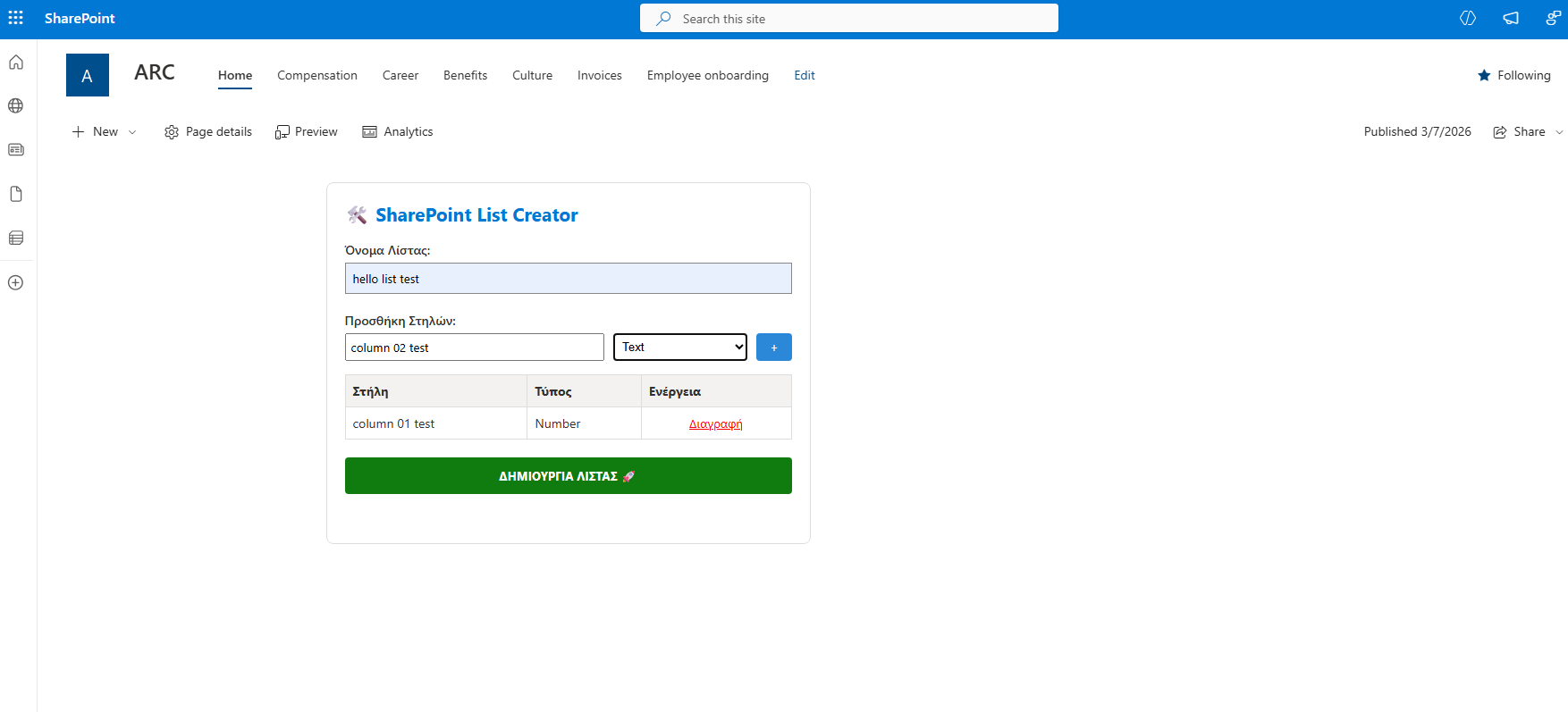
We fill in the form and click Create.
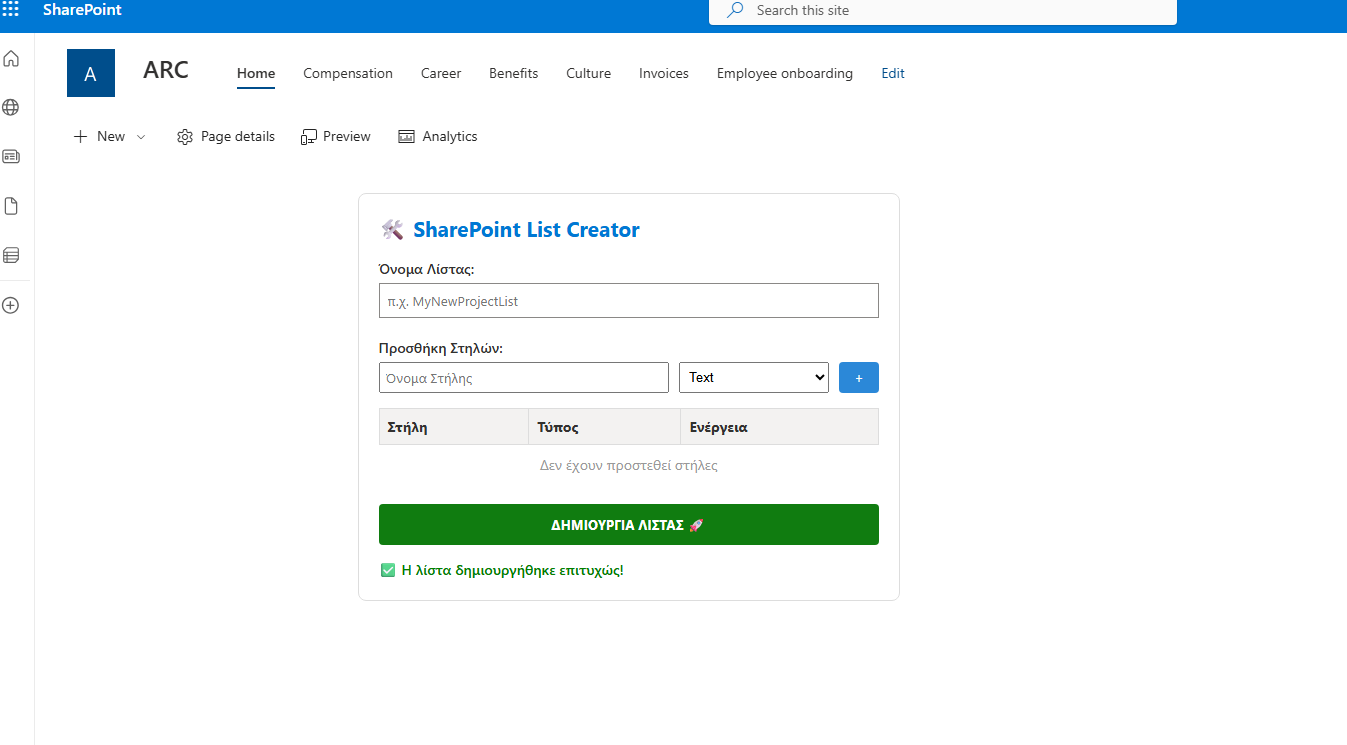
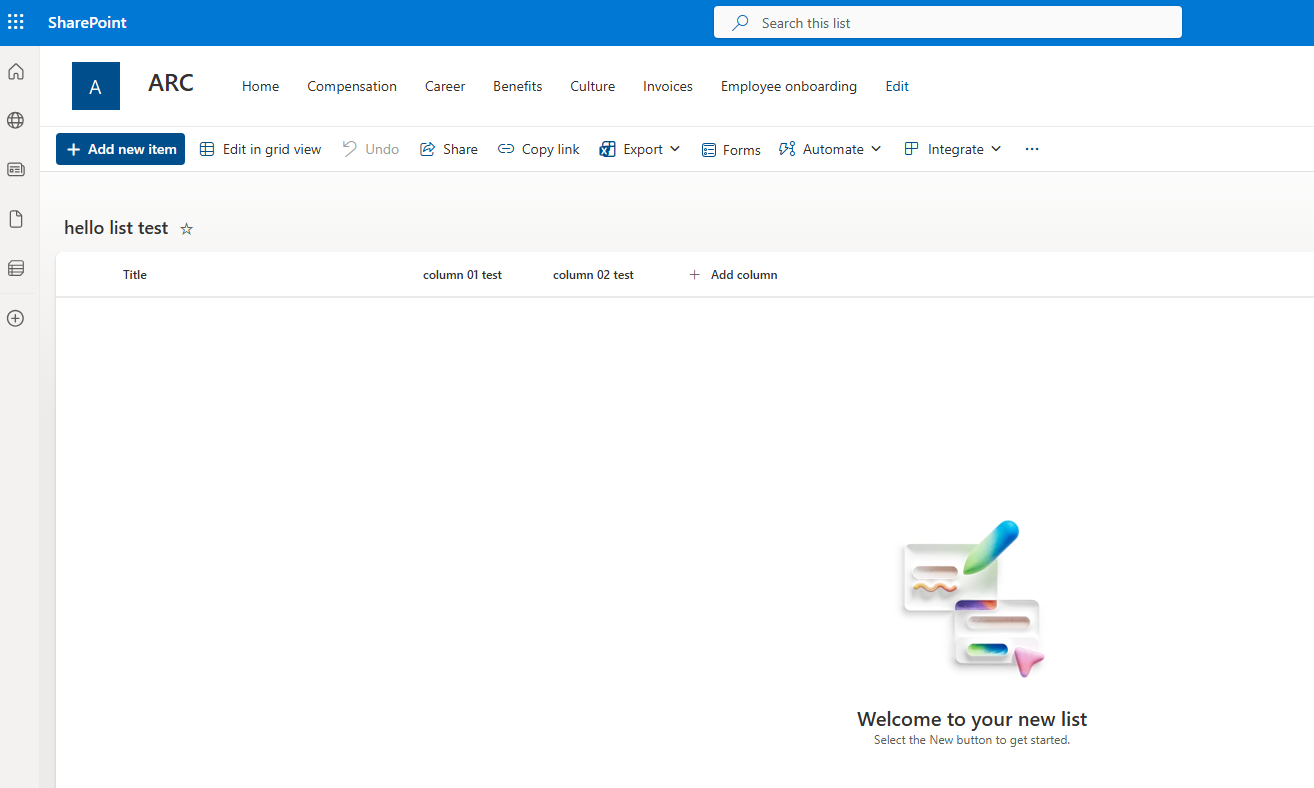
And finally, as you can see, the new list has been created with the corresponding columns.