In today’s article, we will look at how we can create a new view in a list — not through the classic interface, but by using the SharePoint REST API.
Let’s first recall that this is a simple process that can, of course, be performed through the end‑user environment.
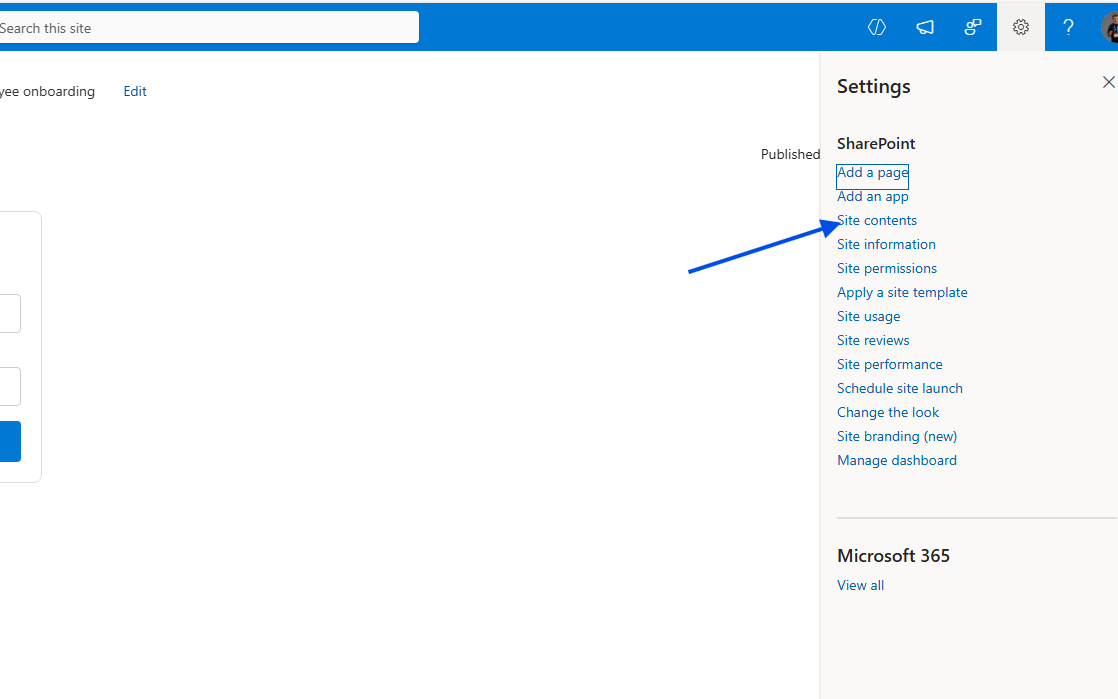
To create a new view, we begin by selecting the site that contains the list, and then click on the gear icon at the top right and choose Site Contents.
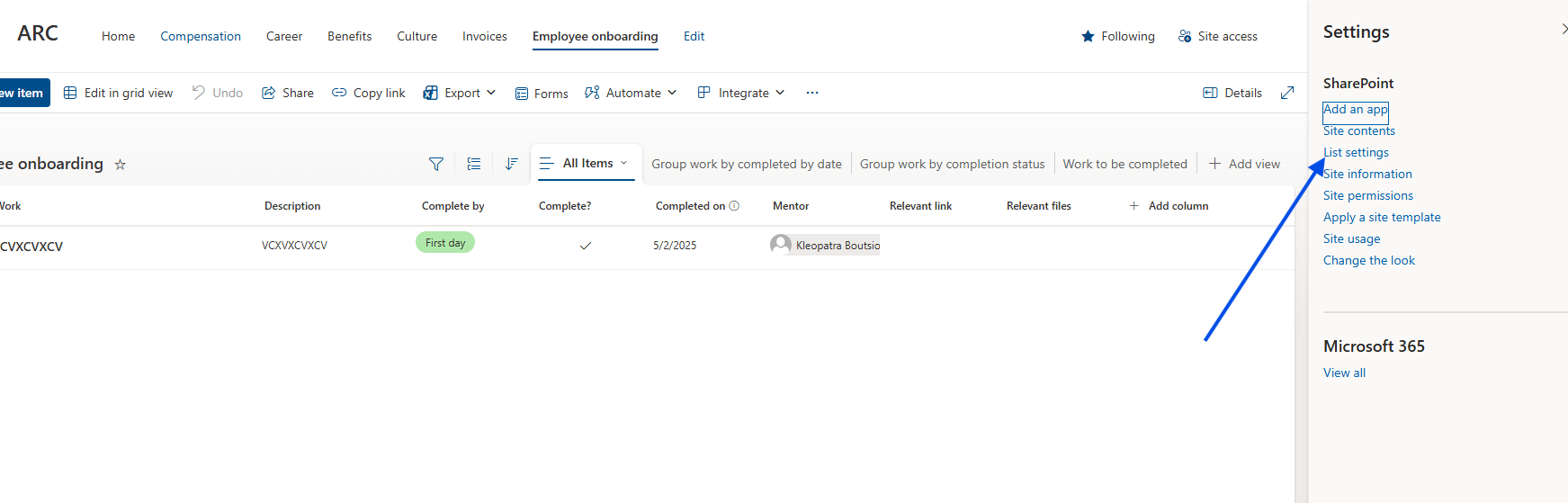
Next, we select the list we want, and again from the gear icon at the top right, we choose List Settings.
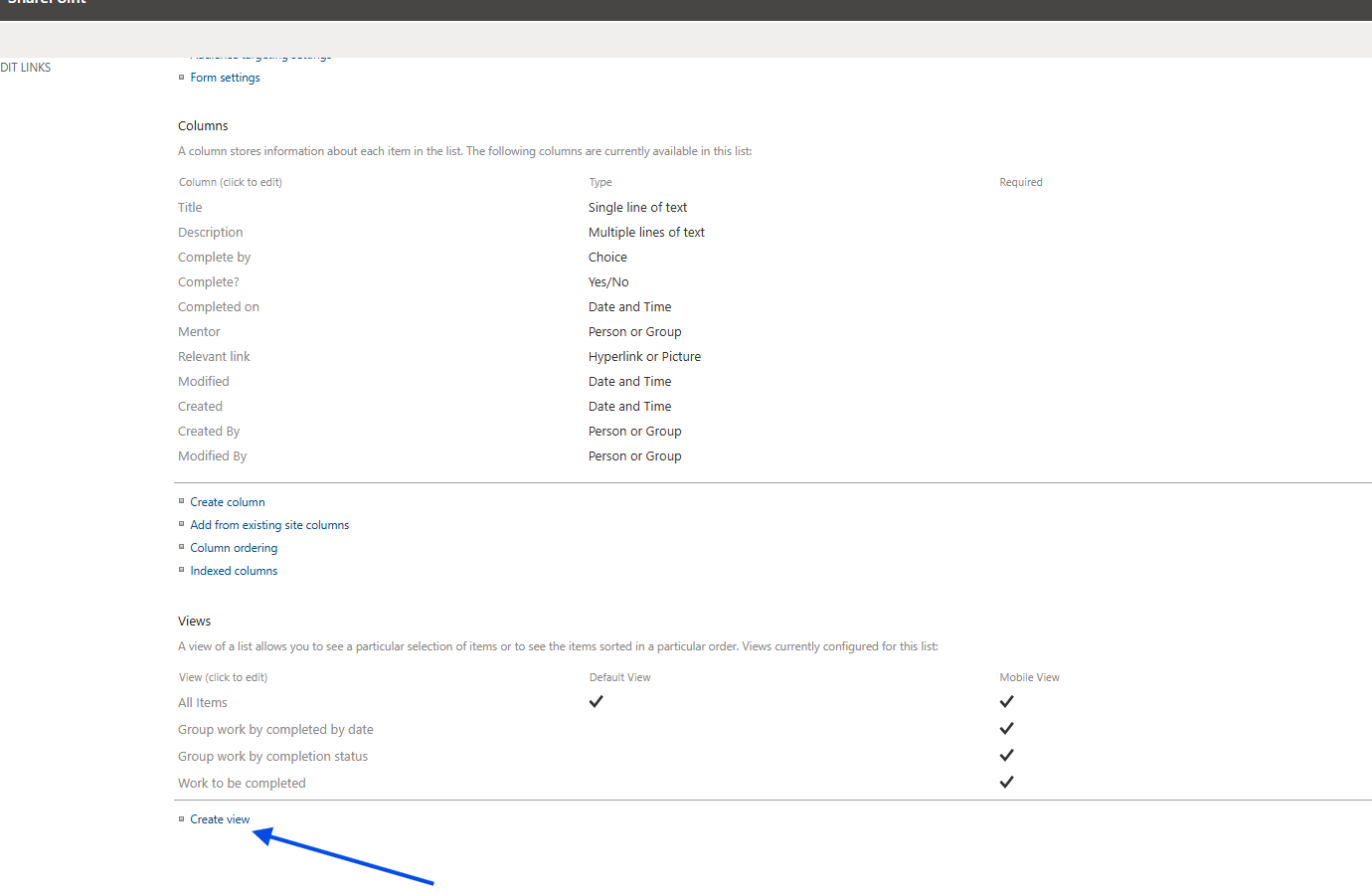
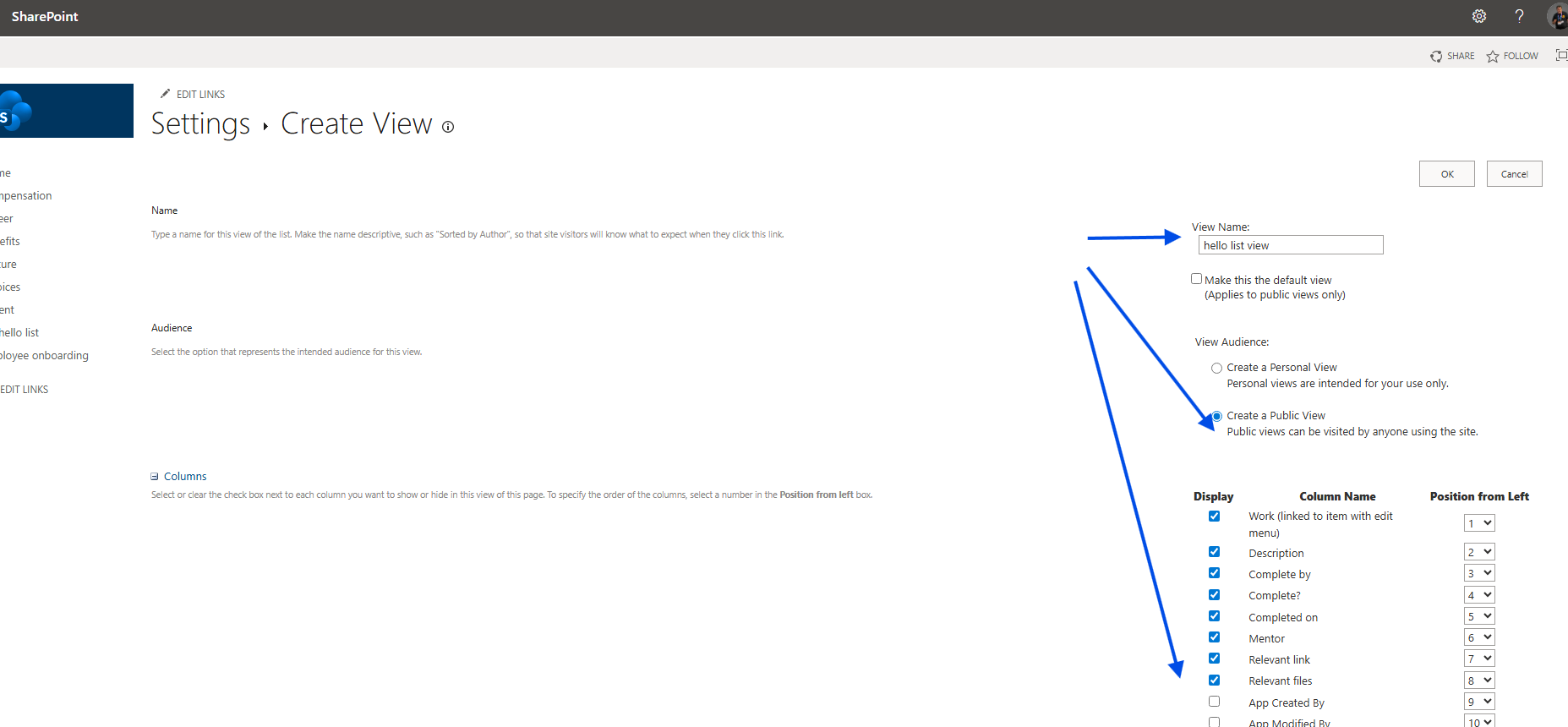
Then we select Create View.
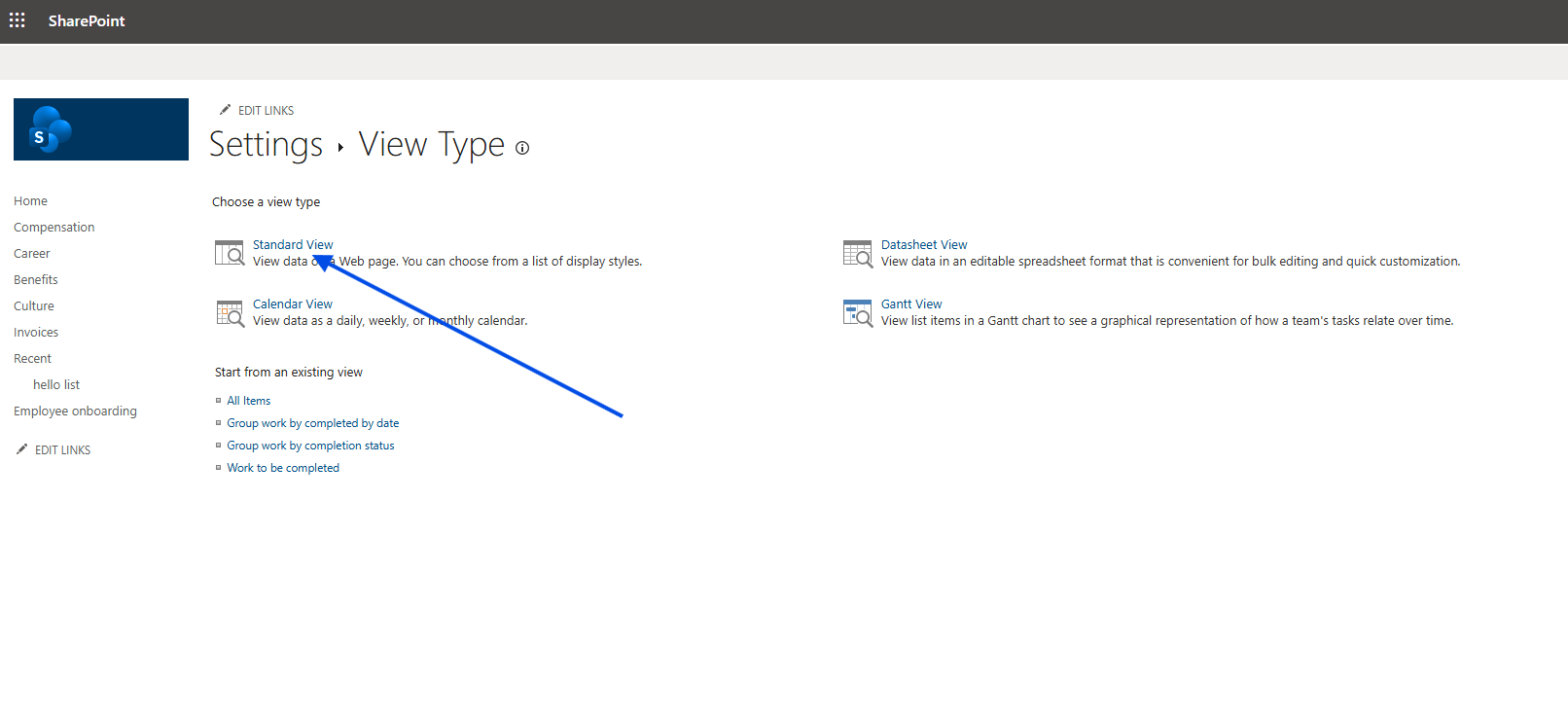
In the next step, we must choose what type of view we want to create.
After that, we select which fields will be visible in our new view and specify whether it will be the default view, as well as whether we want to apply any filters.
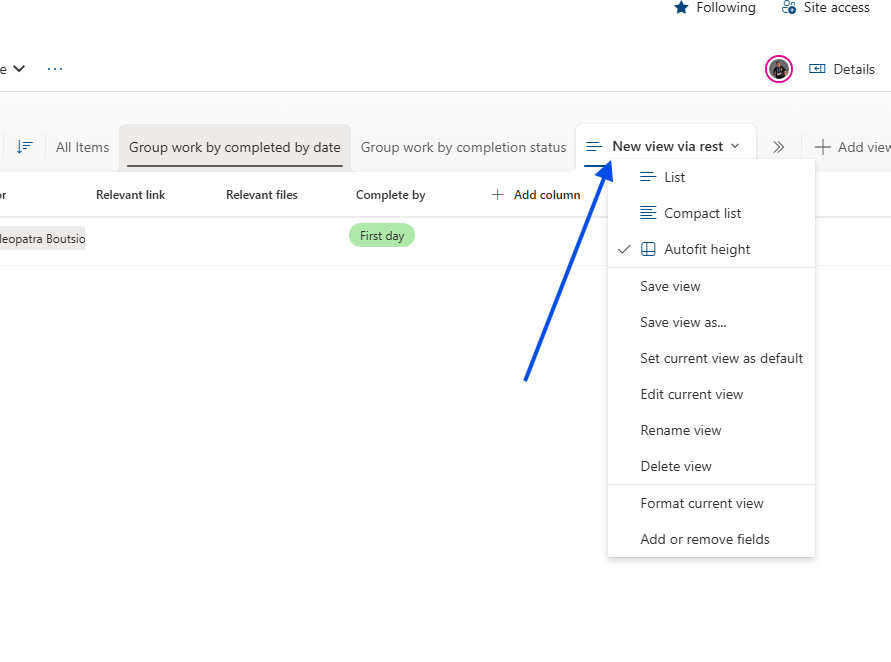
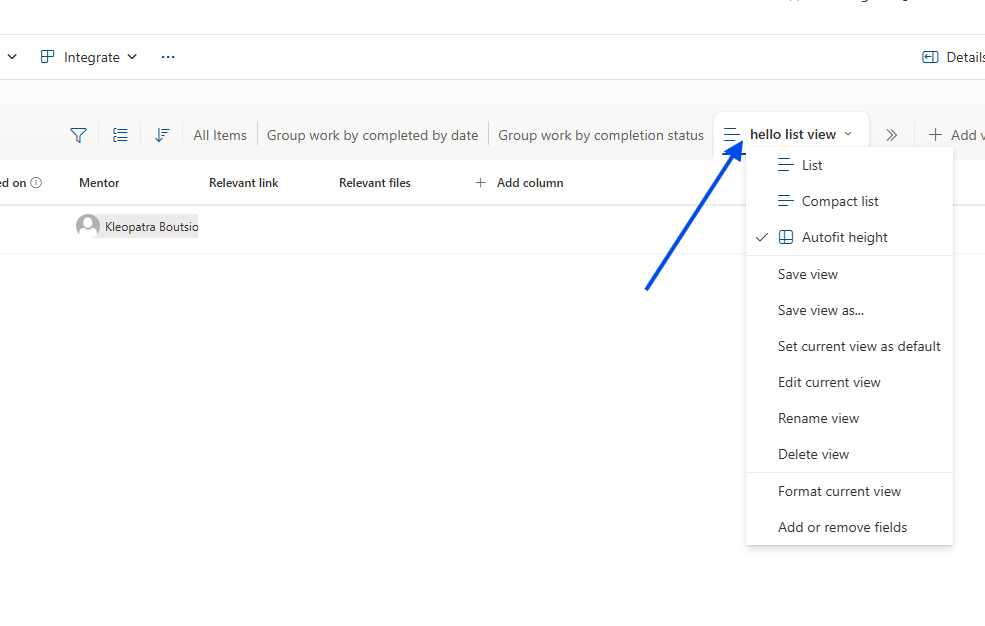
And just like that, we have a new view.
This can, of course, also be done in an automated way using JavaScript and the REST API.
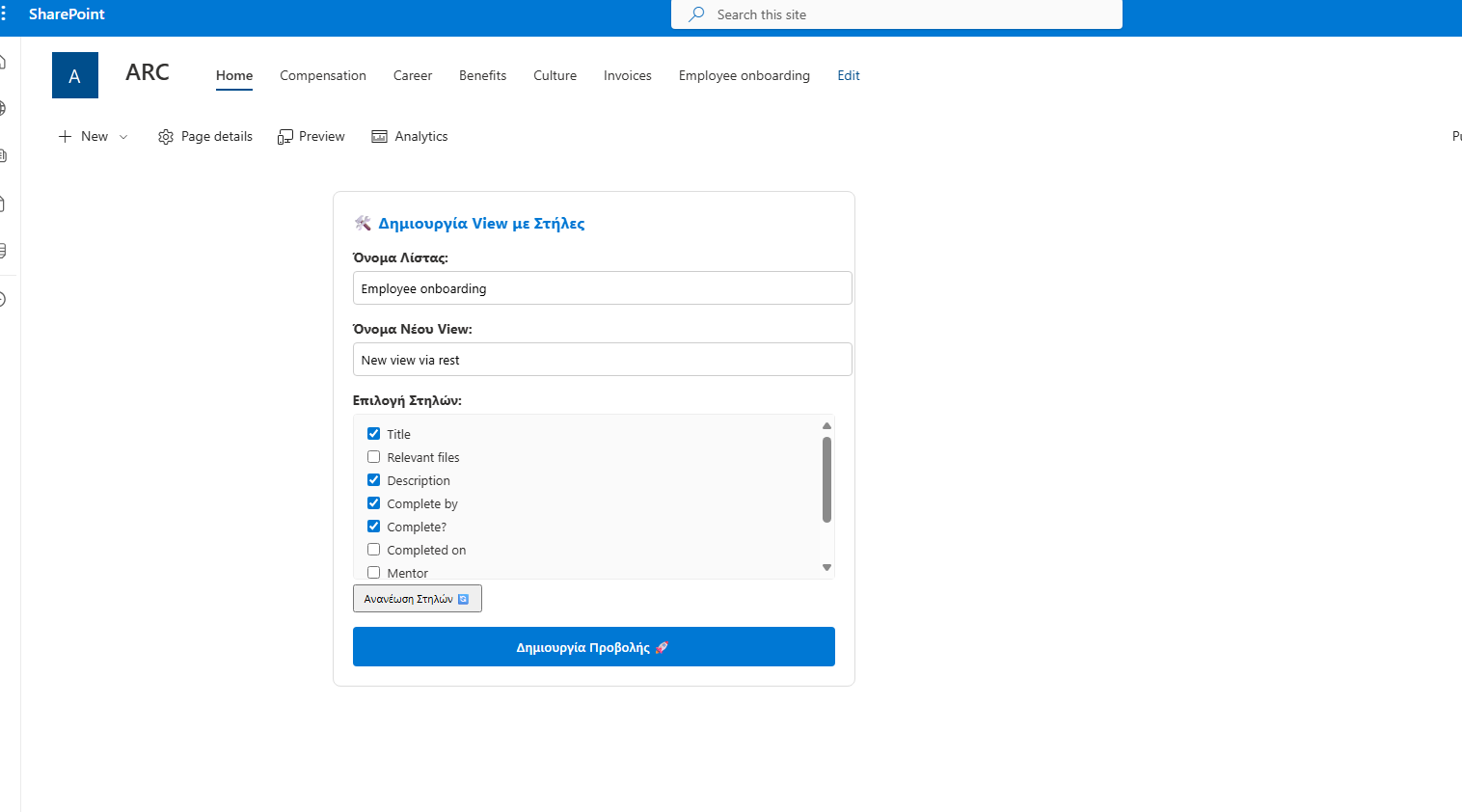
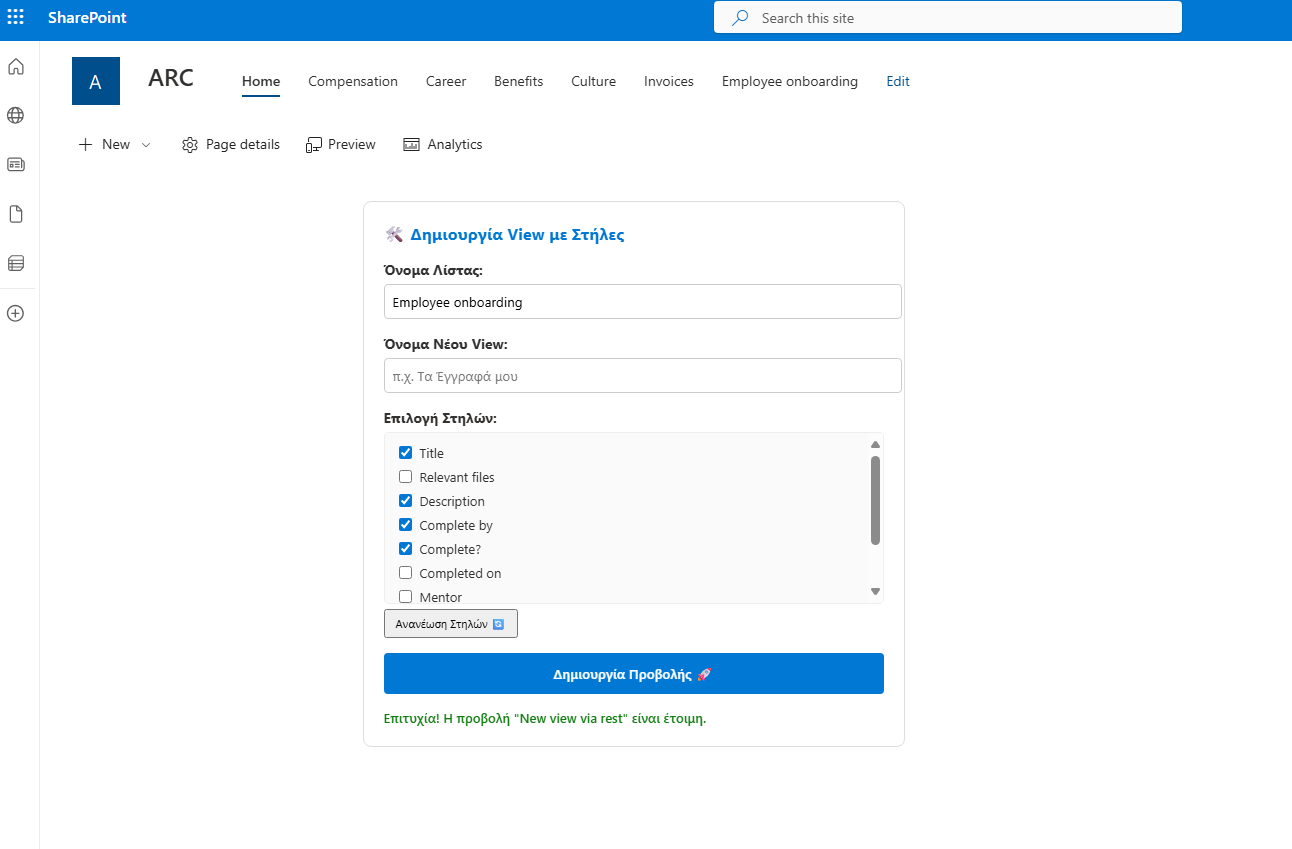
In fact, what we are creating is an interface for managing views, as you can see below.
<div id="view-creator-container" style="padding: 20px; background: #fff; border-radius: 8px; border: 1px solid #ddd; font-family: 'Segoe UI', sans-serif; max-width: 500px;"><h3 style="margin-top: 0; color: #0078d4;">🛠️ Δημιουργία View με Στήλες</h3><div style="margin-bottom: 15px;"><label style="display: block; margin-bottom: 5px; font-weight: bold;">Όνομα Λίστας:</label><input type="text" id="view-target-list" value="MyList" style="width: 100%; padding: 8px; border: 1px solid #ccc; border-radius: 4px;"></div><div style="margin-bottom: 15px;"><label style="display: block; margin-bottom: 5px; font-weight: bold;">Όνομα Νέου View:</label><input type="text" id="new-view-name" placeholder="π.χ. Τα Έγγραφά μου" style="width: 100%; padding: 8px; border: 1px solid #ccc; border-radius: 4px;"></div><div style="margin-bottom: 15px;"><label style="display: block; margin-bottom: 5px; font-weight: bold;">Επιλογή Στηλών:</label><div id="columns-container" style="max-height: 150px; overflow-y: auto; border: 1px solid #eee; padding: 10px; border-radius: 4px; background: #fafafa;"><p id="loading-text" style="font-size: 12px; color: #666;">Περιμένετε, φόρτωση στηλών...</p></div><button onclick="loadListColumns()" style="margin-top: 5px; font-size: 11px; cursor: pointer; padding: 5px 10px;">Ανανέωση Στηλών 🔄</button></div><button id="btn-create-view" onclick="handleCreateFullView()"style="background: #0078d4; color: white; border: none; padding: 12px 20px; border-radius: 4px; cursor: pointer; font-weight: 600; width: 100%;">Δημιουργία Προβολής 🚀</button><div id="view-status" style="margin-top: 15px; font-size: 13px; display: none; font-weight: 500;"></div></div><script>// Helper συνάρτηση για το URLfunction getSiteUrl() {let relativeUrl = "";if (typeof _spPageContextInfo !== "undefined") {relativeUrl = _spPageContextInfo.webServerRelativeUrl;} else {const pathParts = window.location.pathname.split('/');if (pathParts.includes('sites') || pathParts.includes('teams')) {relativeUrl = pathParts.slice(0, 3).join('/');}}return window.location.origin + (relativeUrl === "/" ? "" : relativeUrl);}// Φόρτωση στηλών κατά την εκκίνησηdocument.addEventListener("DOMContentLoaded", function() {// Μικρή καθυστέρηση για να προλάβει το SharePoint να αρχικοποιηθεί αν χρειάζεταιsetTimeout(loadListColumns, 500);});async function loadListColumns() {const listName = document.getElementById('view-target-list').value;const container = document.getElementById('columns-container');const status = document.getElementById('view-status');if (!listName) return;container.innerHTML = "<p style='font-size: 12px; color: #666;'>Φόρτωση...</p>";const siteUrl = getSiteUrl();try {const res = await fetch(`${siteUrl}/_api/web/lists/getbytitle('${listName}')/fields?$filter=Hidden eq false and ReadOnlyField eq false`, {headers: { "Accept": "application/json;odata=verbose" }});if (!res.ok) throw new Error("Η λίστα δεν βρέθηκε.");const data = await res.json();const fields = data.d.results;if (fields.length === 0) {container.innerHTML = "Δεν βρέθηκαν διαθέσιμες στήλες.";return;}container.innerHTML = fields.map(f => `<div style="margin-bottom: 5px; display: flex; align-items: center;"><input type="checkbox" class="col-check" value="${f.InternalName}" id="col-${f.InternalName}" style="margin-right: 8px;"><label for="col-${f.InternalName}" style="font-size: 13px; cursor: pointer;">${f.Title}</label></div>`).join('');} catch (e) {container.innerHTML = `<span style='color:red; font-size:12px;'>Σφάλμα: Ελέγξτε αν το όνομα "${listName}" είναι σωστό.</span>`;console.error(e);}}async function handleCreateFullView() {const listName = document.getElementById('view-target-list').value;const viewName = document.getElementById('new-view-name').value.trim();const btn = document.getElementById('btn-create-view');const selectedCols = Array.from(document.querySelectorAll('.col-check:checked')).map(cb => cb.value);if (!viewName || selectedCols.length === 0) {updateViewStatus("Δώστε όνομα και επιλέξτε τουλάχιστον μία στήλη!", "#d13438");return;}btn.disabled = true;updateViewStatus("Δημιουργία προβολής...", "#666");try {const siteUrl = getSiteUrl();// 1. Digest Tokenconst contextRes = await fetch(`${siteUrl}/_api/contextinfo`, {method: "POST",headers: { "Accept": "application/json;odata=verbose" }});const contextData = await contextRes.json();const digest = contextData.d.GetContextWebInformation.FormDigestValue;// 2. Δημιουργία Viewconst viewRes = await fetch(`${siteUrl}/_api/web/lists/getbytitle('${listName}')/views`, {method: "POST",body: JSON.stringify({'__metadata': { 'type': 'SP.View' },'Title': viewName,'PersonalView': false}),headers: {"Accept": "application/json;odata=verbose","Content-Type": "application/json;odata=verbose","X-RequestDigest": digest}});if (viewRes.ok) {// 3. Προσθήκη Στηλών (Parallel execution για ταχύτητα)updateViewStatus("Προσθήκη στηλών...", "#0078d4");const addFieldPromises = selectedCols.map(field =>fetch(`${siteUrl}/_api/web/lists/getbytitle('${listName}')/views/getbytitle('${viewName}')/viewfields/addviewfield('${field}')`, {method: "POST",headers: { "X-RequestDigest": digest }}));await Promise.all(addFieldPromises);updateViewStatus(`Επιτυχία! Η προβολή "${viewName}" είναι έτοιμη.`, "#107c10");document.getElementById('new-view-name').value = "";} else {const err = await viewRes.json();updateViewStatus("Σφάλμα: " + err.error.message.value, "#d13438");}} catch (e) {updateViewStatus("Σφάλμα: " + e.message, "#d13438");} finally {btn.disabled = false;btn.innerText = "Δημιουργία Προβολής 🚀";}}function updateViewStatus(msg, color) {const status = document.getElementById('view-status');status.style.display = "block";status.style.color = color;status.innerText = msg;}</script>