
In today’s post, we will see how we can enable audience targeting for the Quick Links web part.
This is a very simple process but extremely important, because it ensures that the links are visible only to a specific audience.
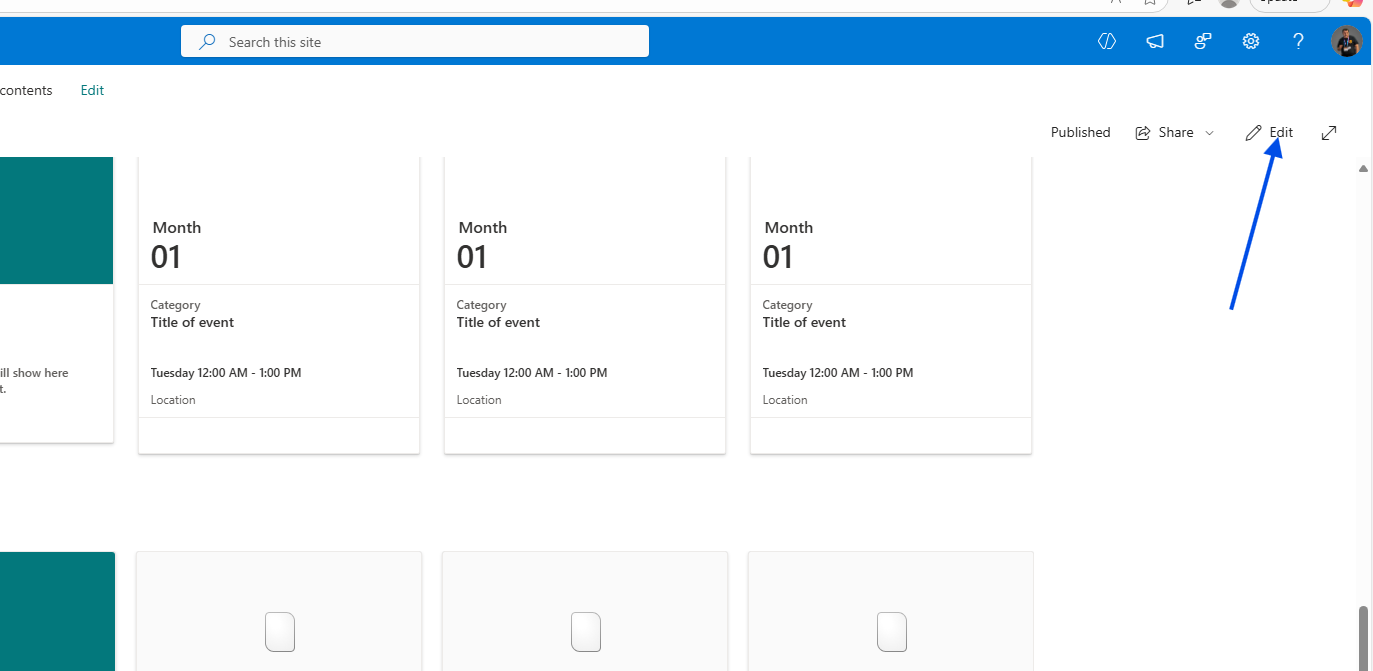
First, we click Edit on a page so we can add the web part.
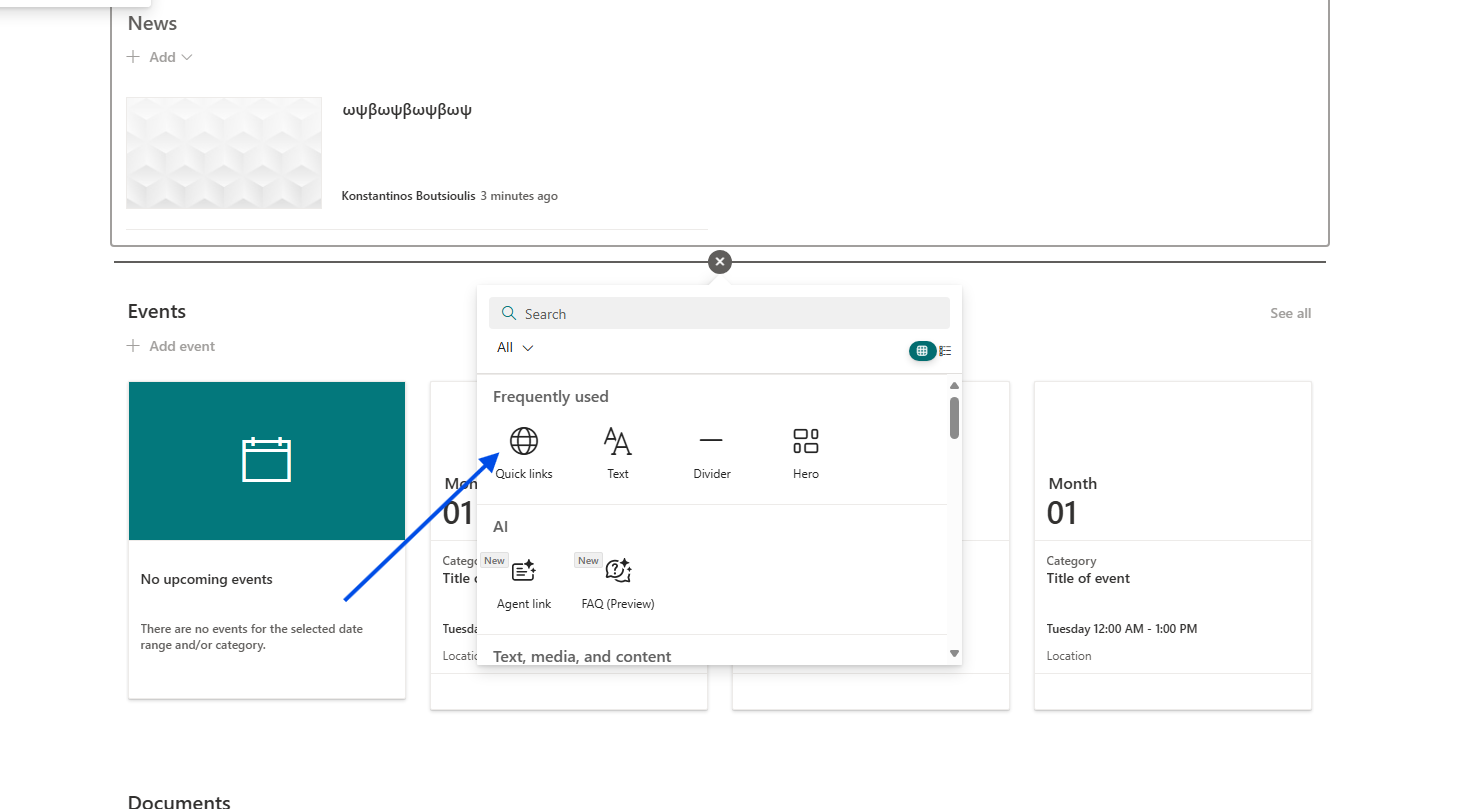
Then we click the + button and add a new Quick Links web part in any section.
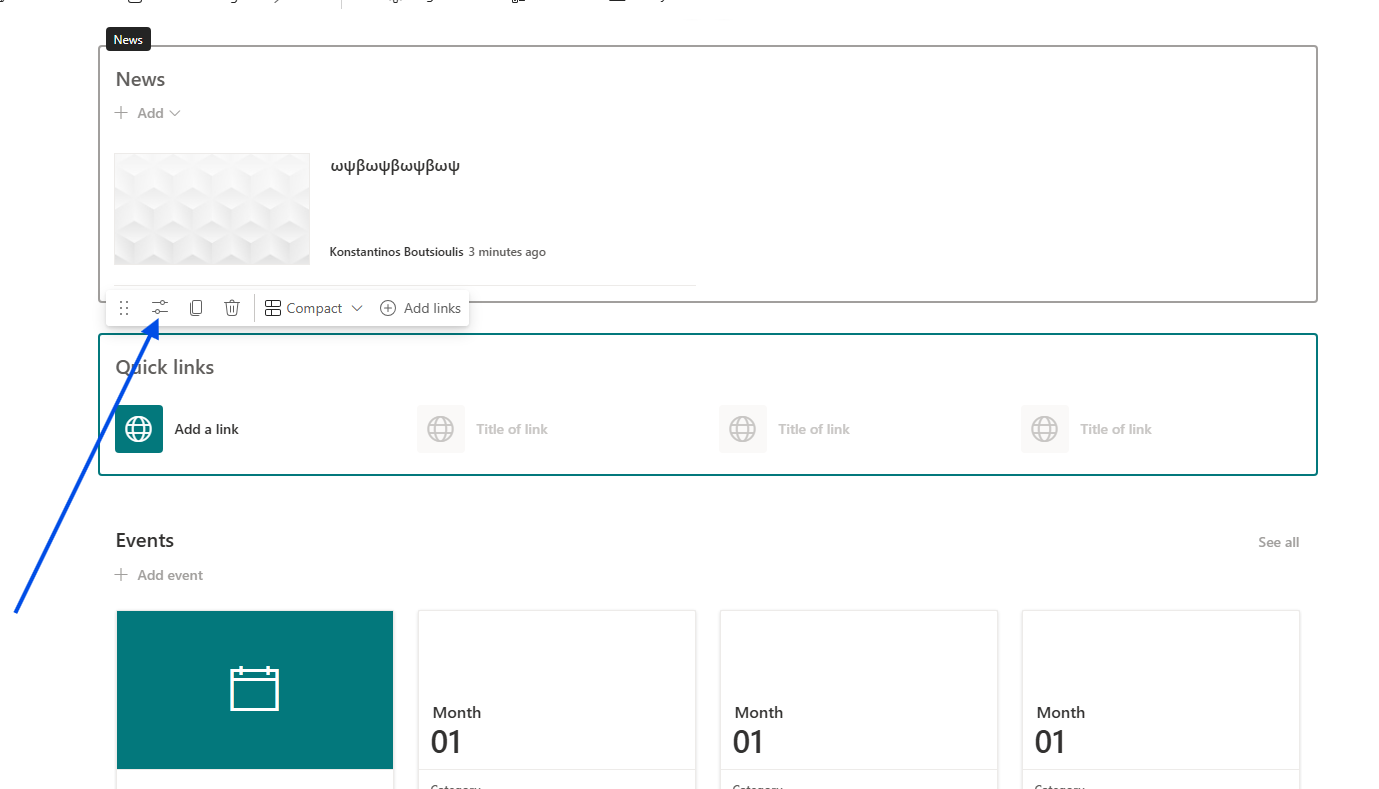
Next, we open the settings of the Quick Links web part.
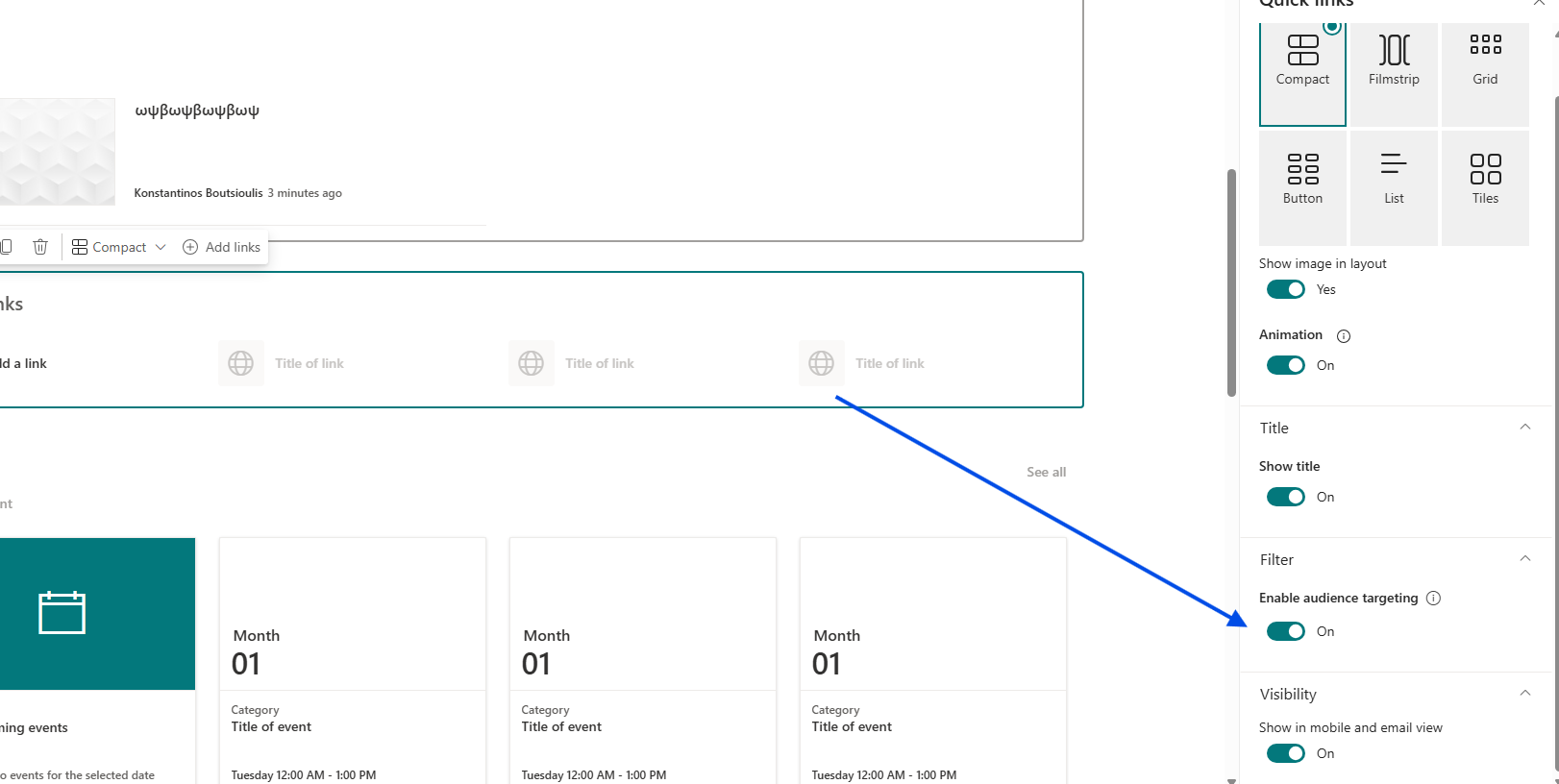
And in the right-hand sidebar, we enable Audience targeting using the toggle.
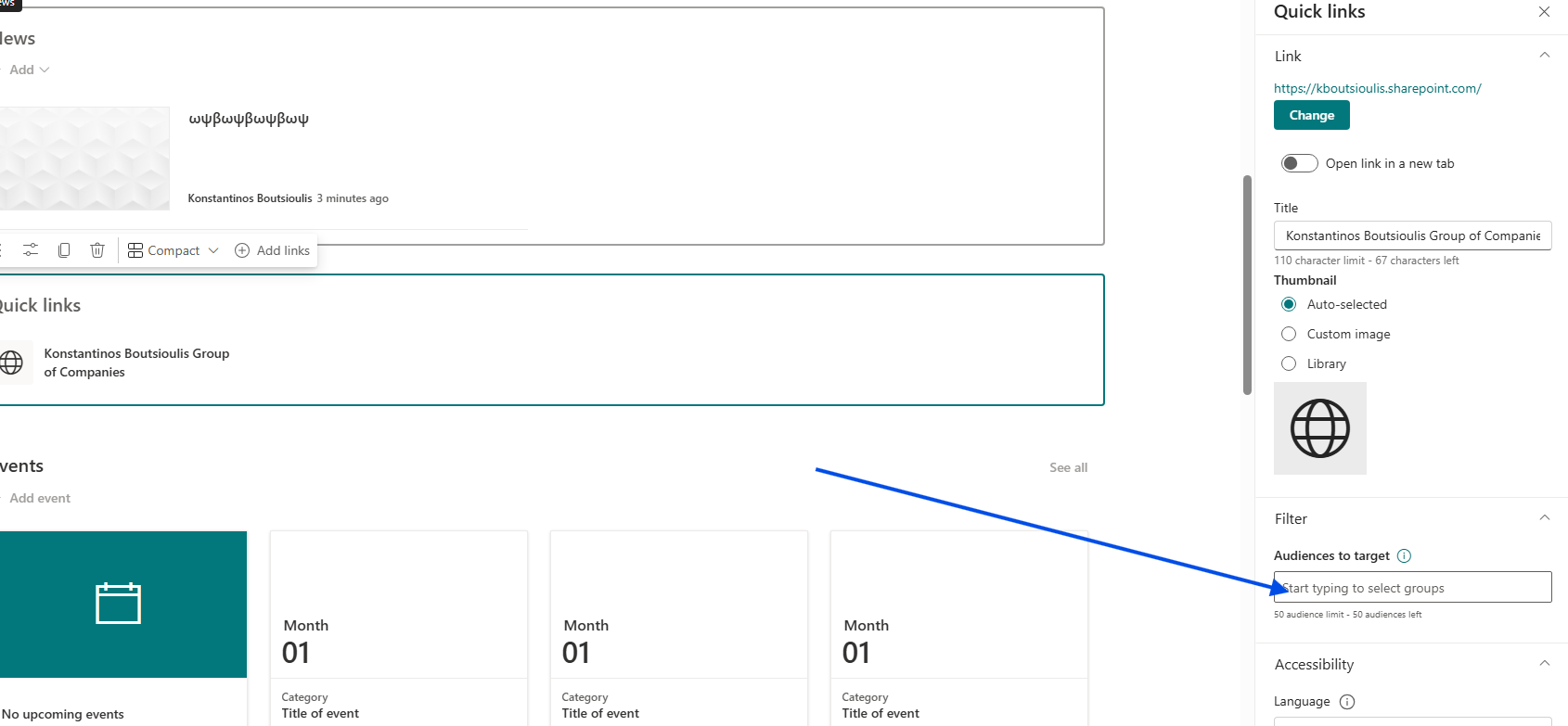
If we now create a new Quick Link, we will again see in the right sidebar (under the link settings) the option Audience to target, where we can add the group of our choice so that the link becomes visible only to a specific group of users.
It should be noted that audience targeting is not a permission mechanism—it does not grant access to a page.
It only controls whether something is visible or not.
Page permissions are managed separately using standard SharePoint permission settings.