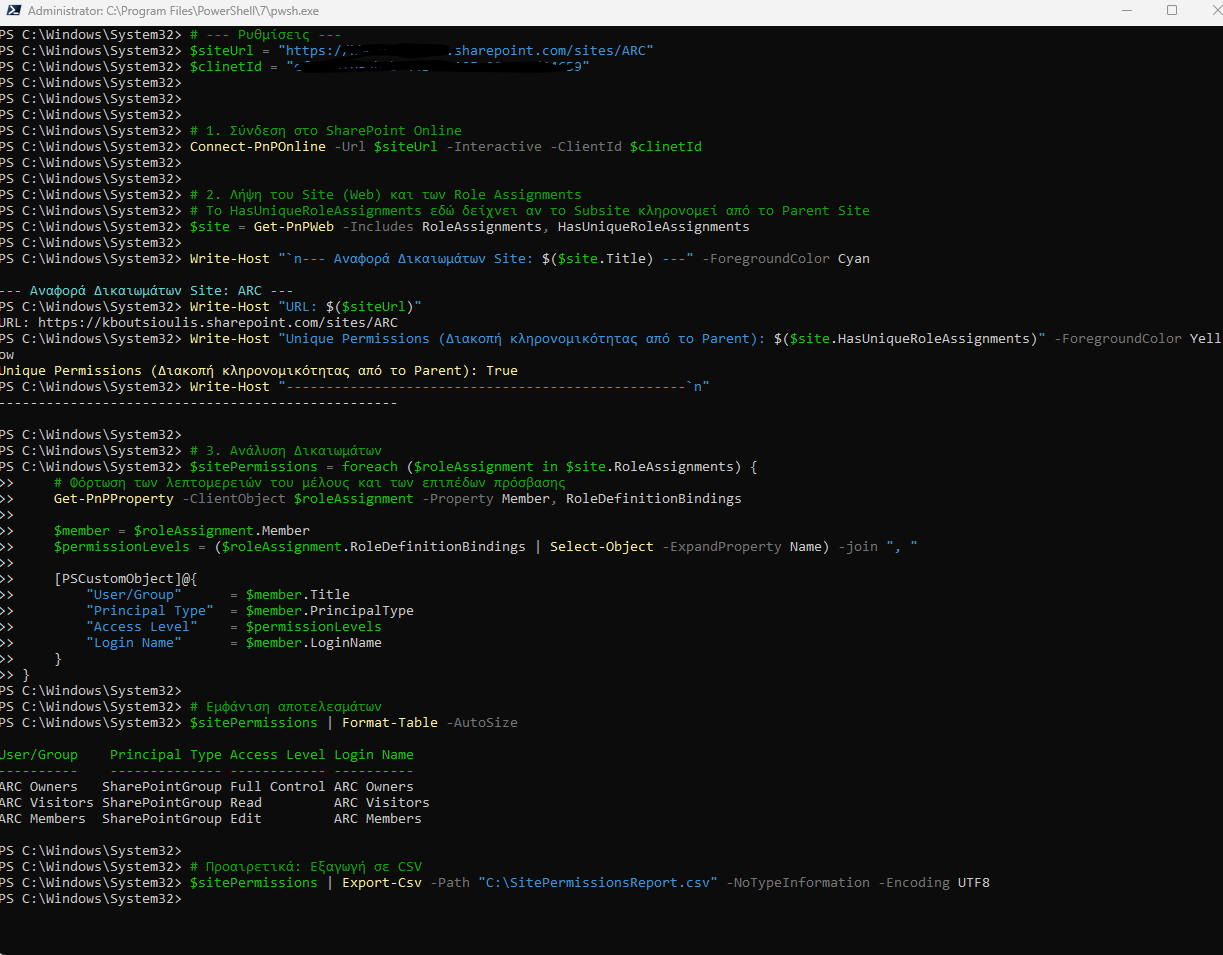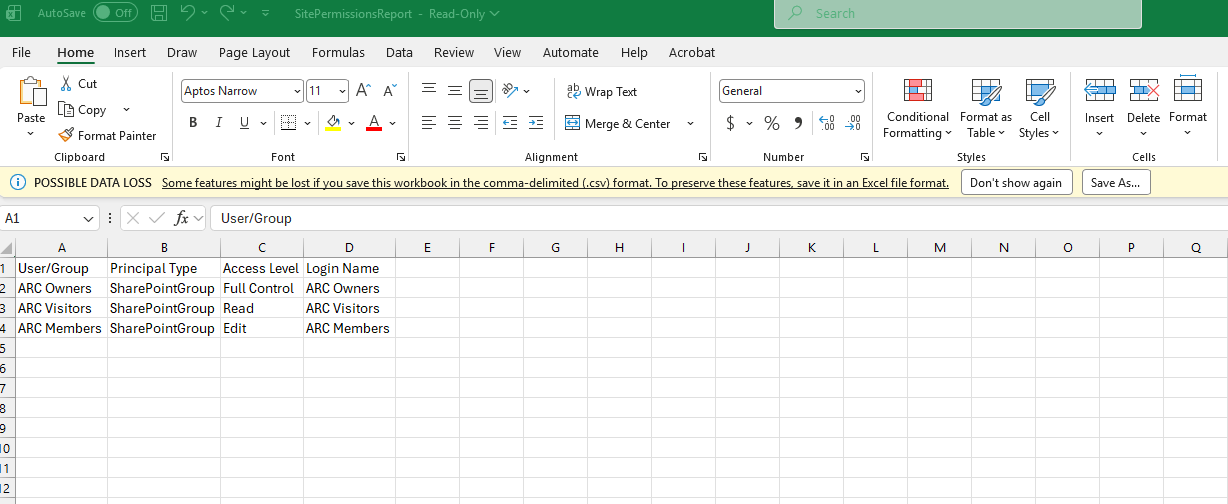
In today’s article, we will see how we can perform an access permissions check on a SharePoint site.
This is a relatively easy process when it needs to be done for a limited number of sites via the end-user environment.
If the number of sites is large, we will need automated procedures, specifically using PowerShell.
From the end-user environment, we can select the site we want and then, from the gear icon at the top right, choose Site permissions.
Next, we select the list we want and again from the gear icon choose Site permissions.
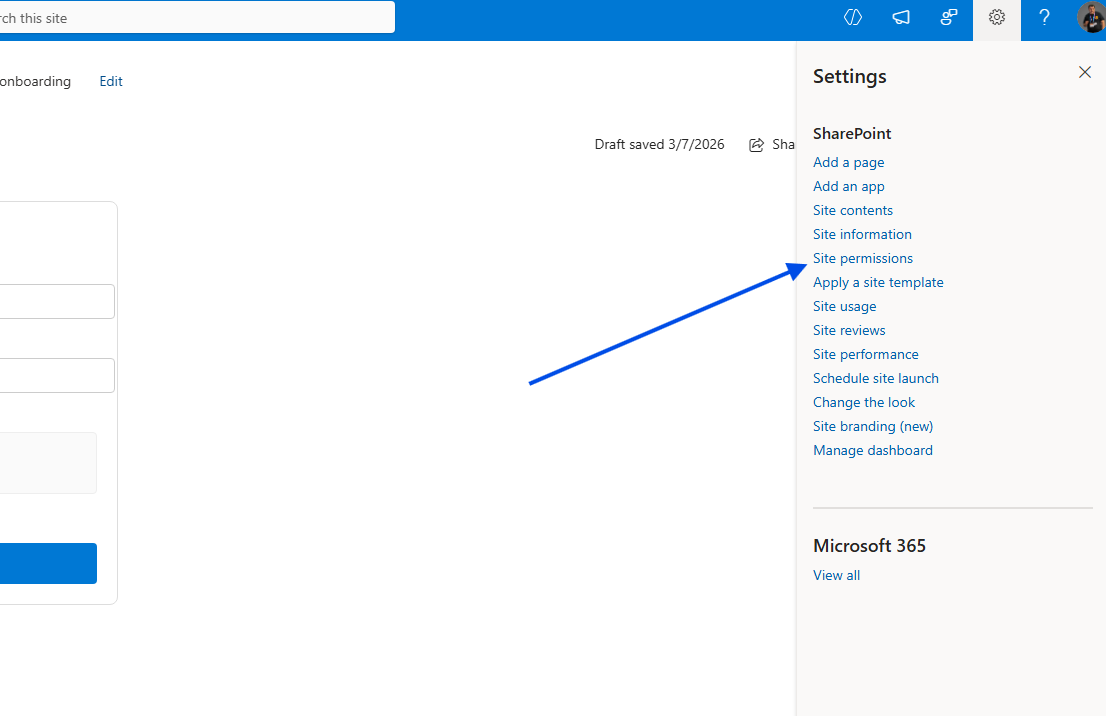
Note that the user must have administrator rights in order to have a complete overview of the site’s permissions.
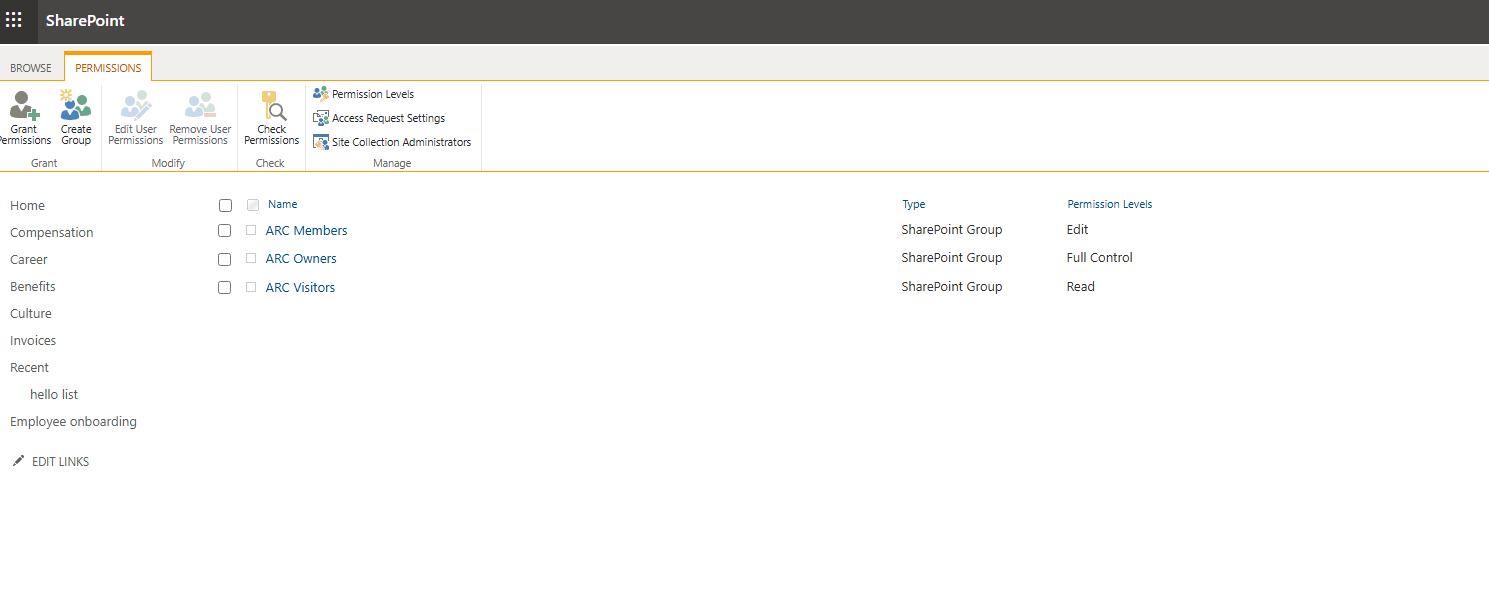
Then we select Advanced permission settings.
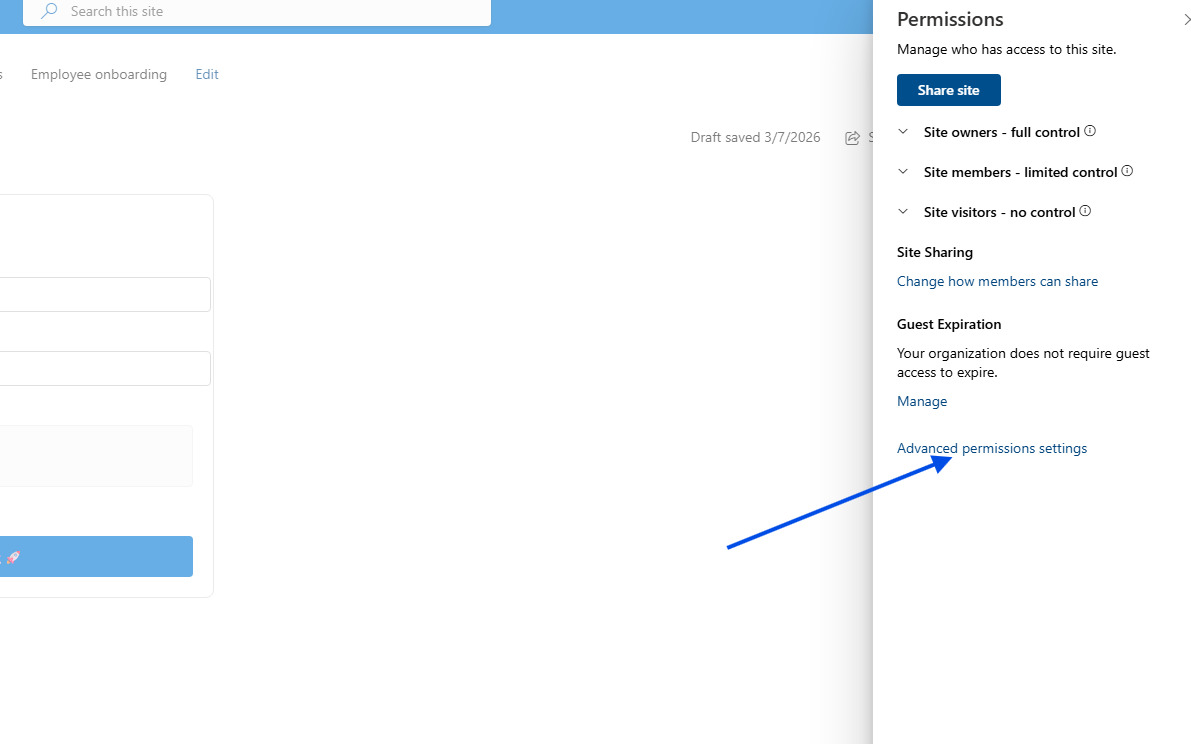
On the next page, as you can see, SharePoint groups, AD groups, and individual users who have permissions on the page are displayed, along with their permission levels. In this case, there is no direct export to Excel.
To be able to see all permissions and have them in an Excel-friendly format, we need to run the following PowerShell:
# --- Settings ---$siteUrl = "https://mytenant.sharepoint.com/sites/ARC"$clinetId = "00000000-0000-0000-0000-00000000000"# 1. Connect to SharePoint OnlineConnect-PnPOnline -Url $siteUrl -Interactive -ClientId $clinetId# 2. Get the Site (Web) and its Role Assignments# HasUniqueRoleAssignments indicates whether the subsite inherits from the parent site$site = Get-PnPWeb -Includes RoleAssignments, HasUniqueRoleAssignmentsWrite-Host "`n--- Site Permissions Report: $($site.Title) ---" -ForegroundColor CyanWrite-Host "URL: $($siteUrl)"Write-Host "Unique Permissions (Inheritance broken from Parent): $($site.HasUniqueRoleAssignments)" -ForegroundColor YellowWrite-Host "--------------------------------------------------`n"# 3. Analyze Permissions$sitePermissions = foreach ($roleAssignment in $site.RoleAssignments) {# Load member details and access levelsGet-PnPProperty -ClientObject $roleAssignment -Property Member, RoleDefinitionBindings$member = $roleAssignment.Member$permissionLevels = ($roleAssignment.RoleDefinitionBindings | Select-Object -ExpandProperty Name) -join ", "[PSCustomObject]@{"User/Group" = $member.Title"Principal Type" = $member.PrincipalType"Access Level" = $permissionLevels"Login Name" = $member.LoginName}}# Display results$sitePermissions | Format-Table -AutoSize# Optional: Export to CSV$sitePermissions | Export-Csv -Path "C:\SitePermissionsReport.csv" -NoTypeInformation -Encoding UTF8